

This translation is awaiting language review. Application screenshots and interface labels are in Turkish. The downloadable PDF is also in Turkish.
Fetch and find bank transactions
- Open the Bank transactions (Banka hareketleri) tab under Cash and bank accounts (Kasa ve banka).
- Click Fetch transactions (Hareketleri al) at the top right to bring bank transactions into the list. When it finishes, a message shows the page fetched. Fetching alone does not change cash account balances.
- Search by sender or recipient, description, or reference. If needed, filter by date range, currency, incoming/outgoing direction, matching status, and bank account.
- Check the date, bank account, sender/recipient, amount, and Matching (Eşleştirme) status in the row. Click Inspect (İncele) for details.
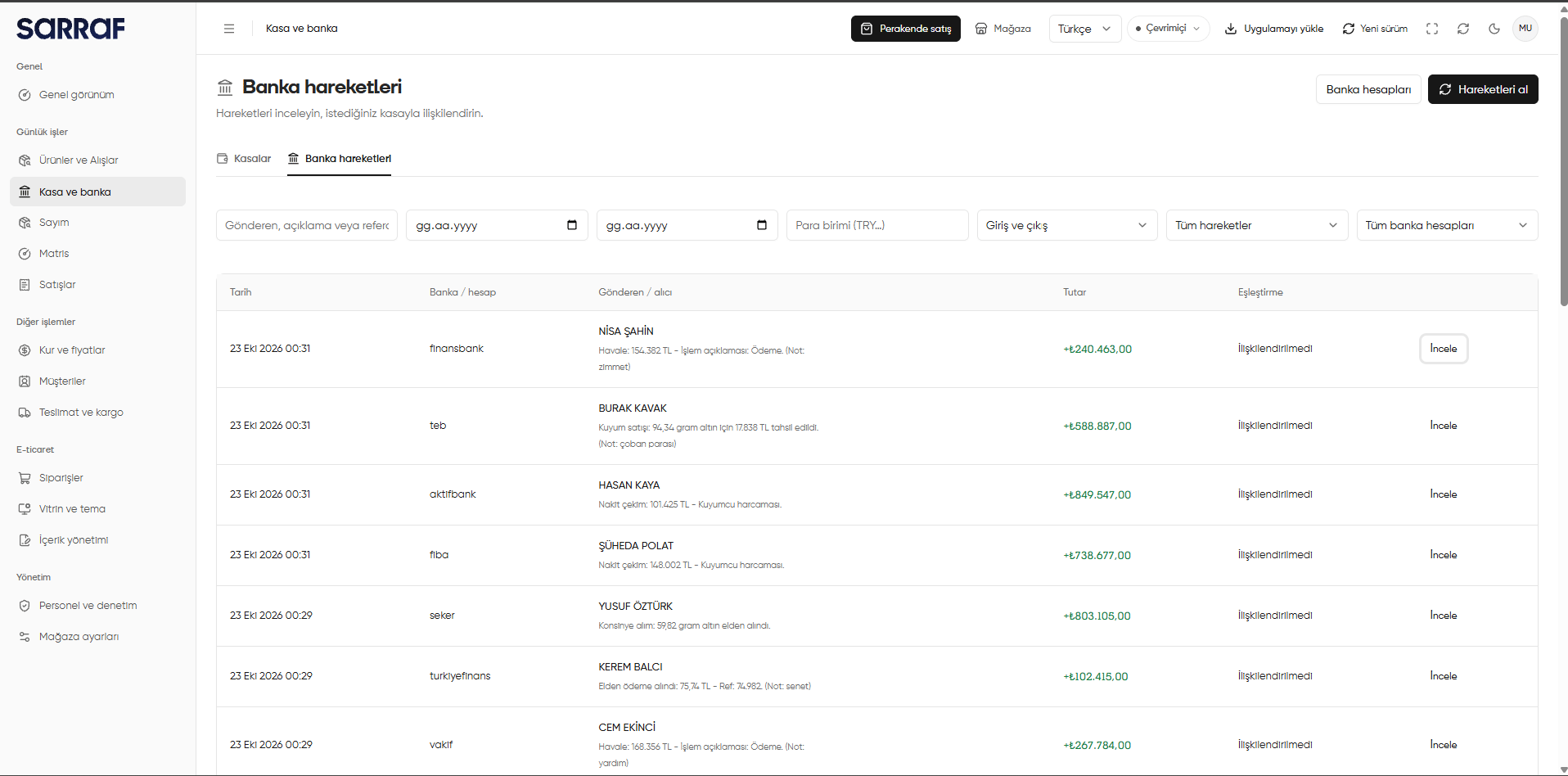
Bank transaction list, filters and Fetch transactions (Hareketleri al) button
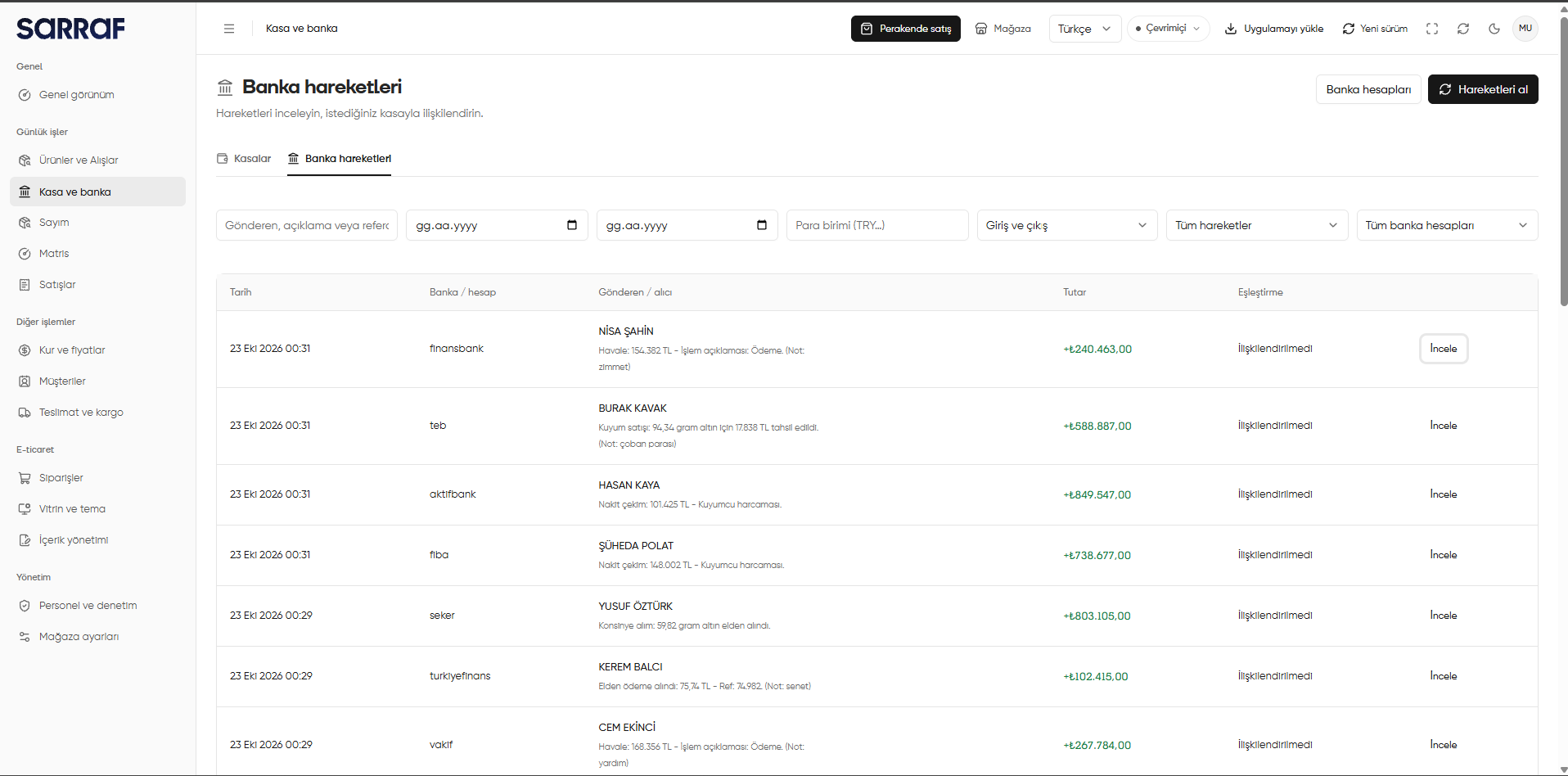
Inspect the transaction and choose an action
In Inspect (İncele), compare the incoming or outgoing direction and amount with the date, sender/recipient, bank account, description, and reference. The Action (İşlem) field offers two choices: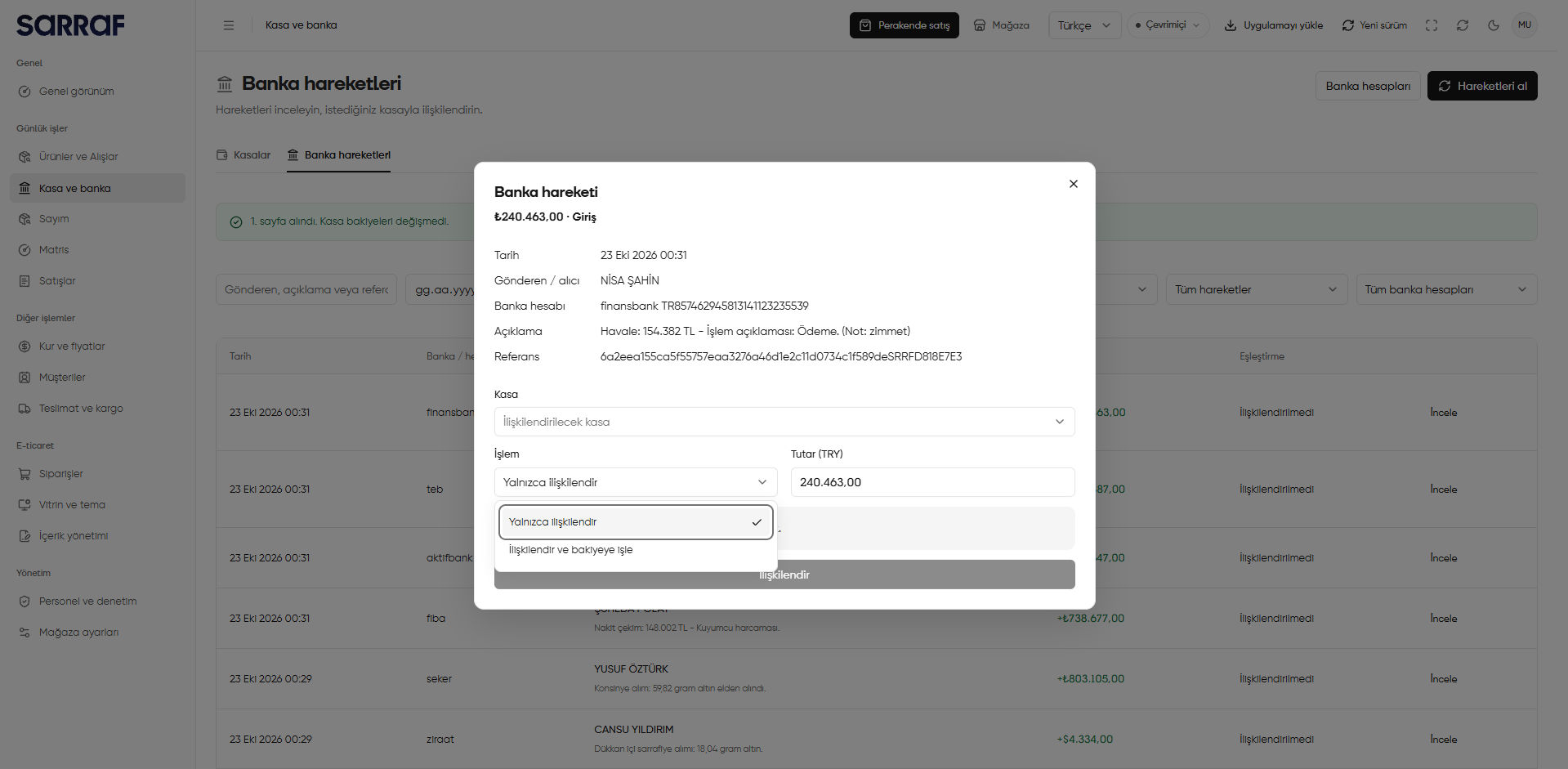
Action and amount selection in the bank transaction window
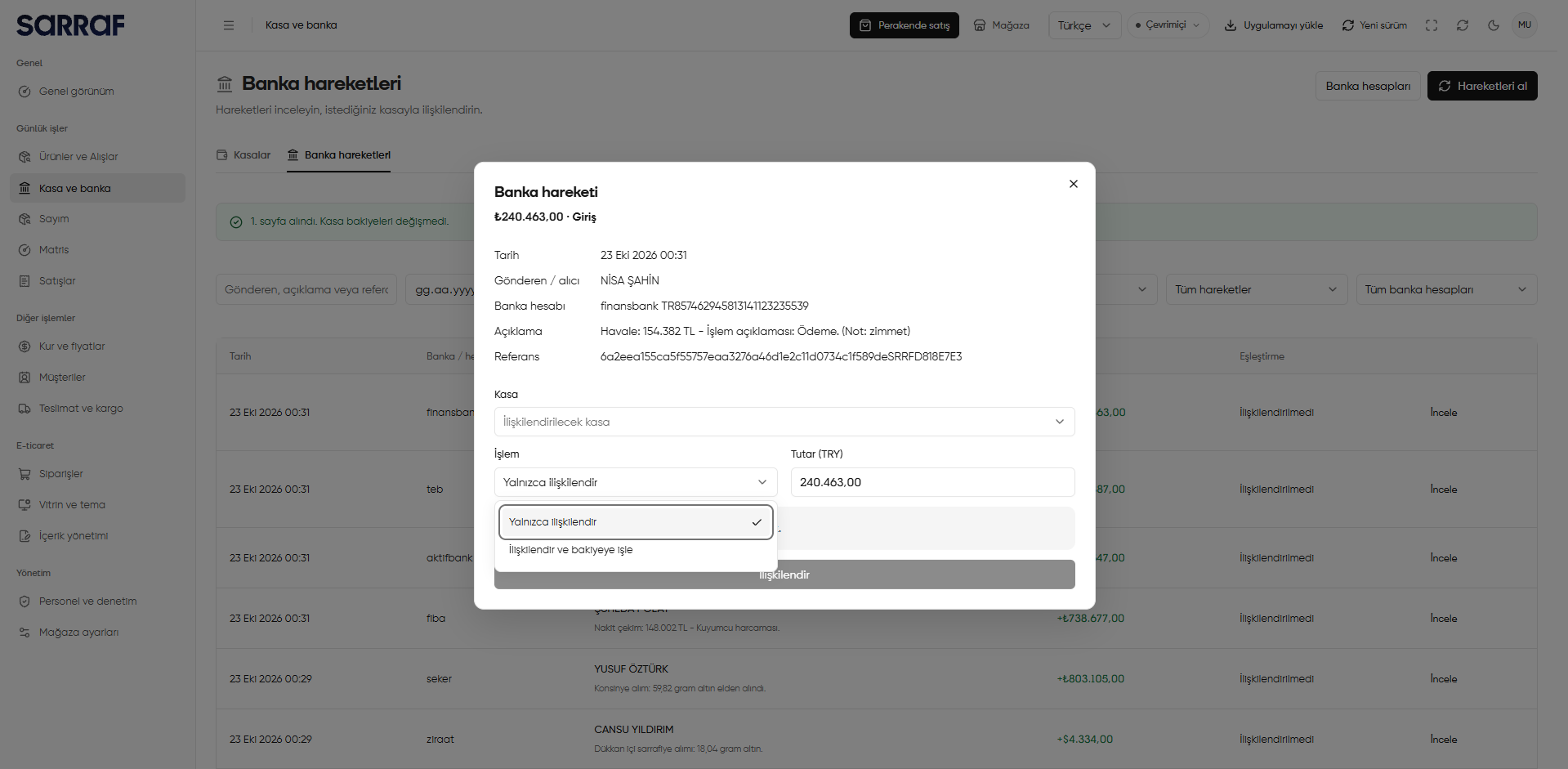
Choose the cash account and link the transaction
- Under Cash account (Kasa), choose the account to link to the transaction. The account names in the image are examples; choose the one appropriate for your transaction.
- Compare Amount (TRY) (Tutar (TRY)) with the bank transaction amount. If Link and post to balance (İlişkilendir ve bakiyeye işle) is selected, also check the balance effect shown in the window.
- When the cash account, action, and amount are correct, click Link (İlişkilendir). Close the window to leave without linking.
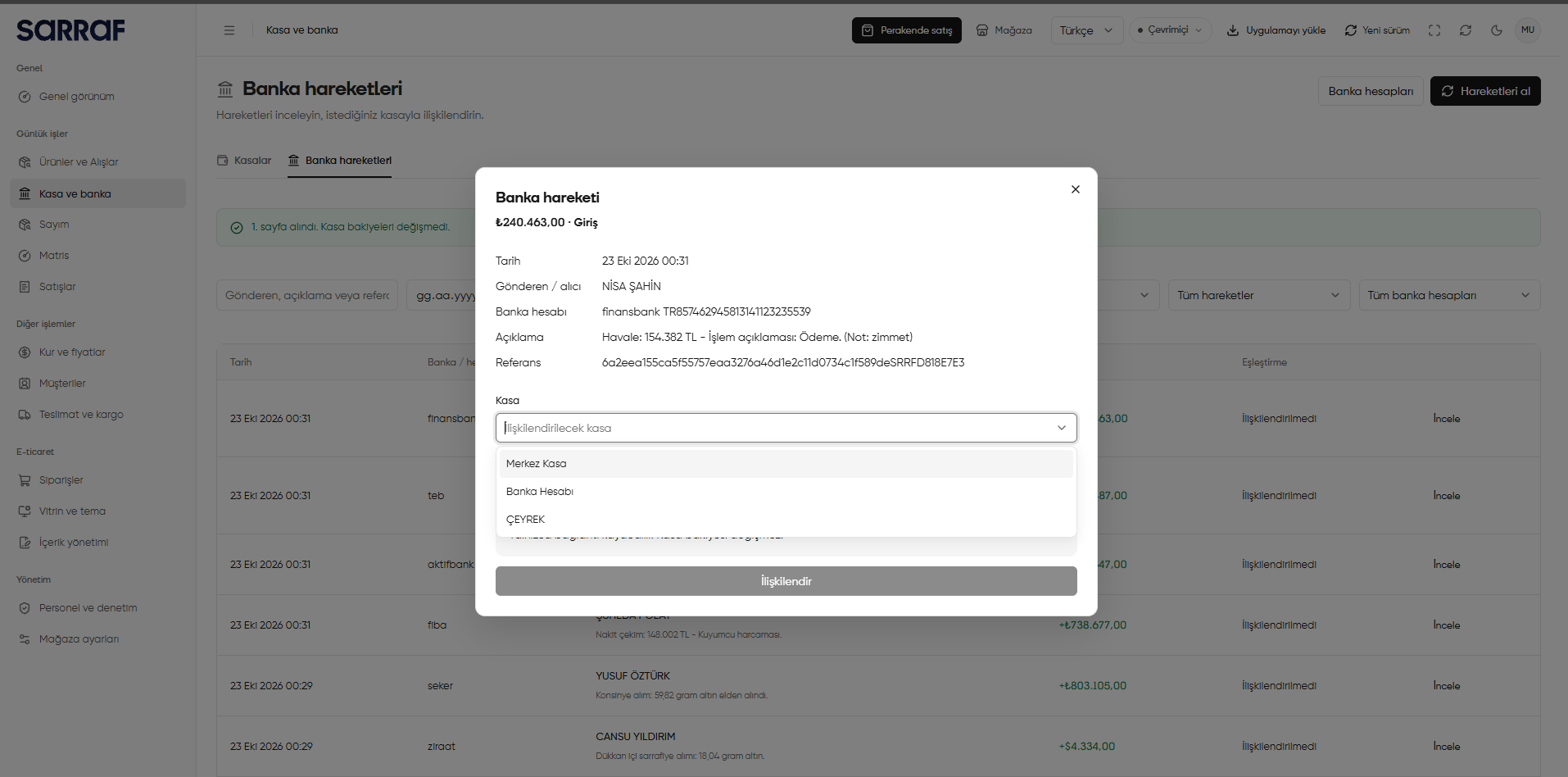
Choosing the cash account to link to a bank transaction
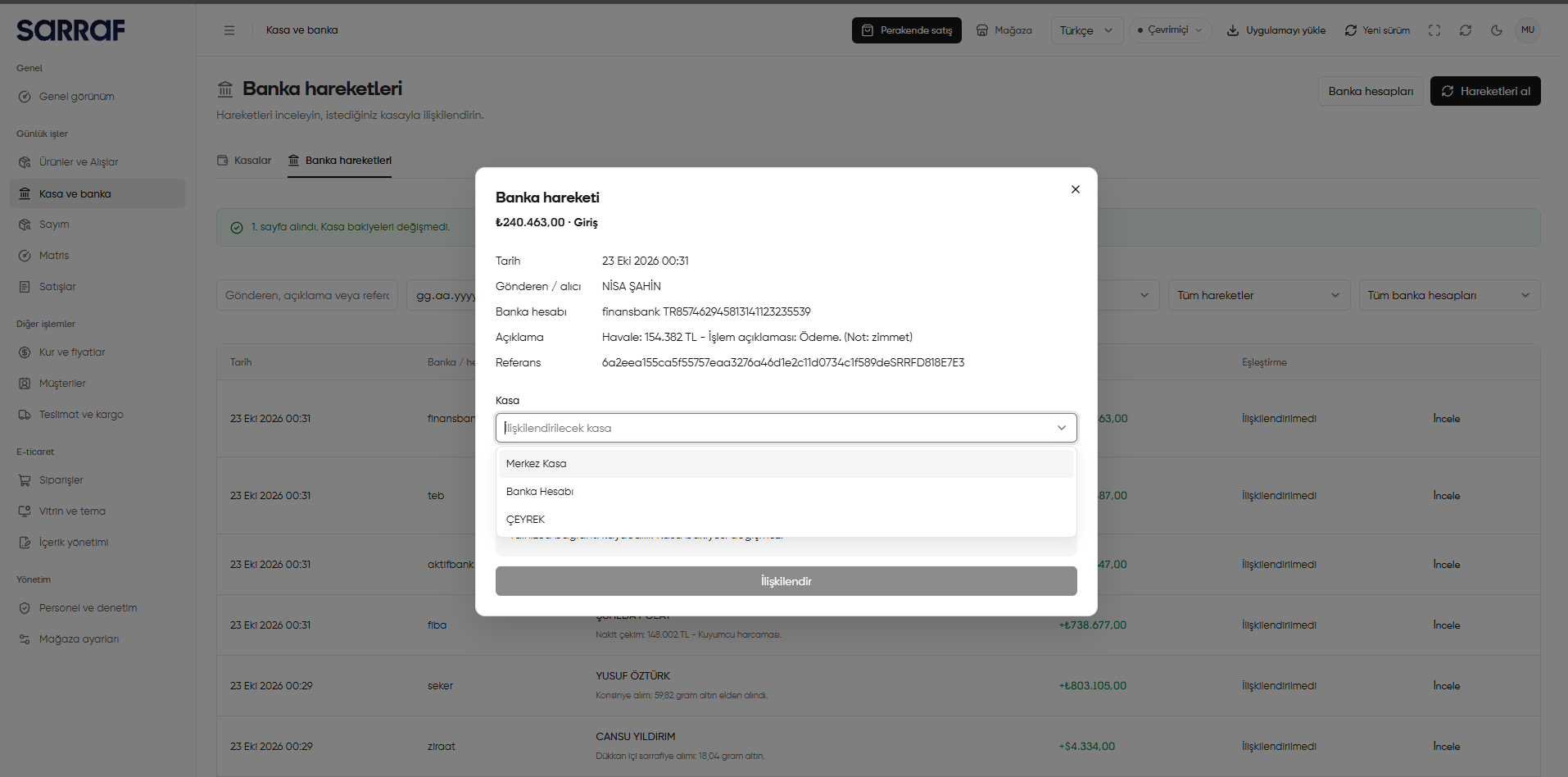
Fetch transactions (Hareketleri al) only retrieves transactions; the decision to post to a cash account balance is made under Action (İşlem). If a cash account entry already exists for the same transaction, take care not to record it twice.