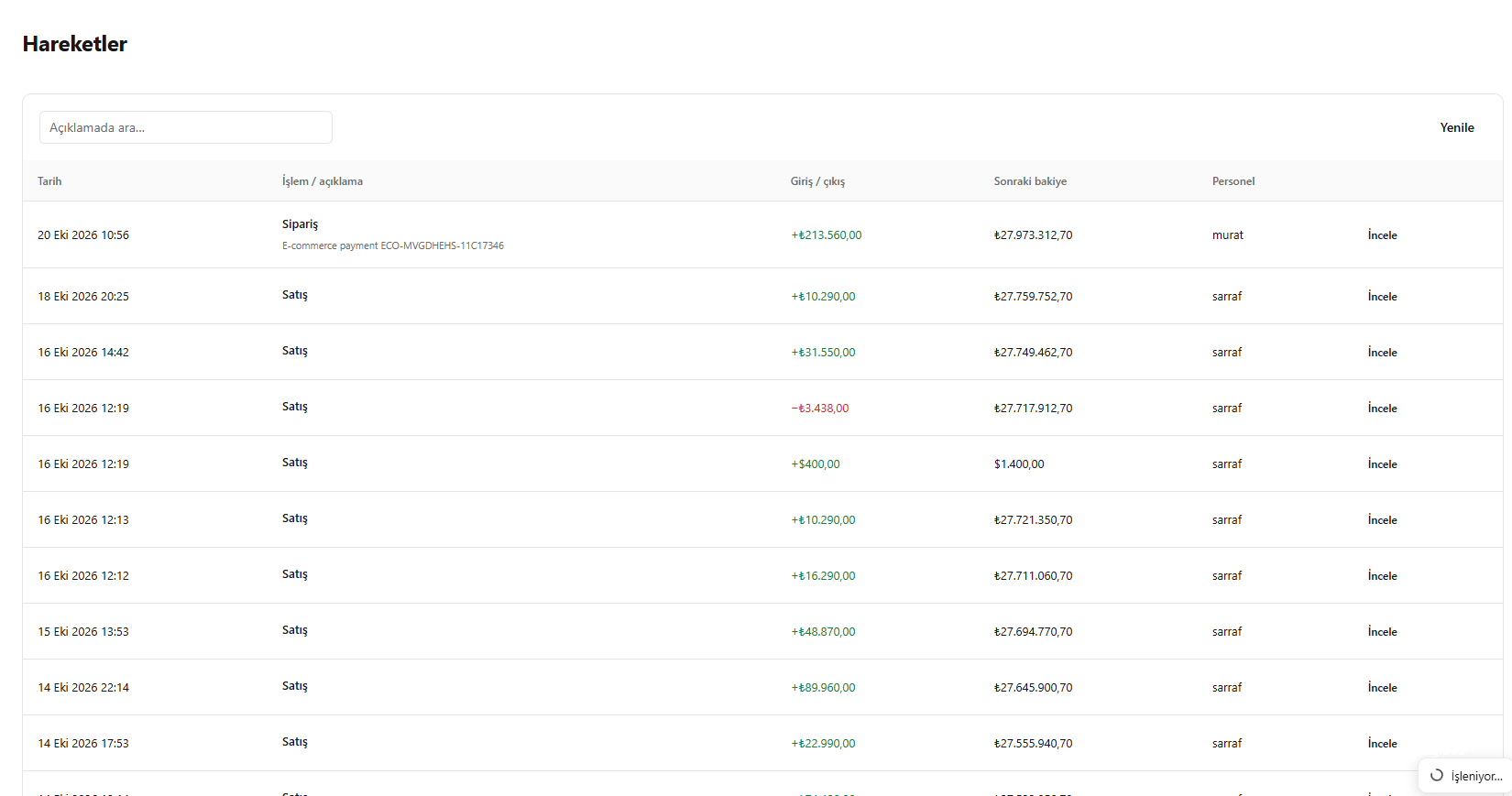
This translation is awaiting language review. Application screenshots and interface labels are in Turkish. The downloadable PDF is also in Turkish.
Steps
- Use search or filters in the cash account movements.
- Identify the correct record by date, transaction direction and amount.
- Open Inspect (İncele) in the row.
Screenshot
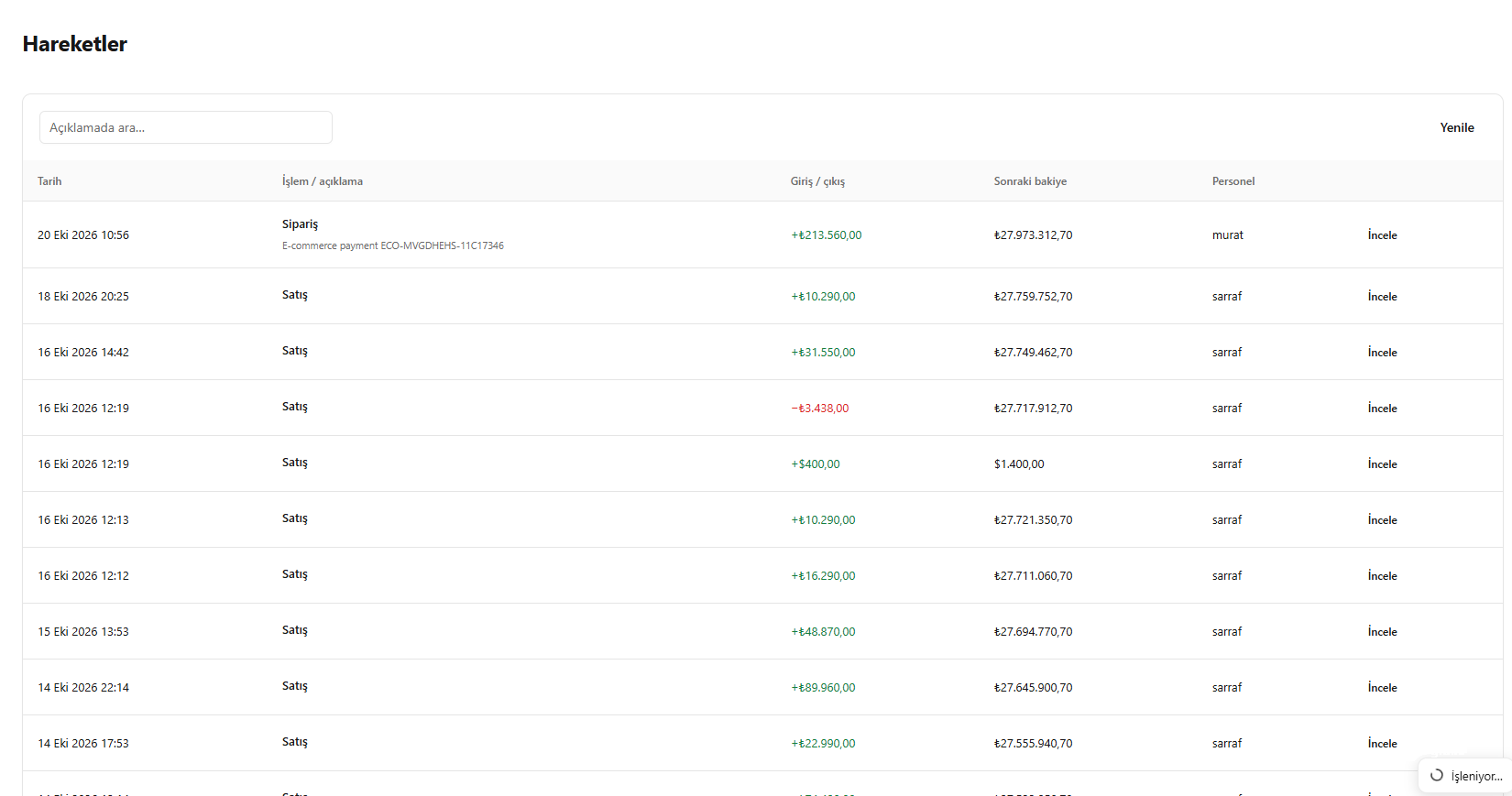
Finding a movement record