This translation is awaiting language review. Application screenshots and interface labels are in Turkish. The downloadable PDF is also in Turkish.
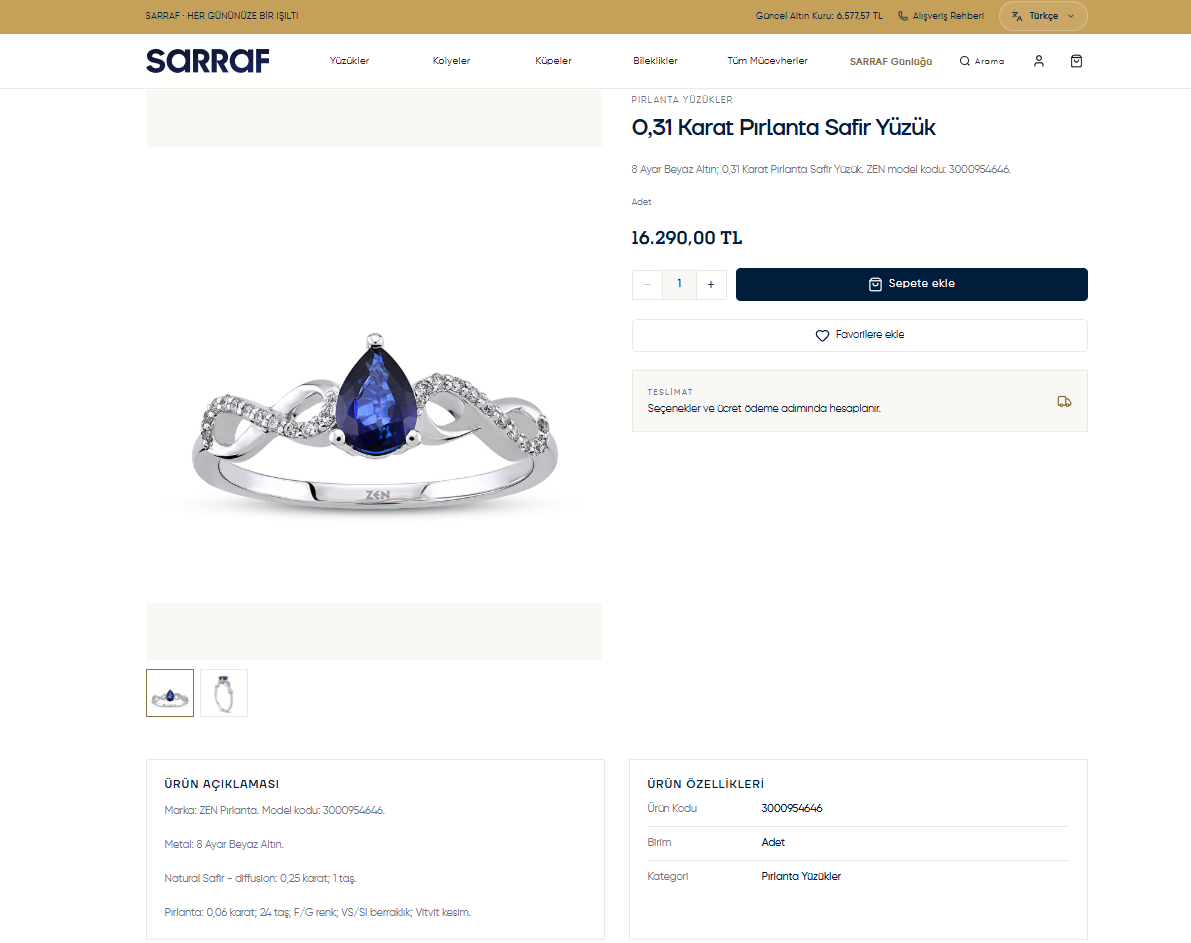
- Click the product name or photo.
- Select the thumbnails to view the product from different angles.
- Check the metal, stone, carat, product code and other information in Product description (Ürün açıklaması) and Product specifications (Ürün özellikleri).
- Set the quantity with − / +.
- Click Add to cart (Sepete ekle) to buy, or Add to favorites (Favorilere ekle) to review later.
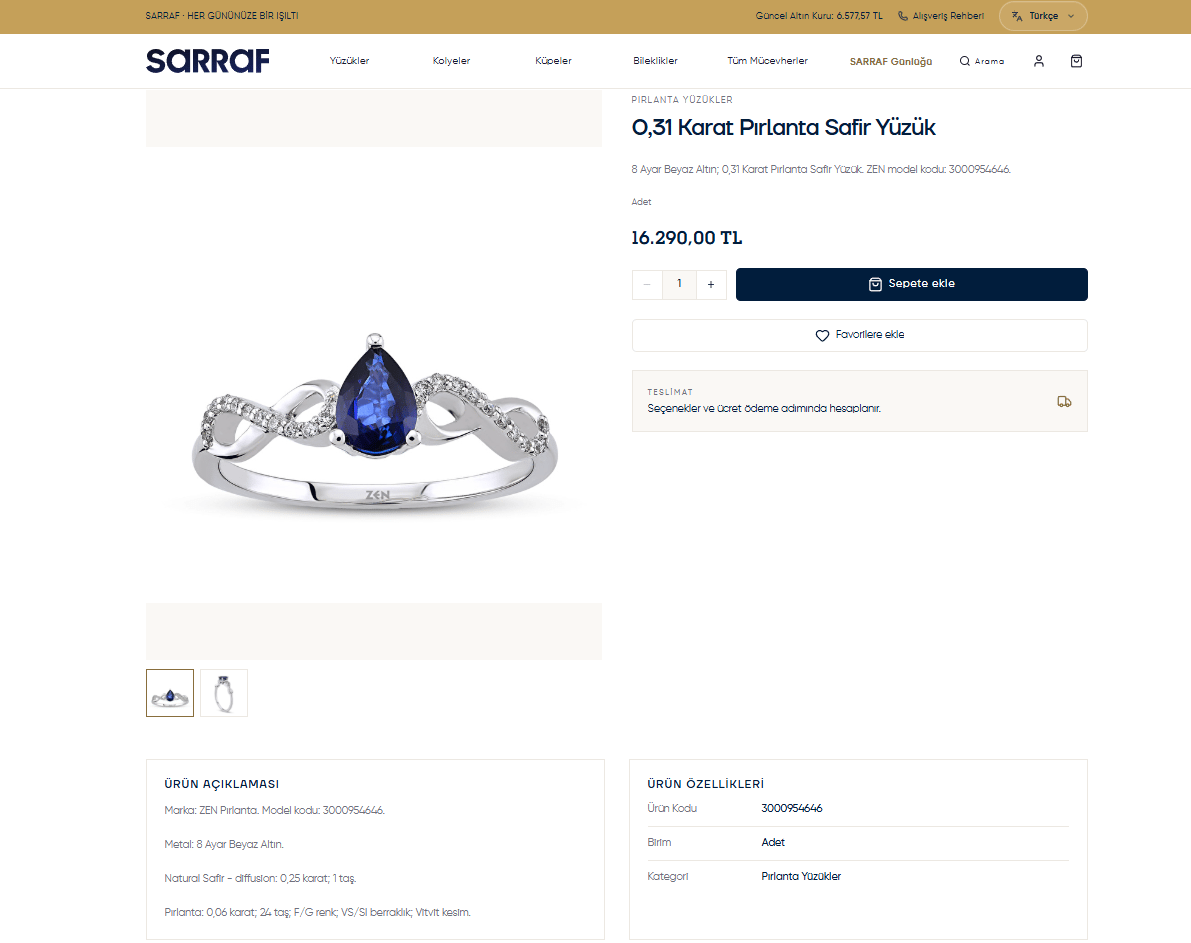
Product photos, specifications and adding to the cart