This translation is awaiting language review. Application screenshots and interface labels are in Turkish. The downloadable PDF is also in Turkish.
Steps
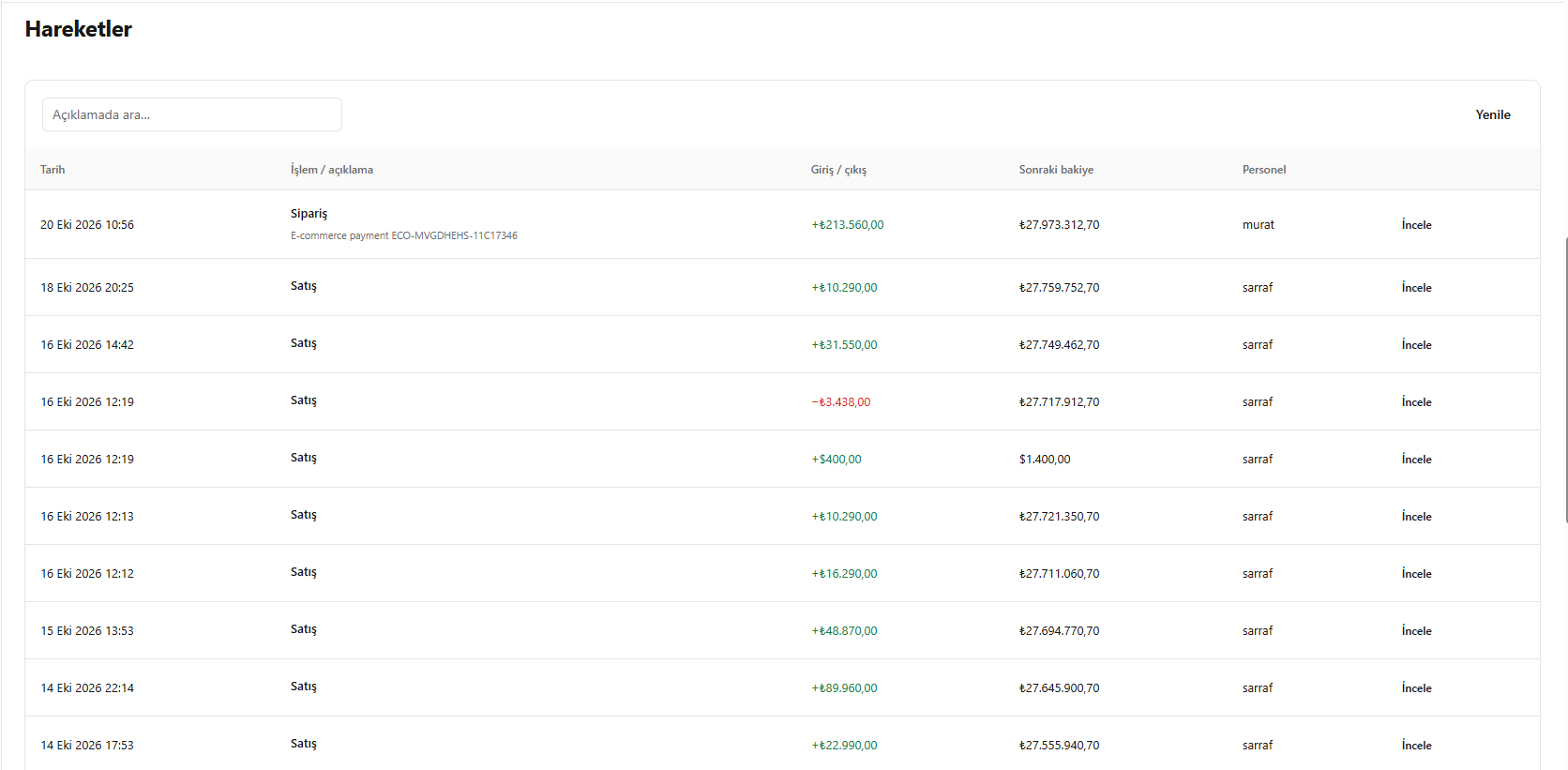
- Go to Movements (Hareketler) in the cash account.
- Find the record using search and filters.
- Compare incoming, outgoing and resulting balance information.
- Open the movement details using Inspect (İncele).
Screenshot
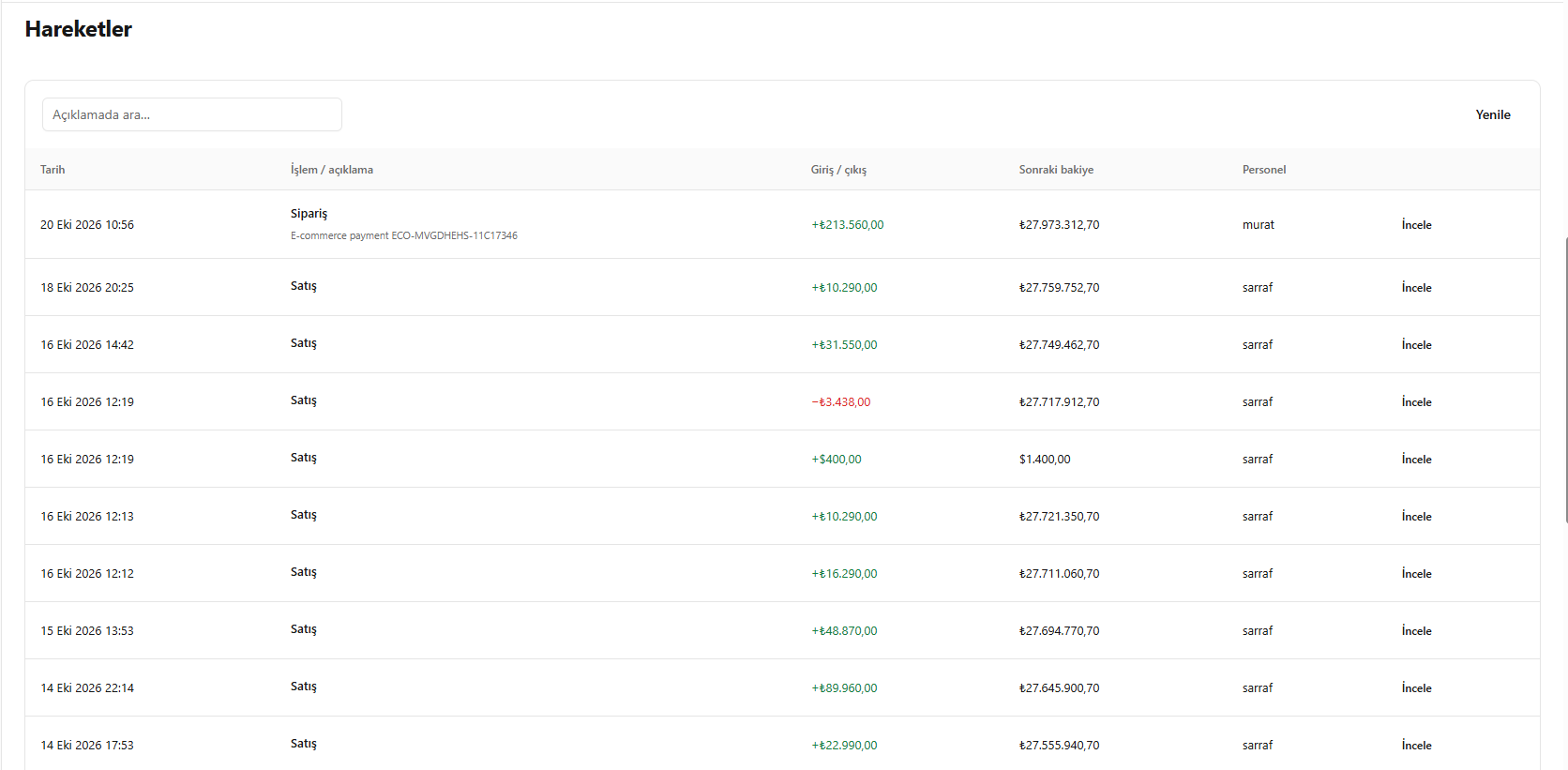
Reviewing cash account movements