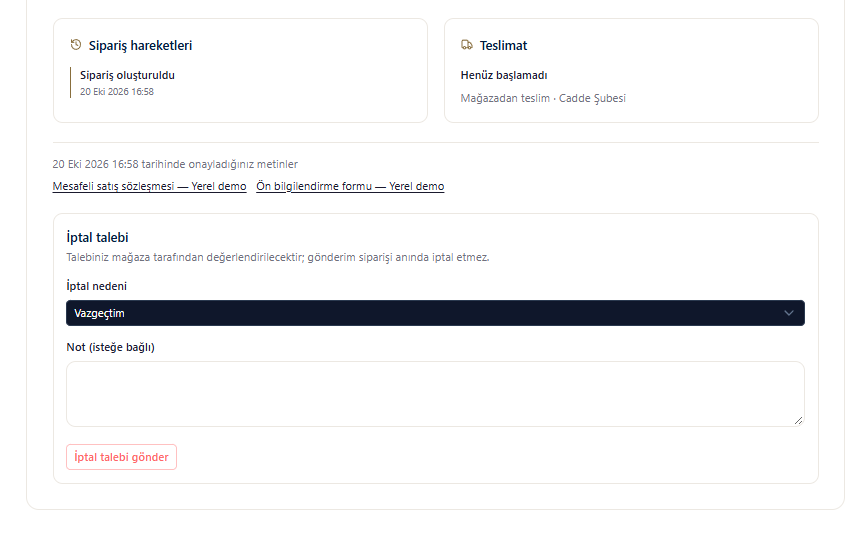
This translation is awaiting language review. Application screenshots and interface labels are in Turkish. The downloadable PDF is also in Turkish.
Viewing orders
- Sign in to your account and open My orders (Siparişlerim).
- Search by order number or product name. If needed, choose a status filter and click Search (Ara).
- Open DETAILS (DETAYLAR) for the relevant order.
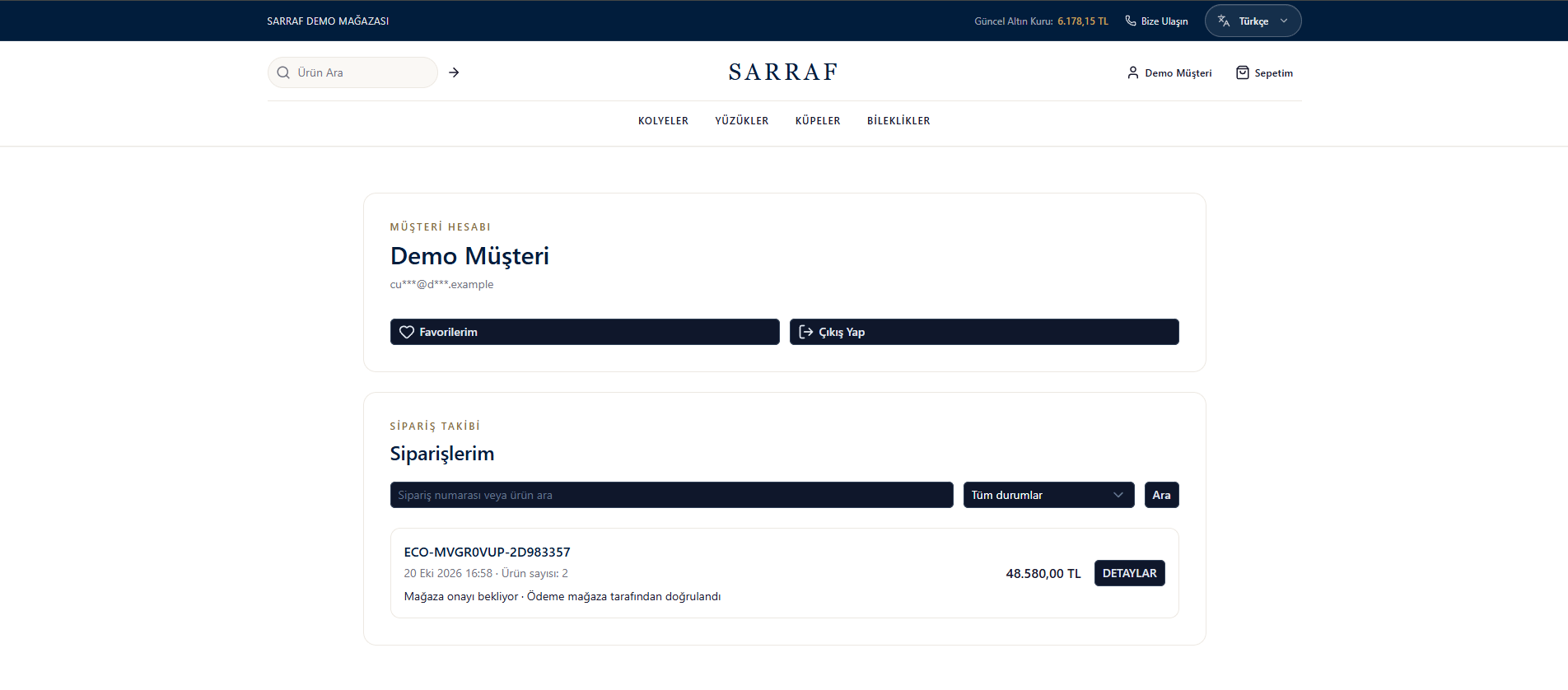
Order list and status information
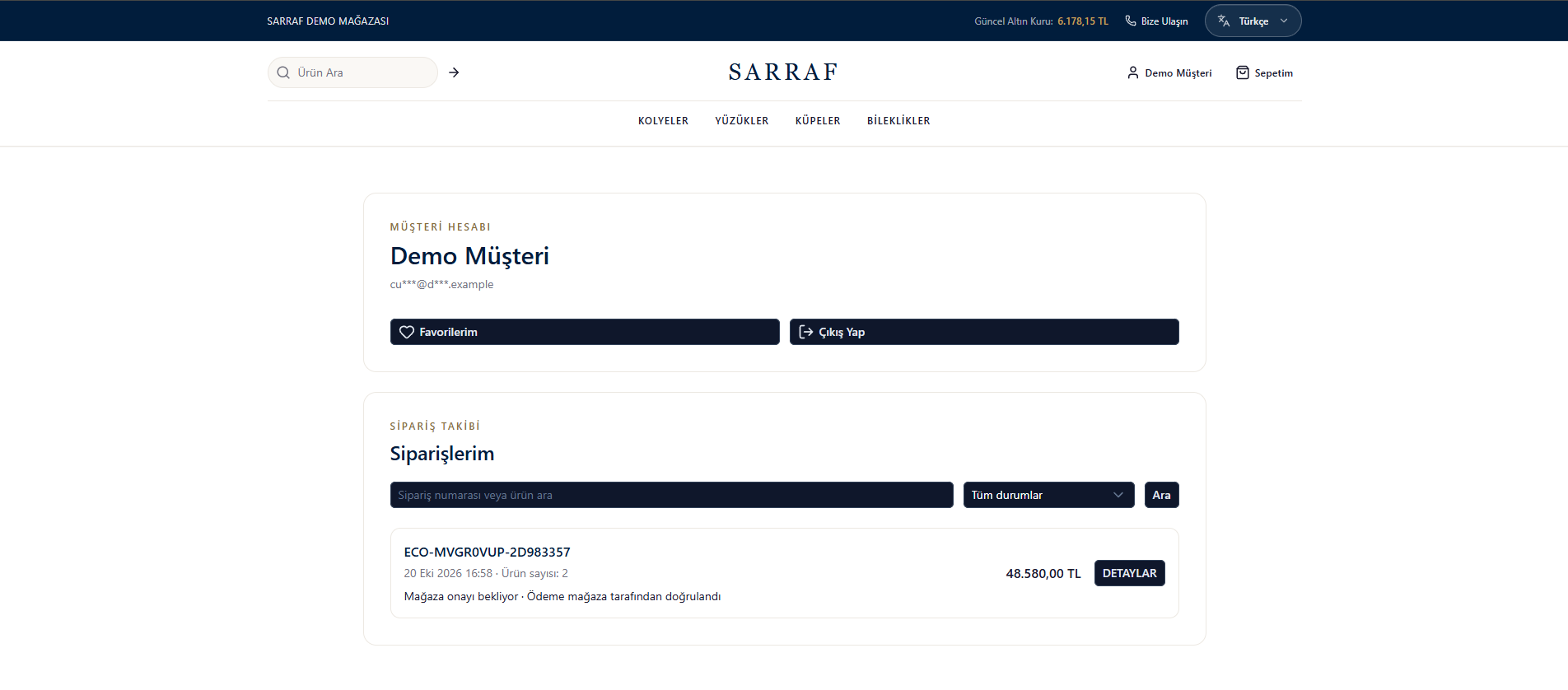
Order details
Review products and amounts on the details screen, transaction stages under Order activity (Sipariş hareketleri), and the delivery status and selected method under Delivery (Teslimat). You can also open the agreements you accepted from this screen. Return to list (Listeye dön) takes you back to all your orders.Sending a cancellation request
If Cancellation request (İptal talebi) appears in the order details:- Choose the reason for cancellation.
- Add an explanatory note if you wish.
- Click Send cancellation request (İptal talebi gönder).
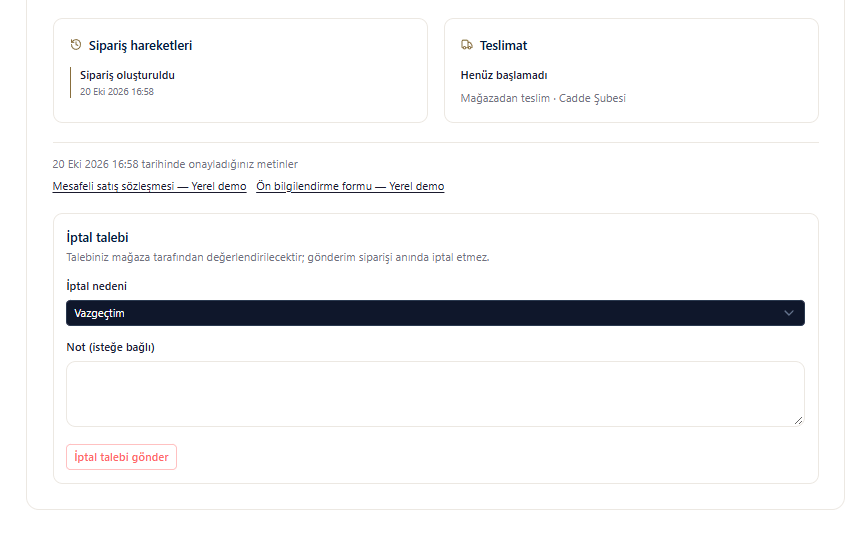
Cancellation request area in the order details