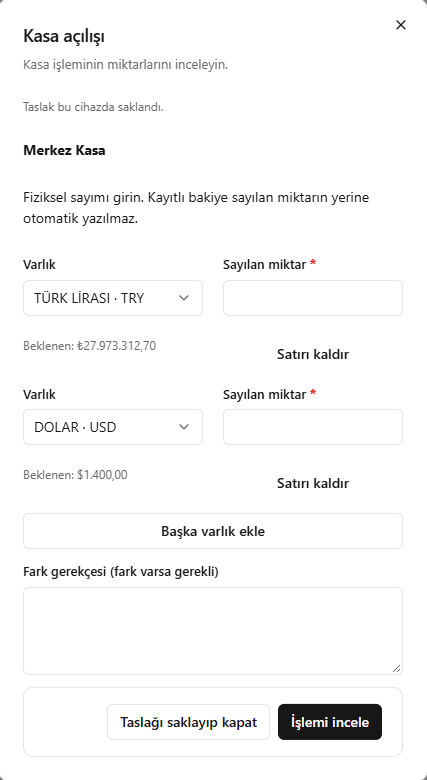
This translation is awaiting language review. Application screenshots and interface labels are in Turkish. The downloadable PDF is also in Turkish.
Steps
- Physically count the assets in the cash account.
- Complete Counted quantity (Sayılan miktar) for each asset; add assets if needed.
- Compare differences against the expected quantities.
- If there is a difference, enter a reason; check with Review transaction (İşlemi incele) or keep it as a draft.
Enter the actual count result rather than copying the recorded balance into Counted quantity.
Screenshot
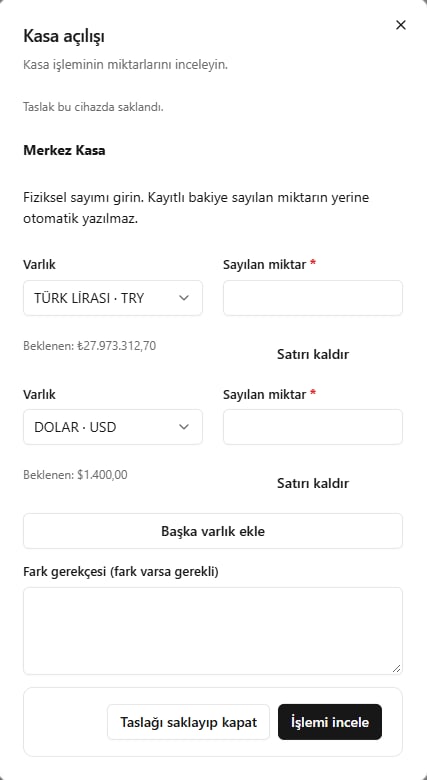
Opening cash count