

This translation is awaiting language review. Application screenshots and interface labels are in Turkish. The downloadable PDF is also in Turkish.
Address details
- Enter your first name, last name and phone number.
- Enter your province, district and full address; add your postal code if available.
- Complete the required fields marked with an asterisk and click Continue (Devam et).
Delivery method
- Choose one of the shipping options offered by the store or Store pickup (Mağazadan Teslim).
- If store pickup requires a branch selection, specify the store where you will collect the order.
- Check the displayed delivery fee and click Continue (Devam et).
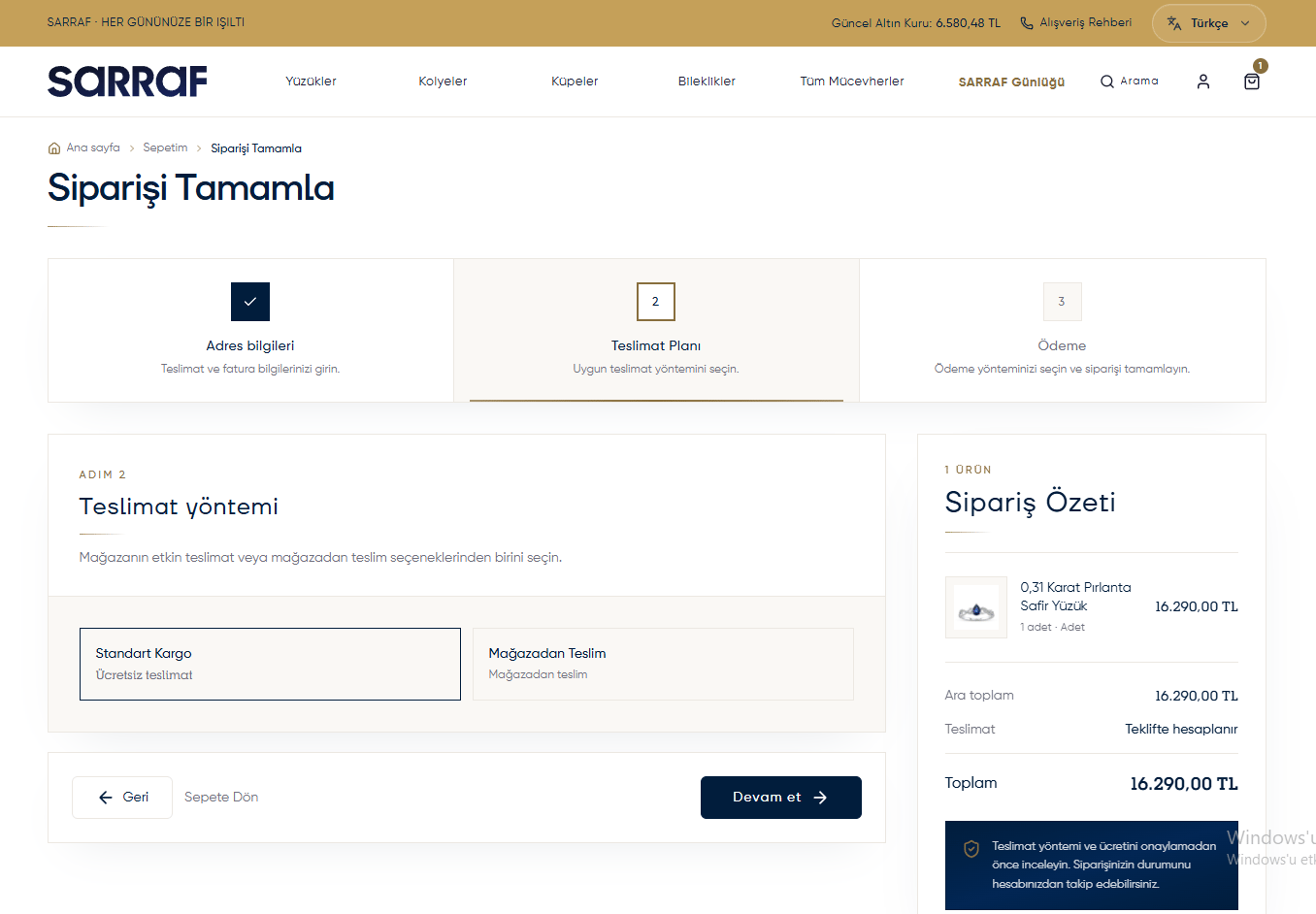
Selecting a delivery method
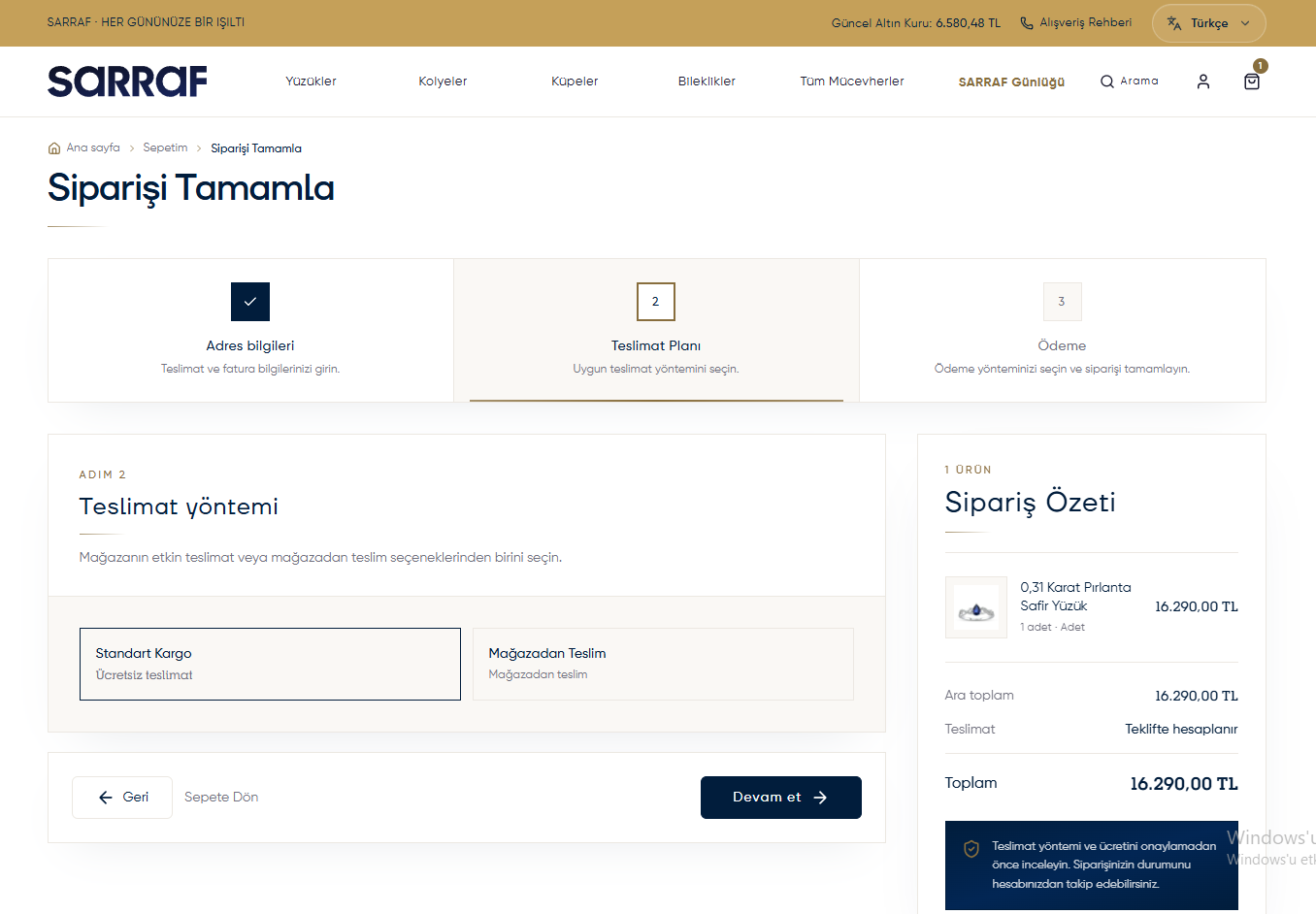
Payment and transfer receipt
Choose a method offered by the store on the payment screen. If paying by Bank transfer / EFT / FAST (Havale / EFT / FAST):- Choose the account you will pay into under Recipient bank accounts (Alıcı banka hesapları).
- Follow the payment instructions on screen; use the specified order number in the transfer description.
- Add your transfer receipt through Upload a receipt photo (Dekont fotoğrafı yükle).
- If you made several transfers, use Add another receipt (Başka dekont ekle). You can upload up to 5 receipts.
Final review and confirmation
- Check the products, delivery fee and total in Order summary (Sipariş Özeti).
- Read the Distance sales agreement (Mesafeli satış sözleşmesi) and Preliminary information form (Ön bilgilendirme formu); select the boxes if you accept them.
- If the screen asks you to renew the quote, use Renew delivery or price quote (Teslimatı veya fiyat teklifini yenile) and check the updated total again.
- Once the required fields are complete, click Complete order (Siparişi Tamamla).
If the screen says “Test payment completed” (Test ödemesi tamamlandı), the transaction is in a test environment and no real payment is collected.All topics in e-commerce