This translation is awaiting language review. Application screenshots and interface labels are in Turkish. The downloadable PDF is also in Turkish.
Creating a new account
- Open Sign in → Create an account (Giriş Yap → Hesap oluşturun).
- Enter your first name, last name and email address. Add your phone number if you wish.
- Set your password and enter it again in Repeat password (Şifre Tekrar). Follow the password requirements on screen.
- Read the Membership agreement (Üyelik sözleşmesi) and Privacy policy (Gizlilik politikası); select the box if you accept them.
- Click Create account (Hesap Oluştur).
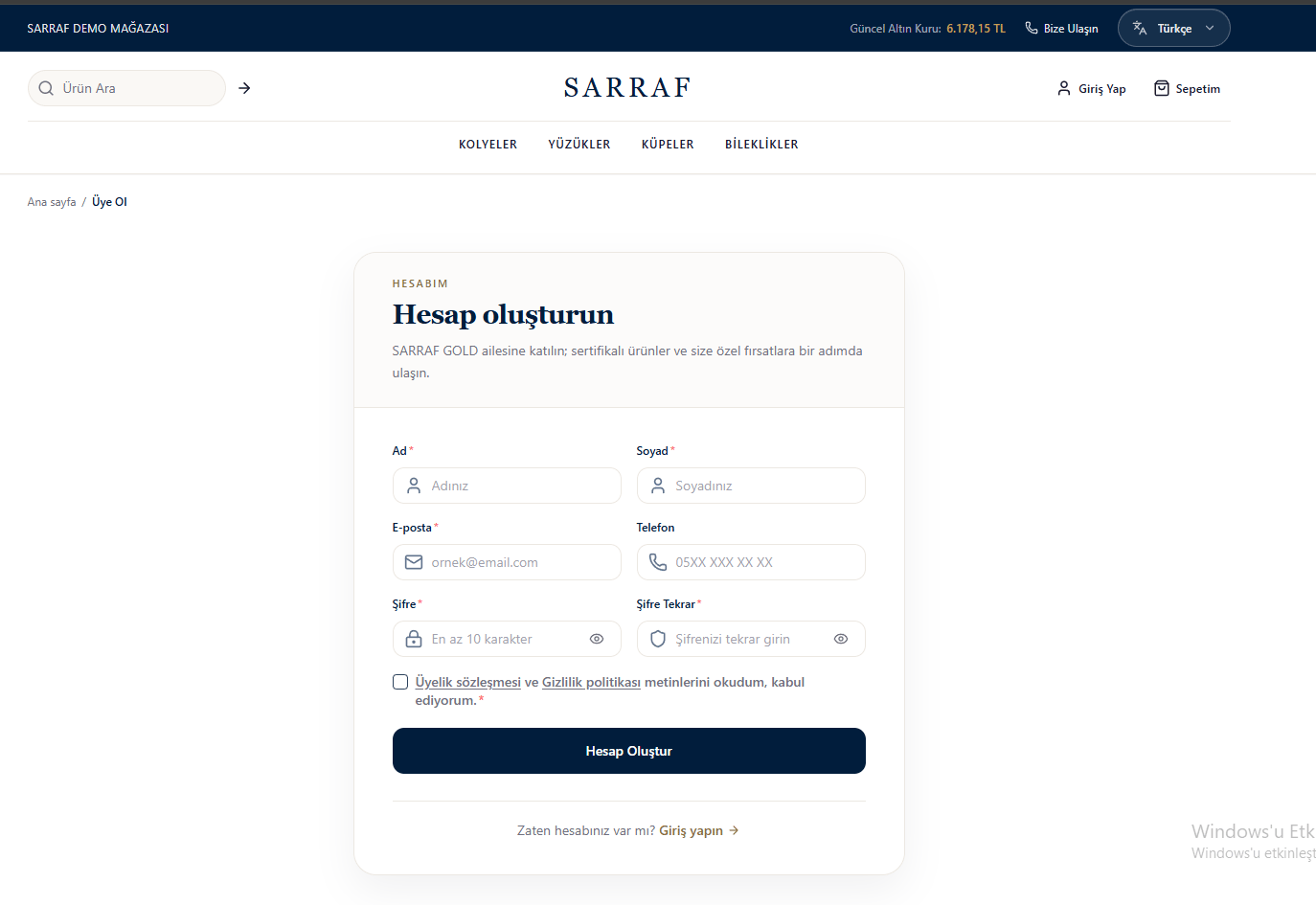
New account registration form
Signing in to your account
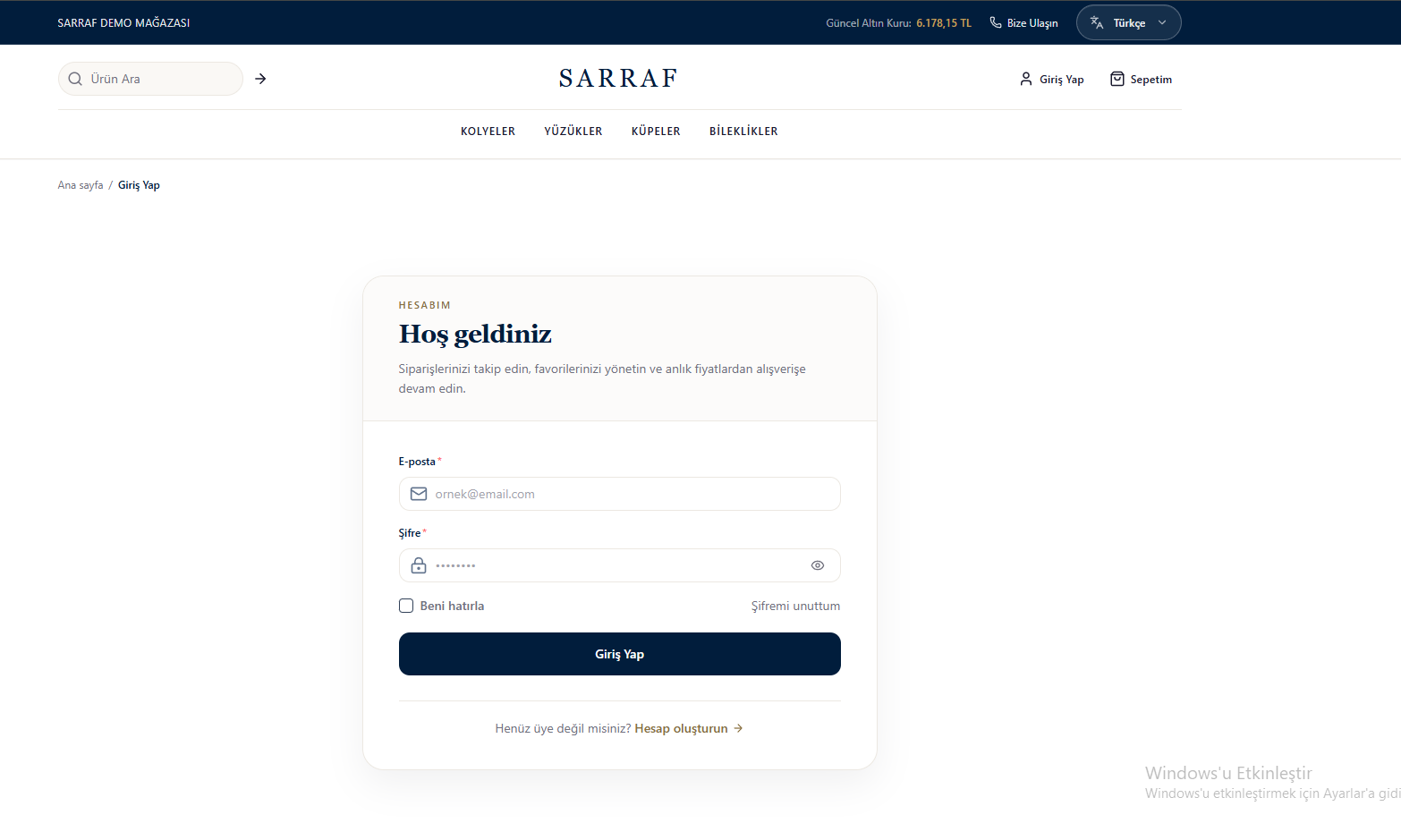
- Enter your registered email address and password on Sign in (Giriş Yap).
- Use the eye icon to make the password visible and check it.
- Select Remember me (Beni hatırla) if you wish.
- Click Sign in (Giriş Yap).
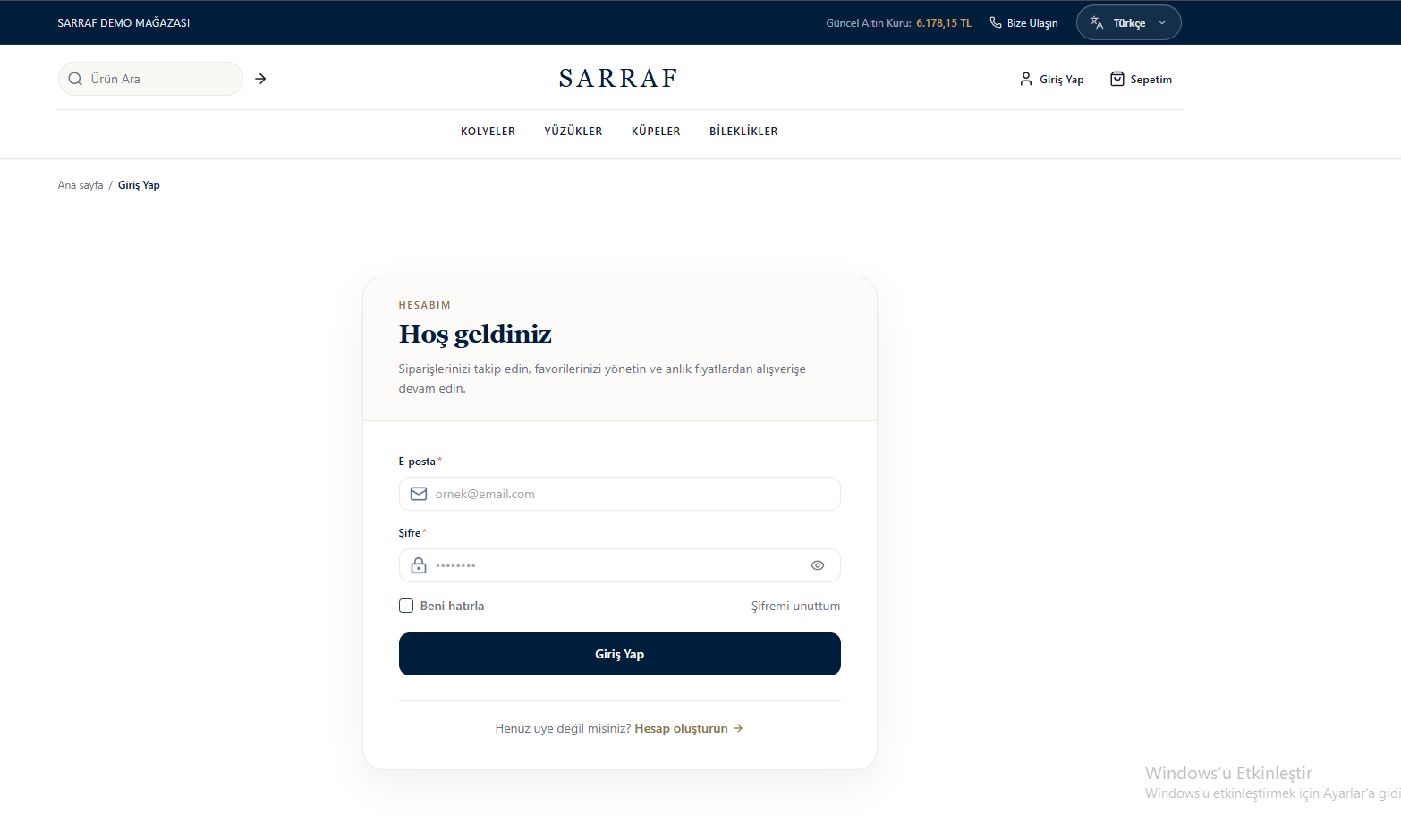
Account sign-in screen
Resetting your password
- Open Forgot my password (Şifremi unuttum) on the sign-in page.
- Enter your registered email address and click Send link (Bağlantı Gönder).
- If an account is found, open Reset my password (Şifremi sıfırla) in the email. If the link does not work, use the email’s single-use code on the verification screen.
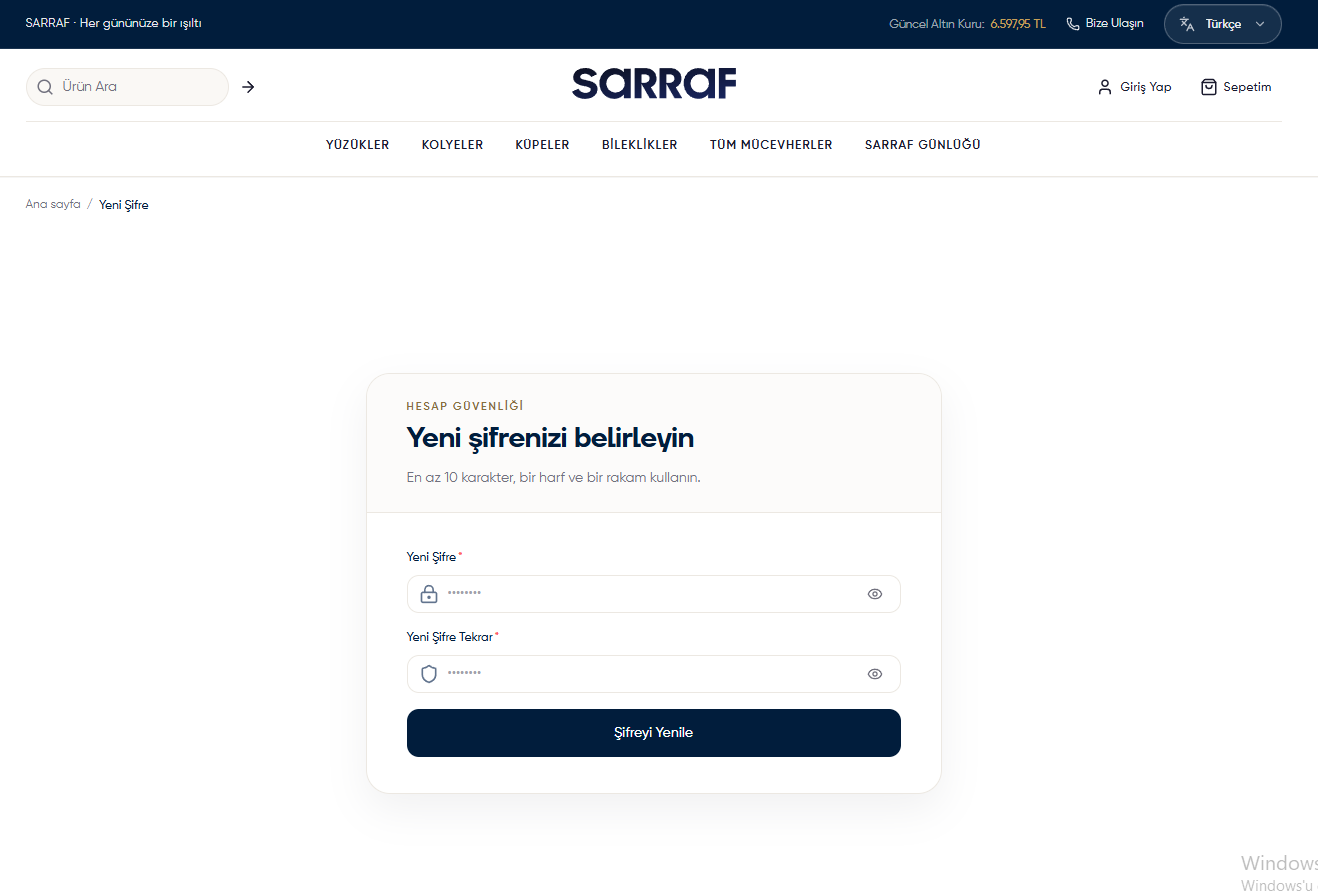
- In New password (Yeni Şifre), enter a password with at least 10 characters, including at least one letter and one digit.
- Enter the same password again and click Reset password (Şifreyi Yenile).
- Sign in with your new password on the sign-in screen.
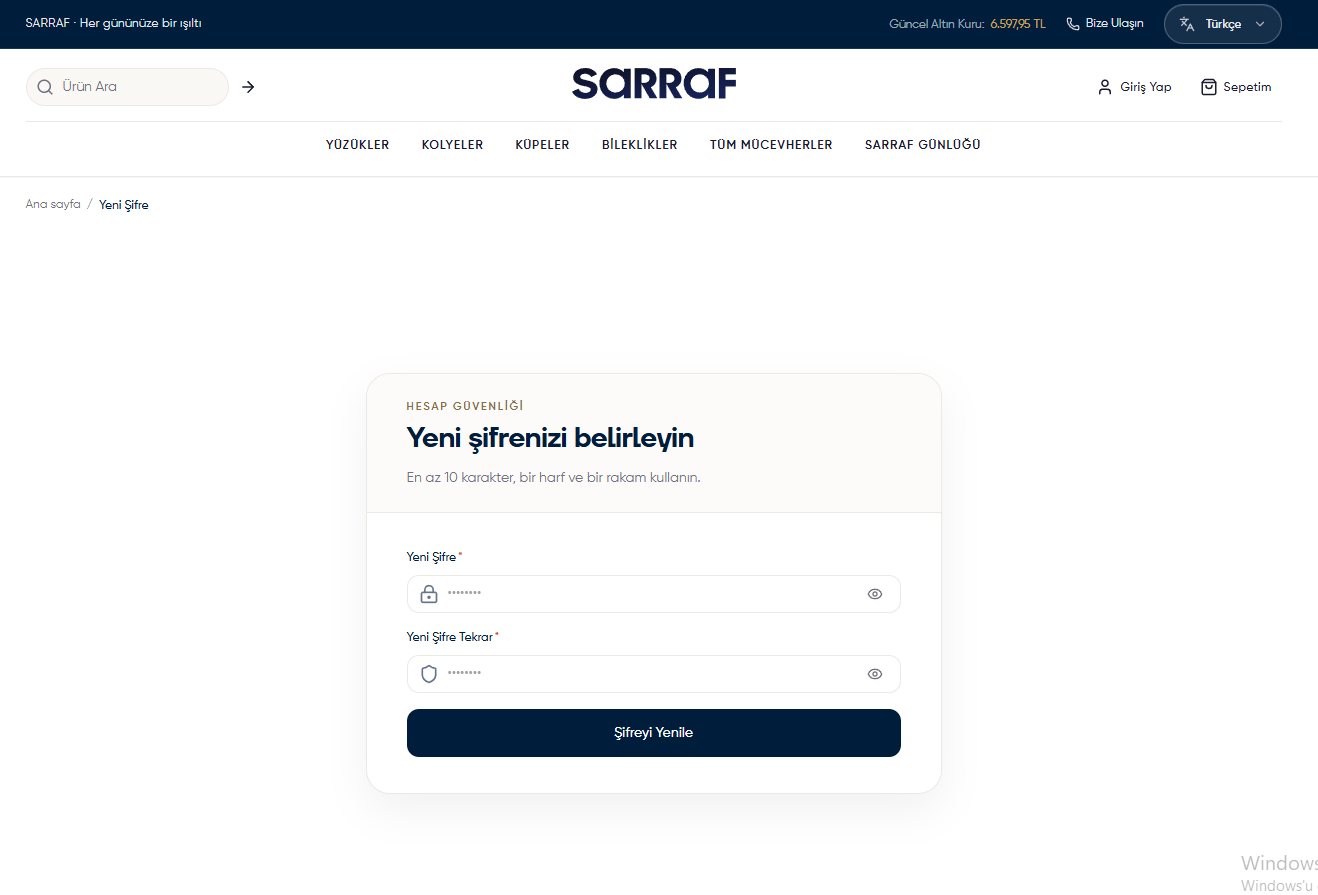
New password screen