This translation is awaiting language review. Application screenshots and interface labels are in Turkish. The downloadable PDF is also in Turkish.
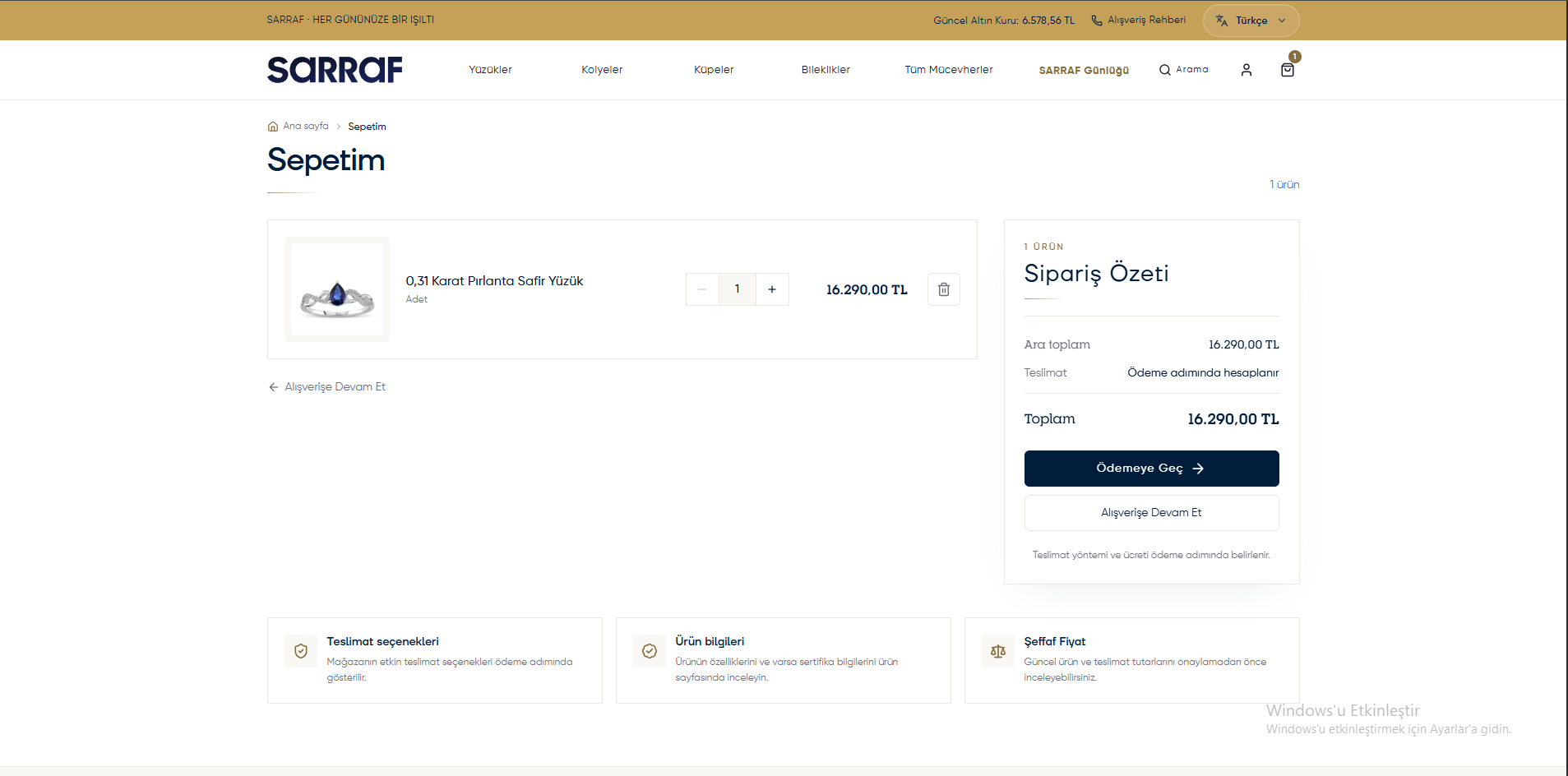
- Open My cart (Sepetim).
- Check the products, quantities and prices.
- Change the quantity with − / +; remove a product with the trash icon.
- Review the amount in Order summary (Sipariş Özeti). The delivery fee is calculated in the next step.
- When ready, click Proceed to payment (Ödemeye Geç). If a sign-in screen appears, sign in to your account.
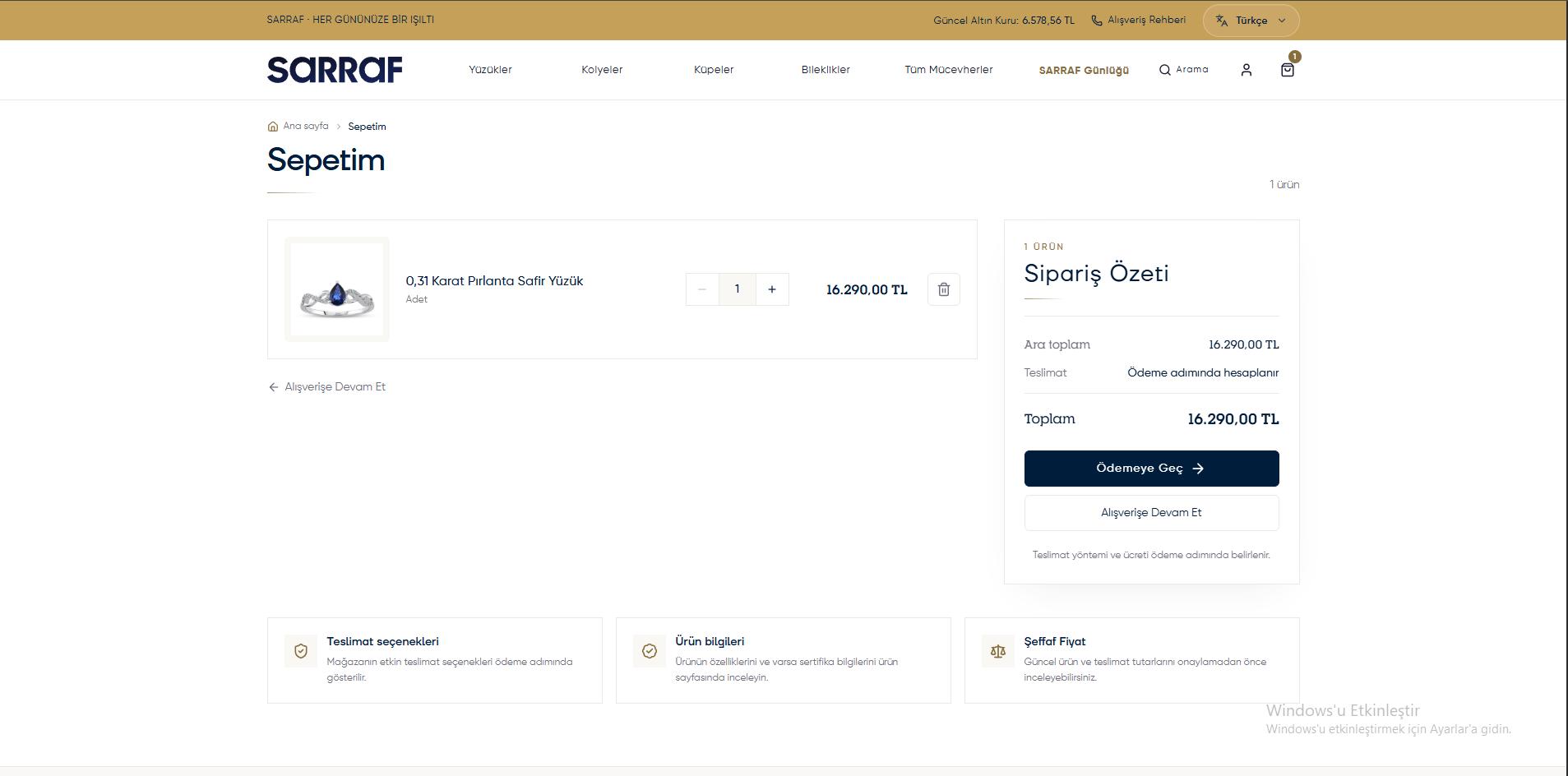
Cart and order summary