This translation is awaiting language review. Application screenshots and interface labels are in Turkish. The downloadable PDF is also in Turkish.
Steps
- Find the relevant product in Products and purchases (Ürünler ve Alışlar).
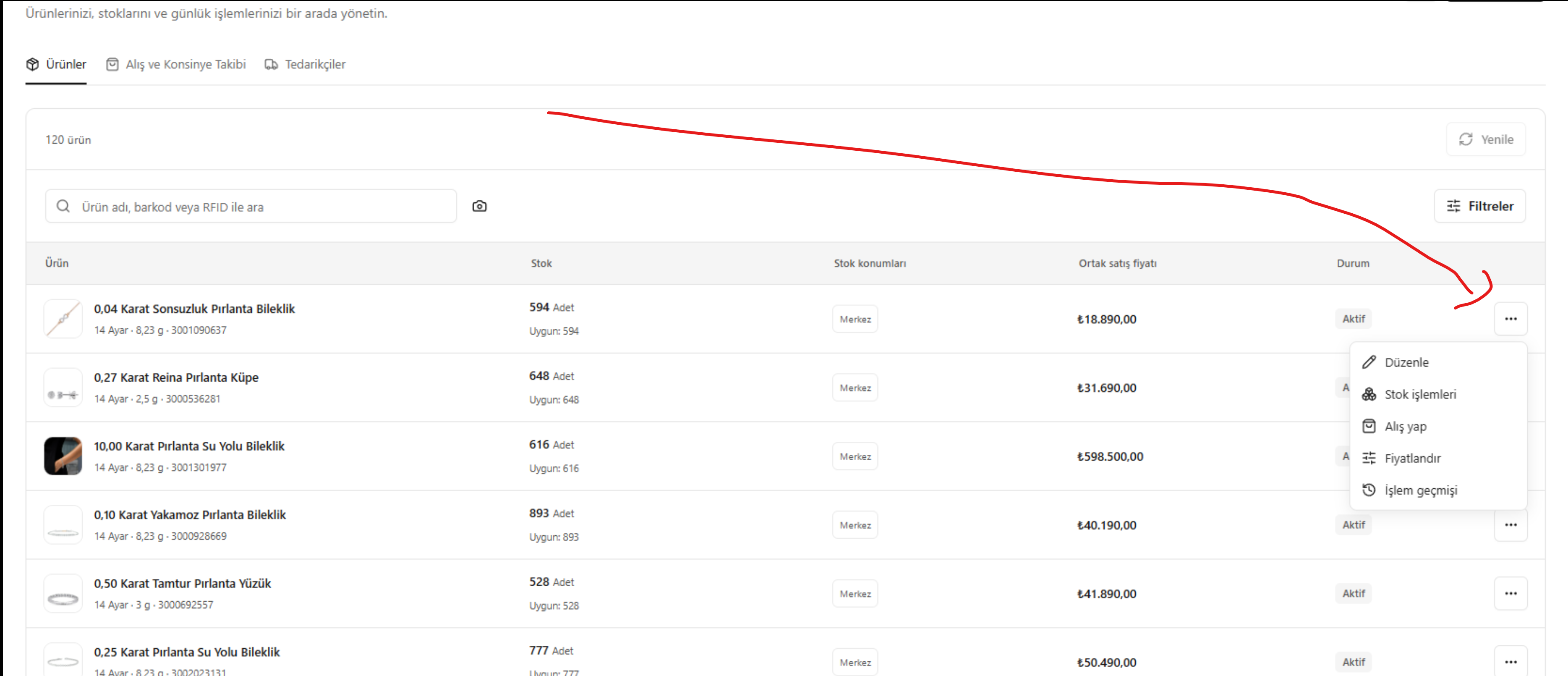
- Click the three-dot (…) button at the far right of the product row. This button opens the action menu and is marked by the red arrow in the image below.
- From the menu, choose Edit (Düzenle), Stock operations (Stok işlemleri), Make a purchase (Alış yap), Set pricing (Fiyatlandır) or Transaction history (İşlem geçmişi) as needed. The action applies to the product whose menu you opened.
Screenshot
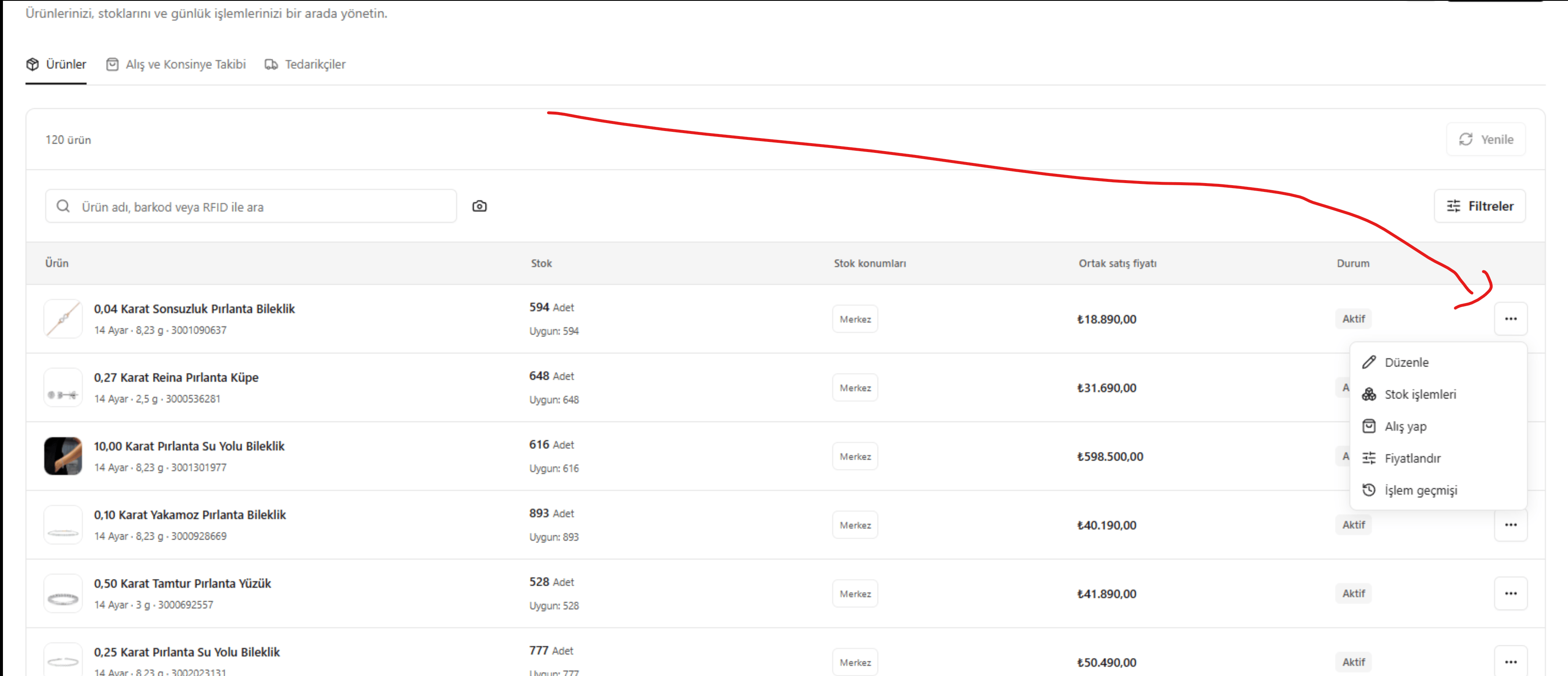
The red arrow marks the three-dot action menu in the product row