This translation is awaiting language review. Application screenshots and interface labels are in Turkish. The downloadable PDF is also in Turkish.
Steps
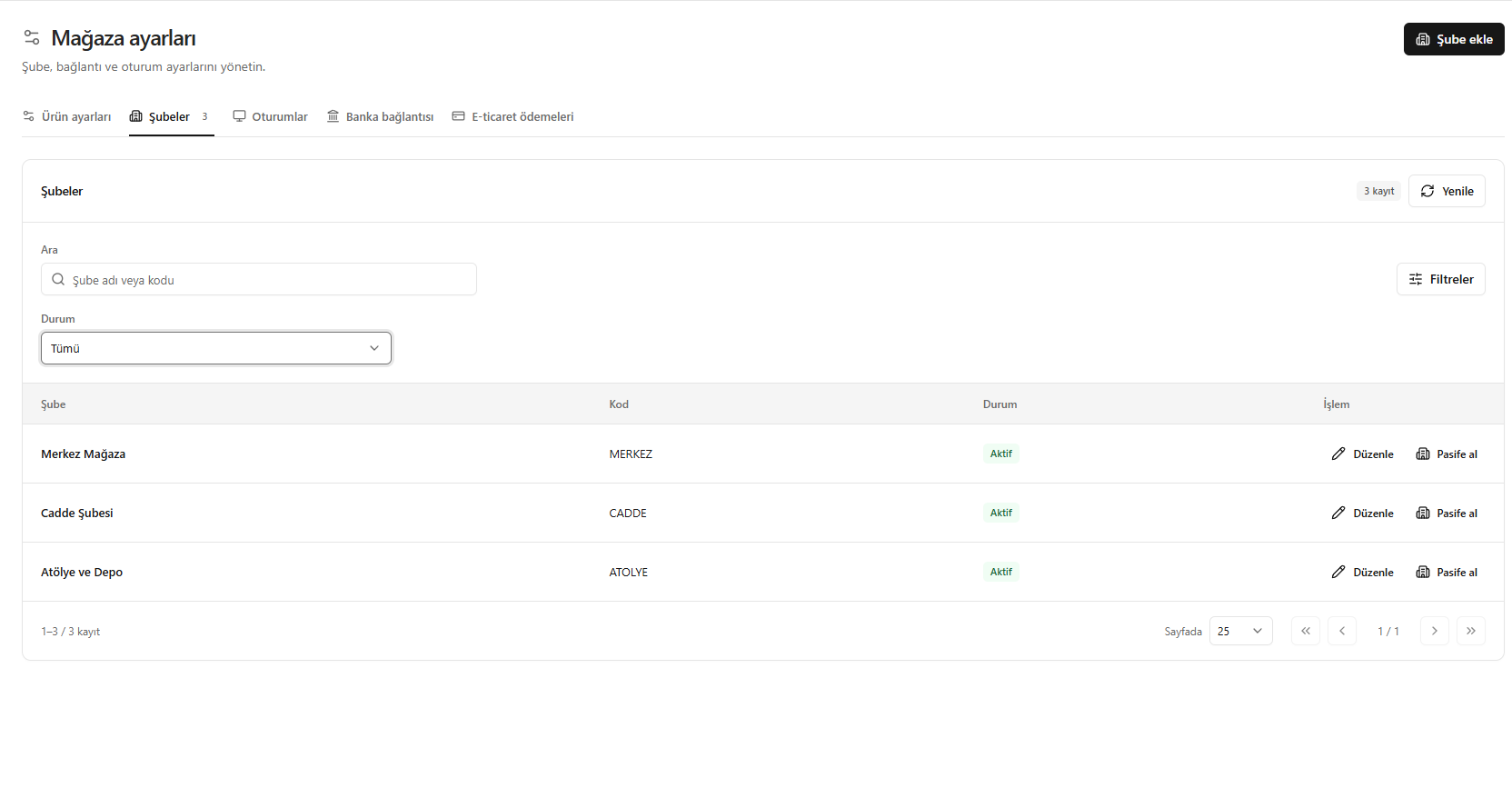
- In the Branches (Şubeler) tab, review names, codes and statuses.
- Search by branch name or code; use the Status (Durum) filter.
- Open the information with Edit (Düzenle), or change availability with Deactivate (Pasife al).
- Click Add branch (Şube ekle) for a new record.
Screenshot
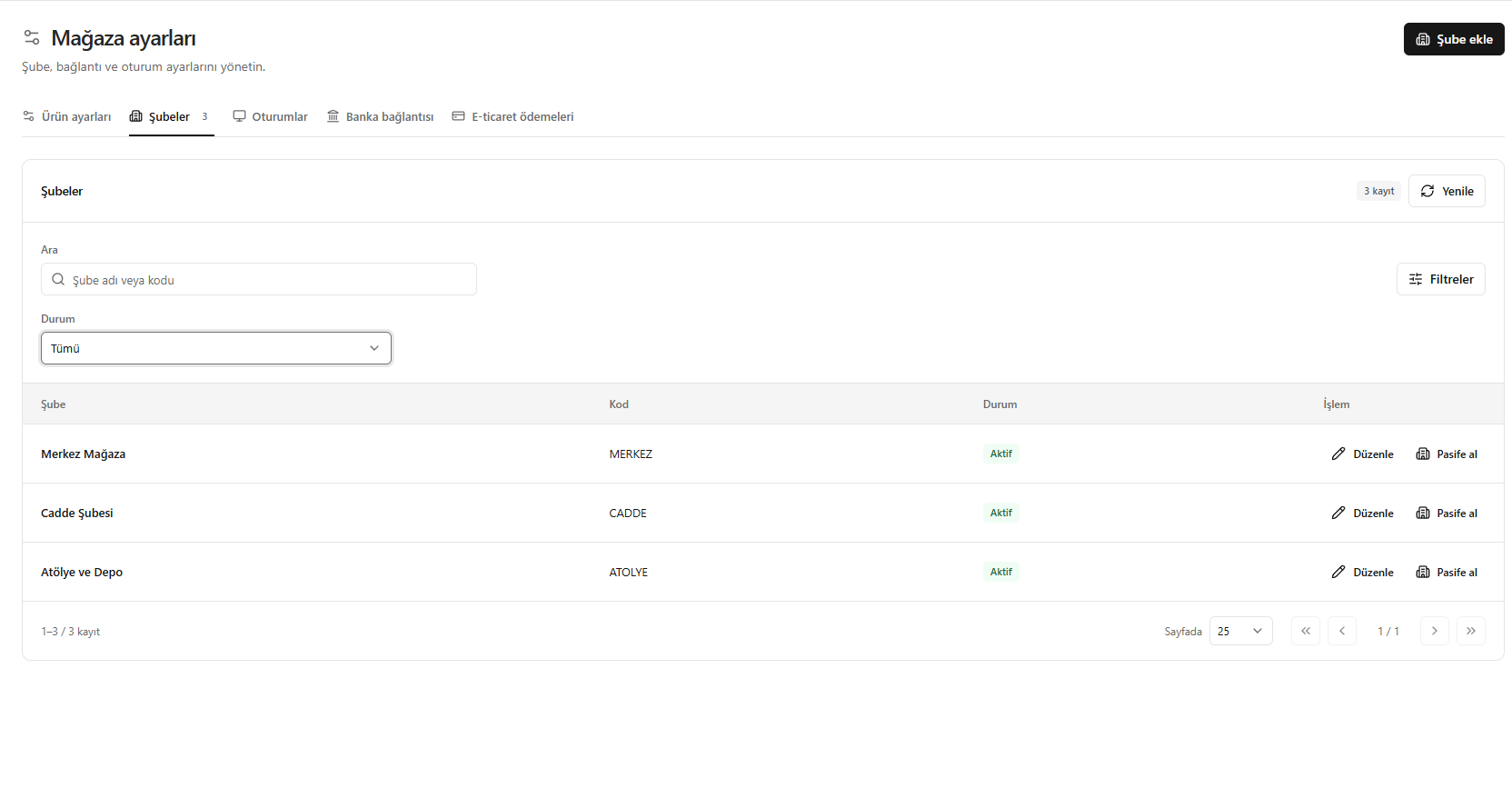
Managing branches