This translation is awaiting language review. Application screenshots and interface labels are in Turkish. The downloadable PDF is also in Turkish.
Steps
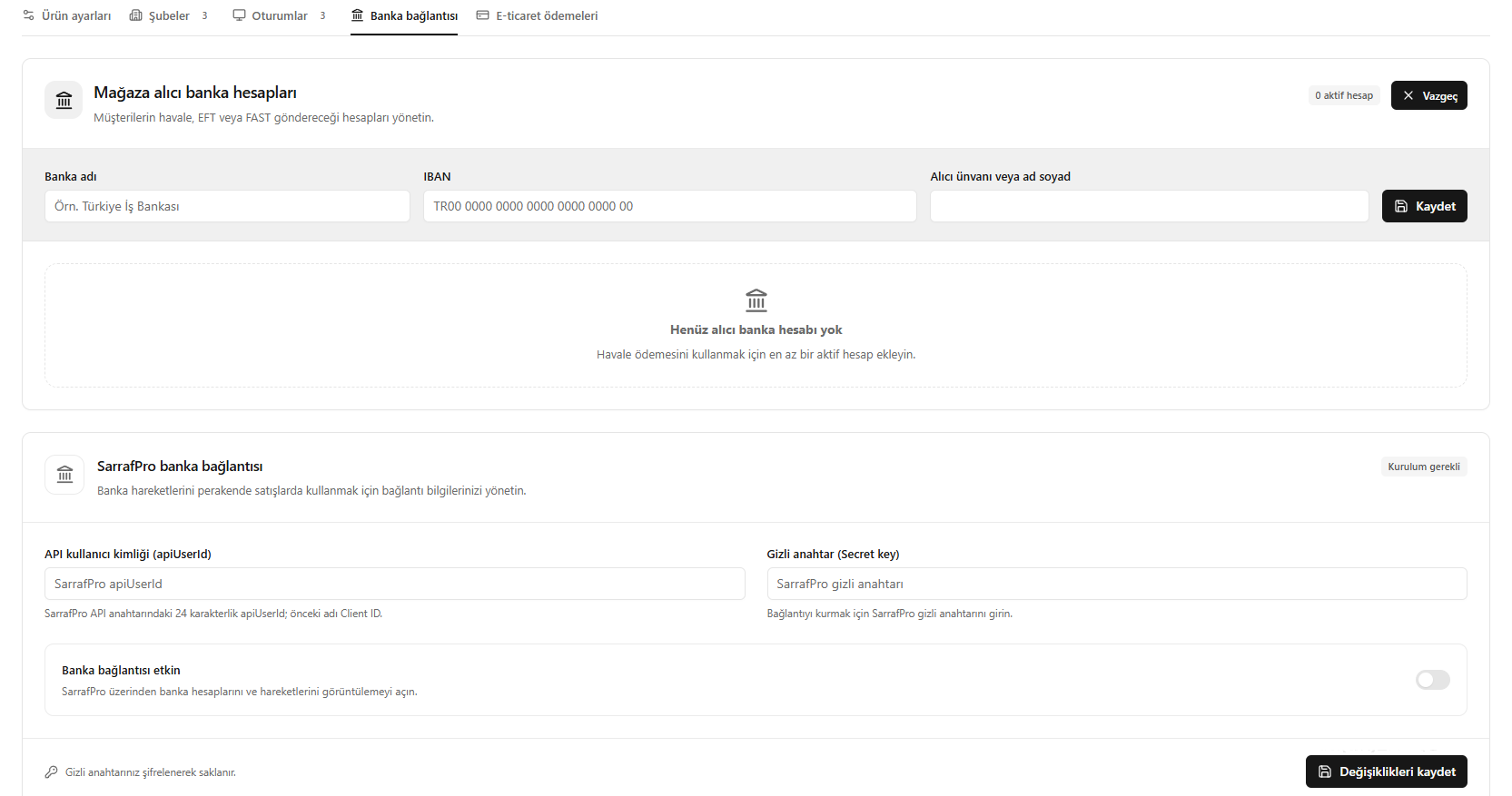
- For the recipient account, enter the bank name, IBAN and recipient company name / full name, then click Save (Kaydet).
- If using SarrafPro, enter the API user ID and secret key.
- Turn on Bank connection enabled (Banka bağlantısı etkin).
- Click Save changes (Değişiklikleri kaydet).
Bank transfers require at least one active recipient account. Defining a recipient account and connecting SarrafPro transactions are separate settings.
Screenshot
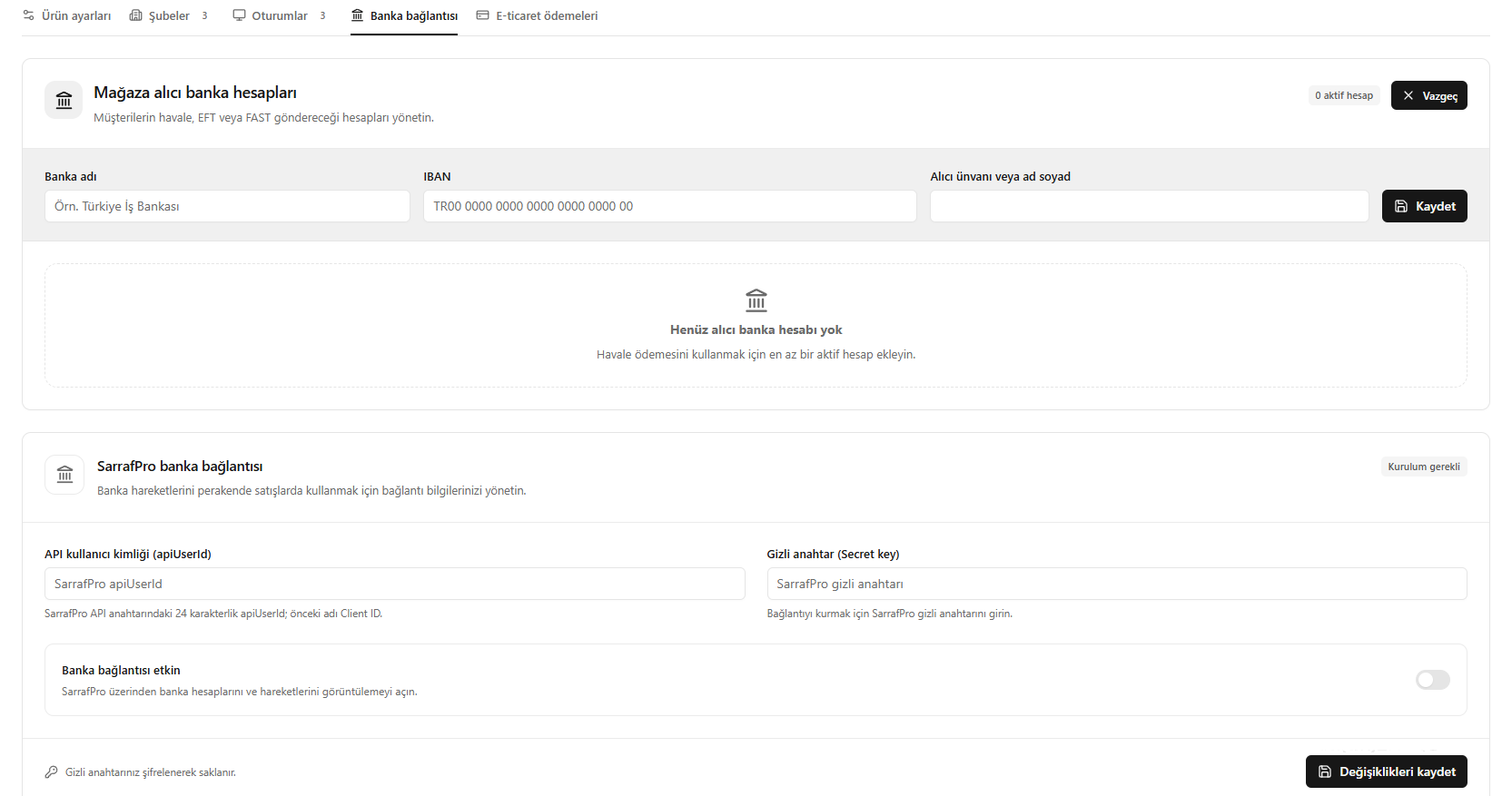
Bank account and SarrafPro connection