This translation is awaiting language review. Application screenshots and interface labels are in Turkish. The downloadable PDF is also in Turkish.
Track gold purchase applications
- Open Customer gold purchases (Müşteriden altın alışları) from the left menu.
- In Gold purchase applications (Altın alış başvuruları), check the date, customer and branch, application channel, purchase summary, status and Remaining payable to customer (Müşteriye kalan borç). Retail counter (Perakende tezgâhı) identifies a purchase started on the retail screen.
- Use Filters (Filtreler) to narrow the list by status or branch; use Refresh (Yenile) to update it.
- Click Details (Ayrıntı) in the relevant row to open the application’s transaction screen.
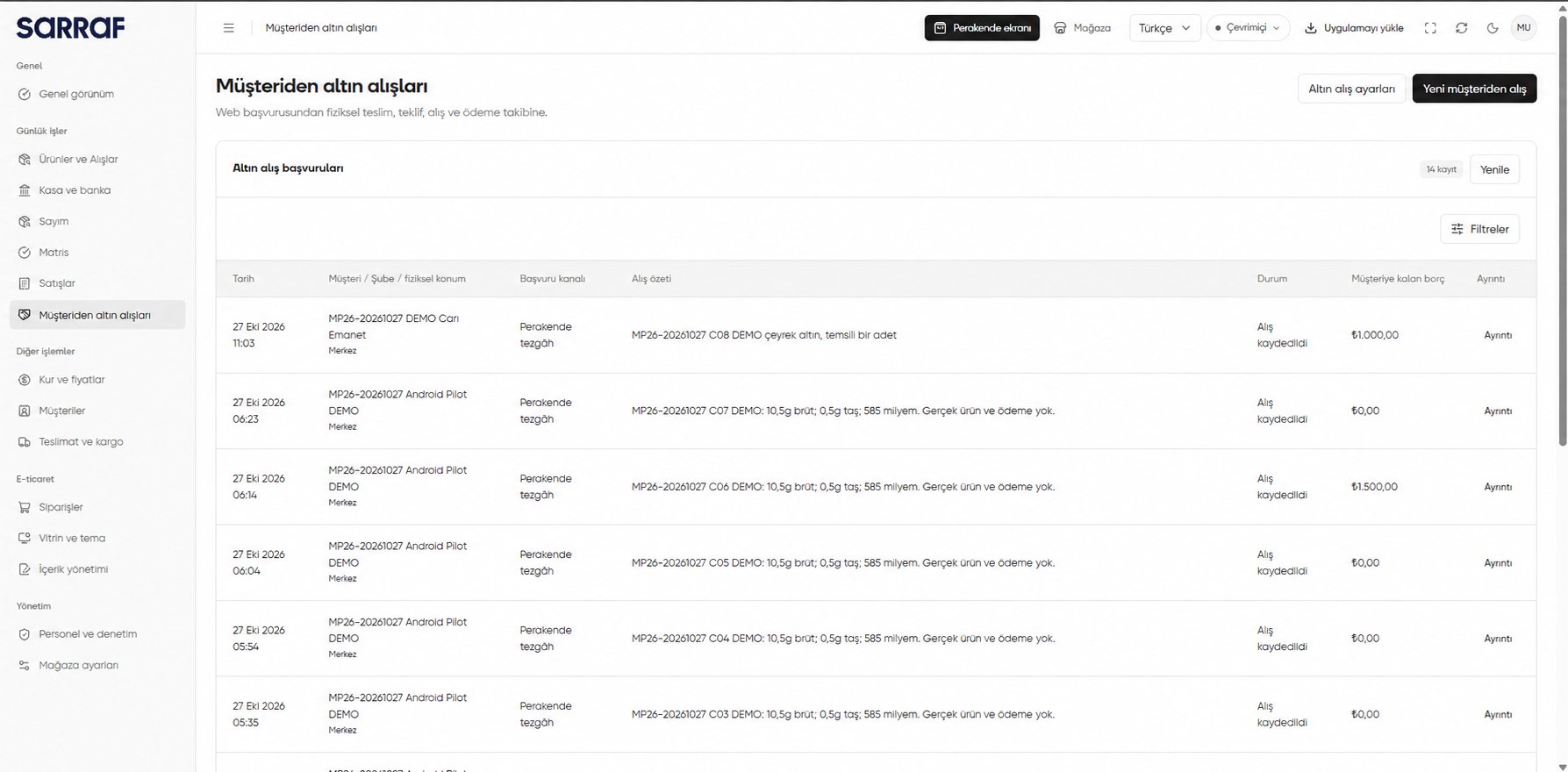
Customer gold purchases: application list and Details link
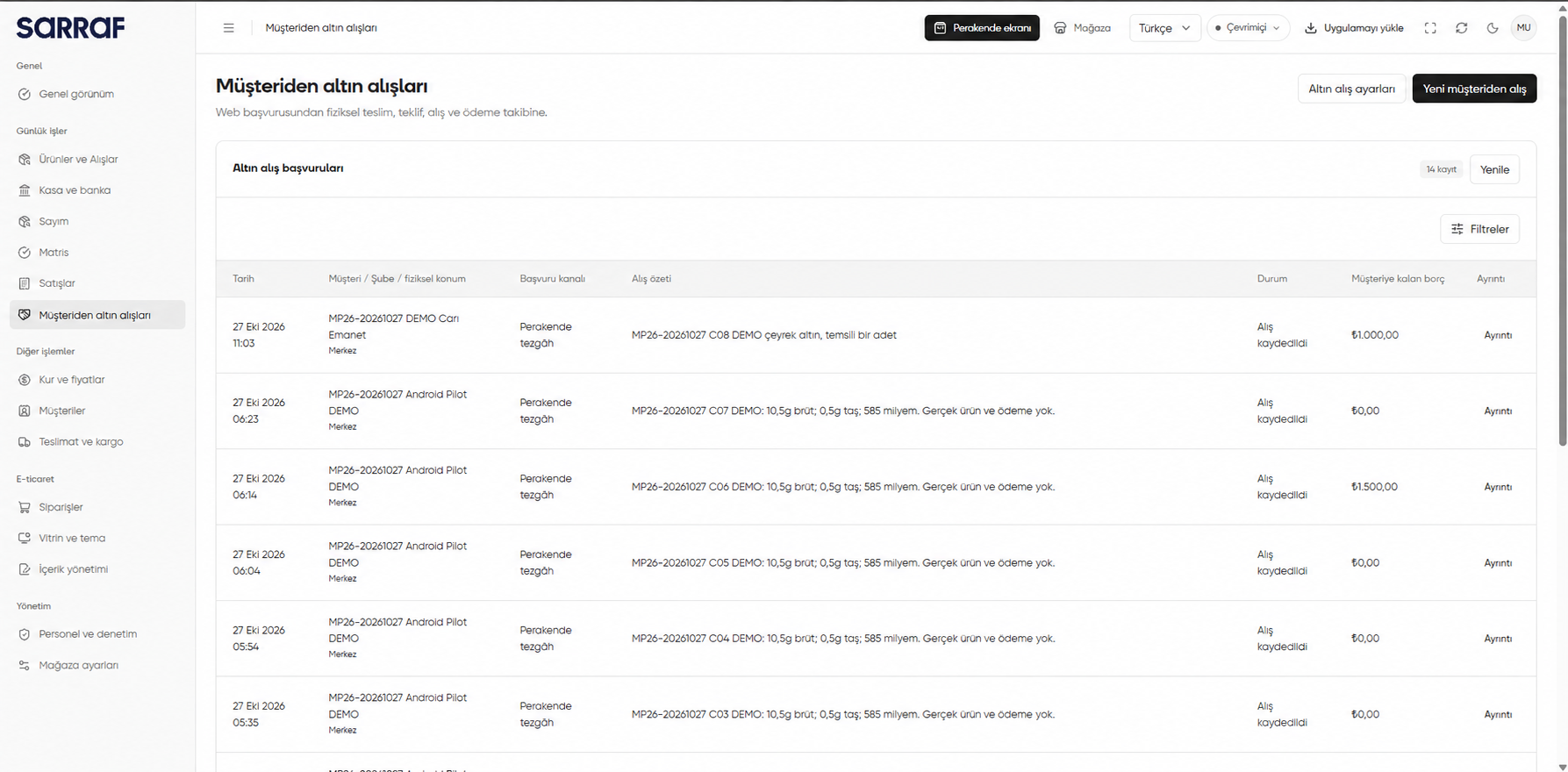
Remaining payable to customer (Müşteriye kalan borç) helps track payment; open the record to review its transaction details.
Review application details
On the transaction screen opened with Details (Ayrıntı), use Back to list (Listeye dön) to return to the applications or Refresh (Yenile) to update the record. The status and Remaining payable to customer (Müşteriye kalan borç) show the purchase stage and outstanding amount.- Original transaction and receipt (Özgün işlem ve makbuz) opens the original finance transaction and receipt, when available.
- Continue payment from current account (Cari hesaptan ödemeye devam et) opens payment tracking in the current account when an open payment record exists.
- In Messages with the store (Mağaza ile yazışmalar), review messages and send a new one when the message field is enabled. Expand Transaction history (İşlem geçmişi) and Gold purchase terms (Altın alış koşulları) to review recorded steps and the terms that applied to this purchase.
- Purchase summary (Alış özeti) on the right shows the customer, branch, offer version, net amount payable to the customer, and the item’s quantity, price and deduction details.
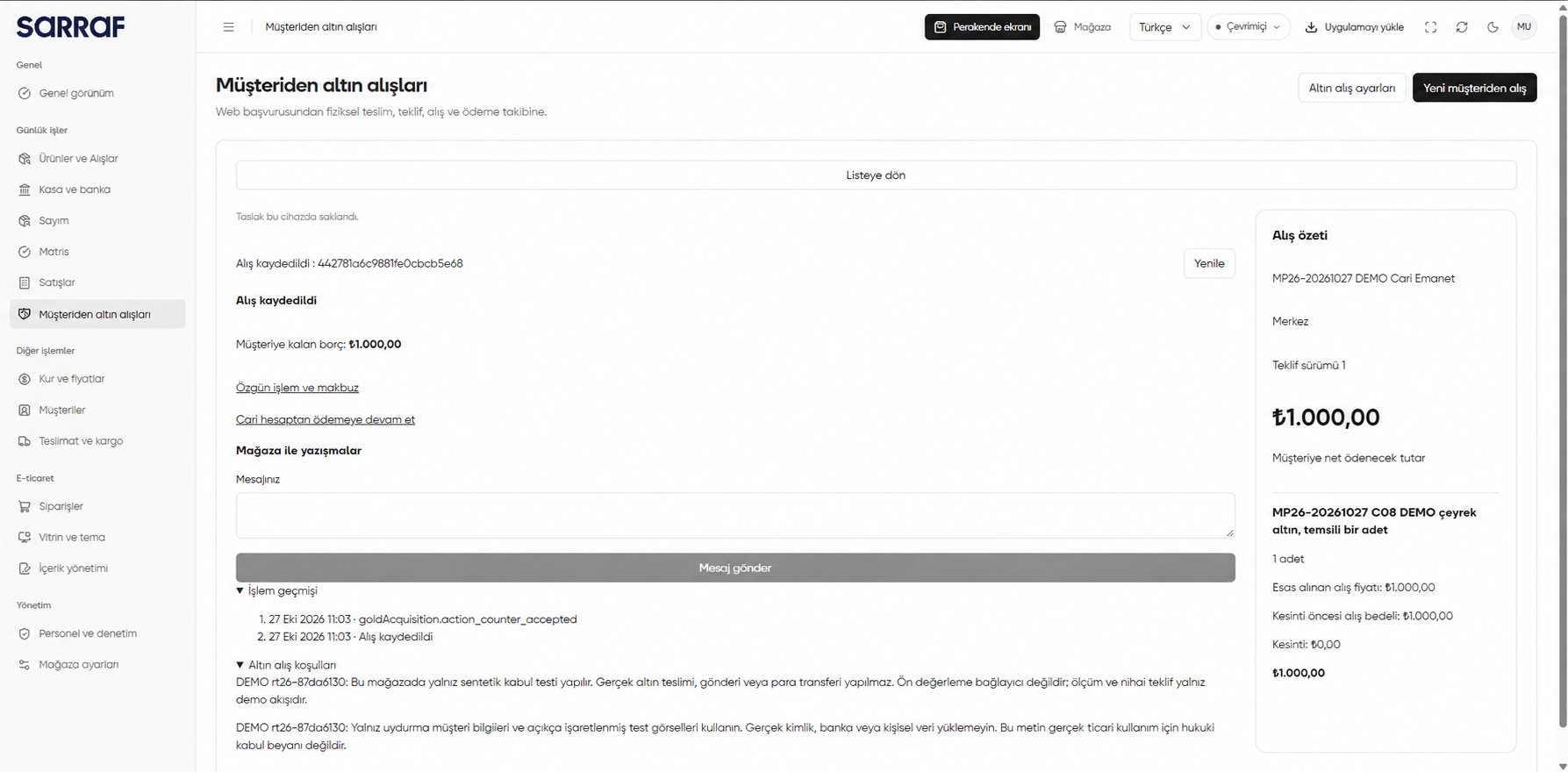
Customer gold purchases: purchase record and summary opened from Details
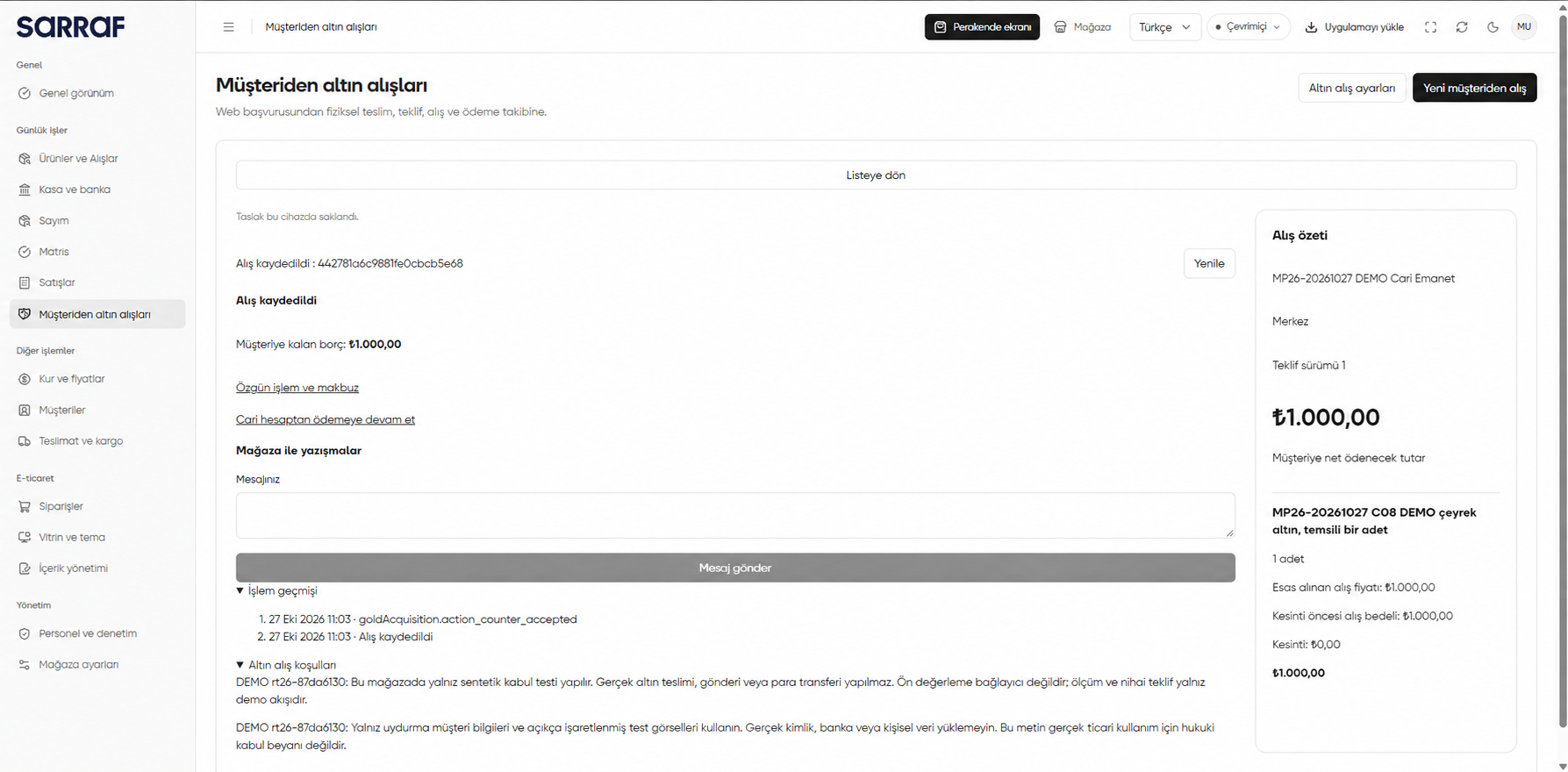
The customer, item, amounts and DEMO terms in the image are examples. Purchase recorded (Alış kaydedildi) does not mean the remaining amount has been paid; check the relevant transaction or current account record.
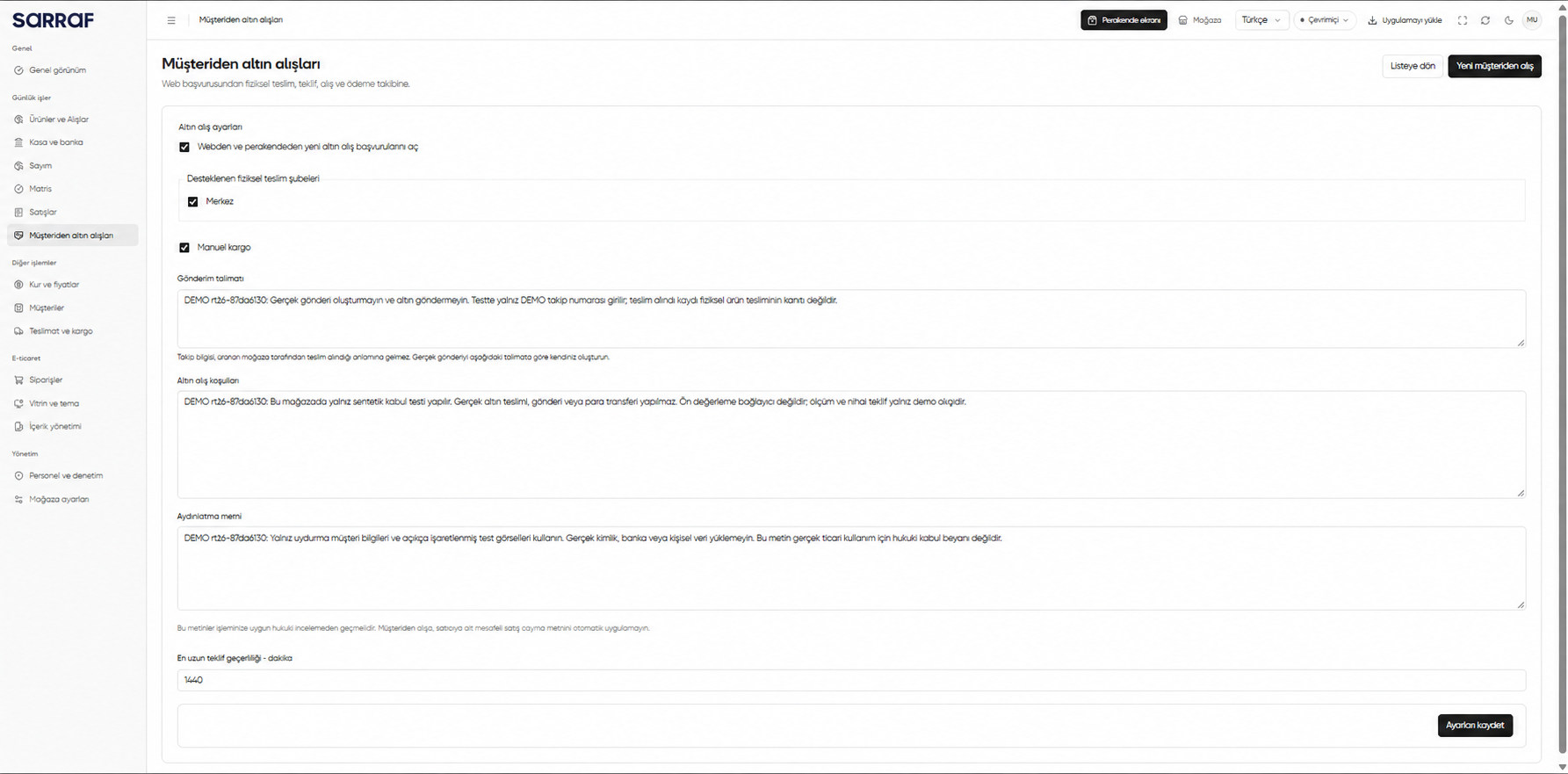
Gold purchase settings
With an administrator account, open Gold purchase settings (Altın alış ayarları) at the upper right. This page contains:- Enable new gold purchase applications from web and retail (Webden ve perakendeden yeni altın alış başvurularını aç): Turns acceptance of new applications on or off.
- Supported physical delivery branches (Desteklenen fiziksel teslim şubeleri): Sets which branches customers can select for physical delivery.
- Manual shipping (Manuel kargo) and Shipping instructions (Gönderim talimatı): If manual shipping is used, enter the instructions shown to customers. A tracking reference alone does not mean the store has received the item.
- Gold purchase terms (Altın alış koşulları) and Privacy notice (Aydınlatma metni): Enter texts appropriate to your operation. The on-screen notice says they need appropriate legal review before use.
- Maximum offer validity · minutes (En uzun teklif geçerliliği · dakika): Sets the maximum period for which an offer remains valid.
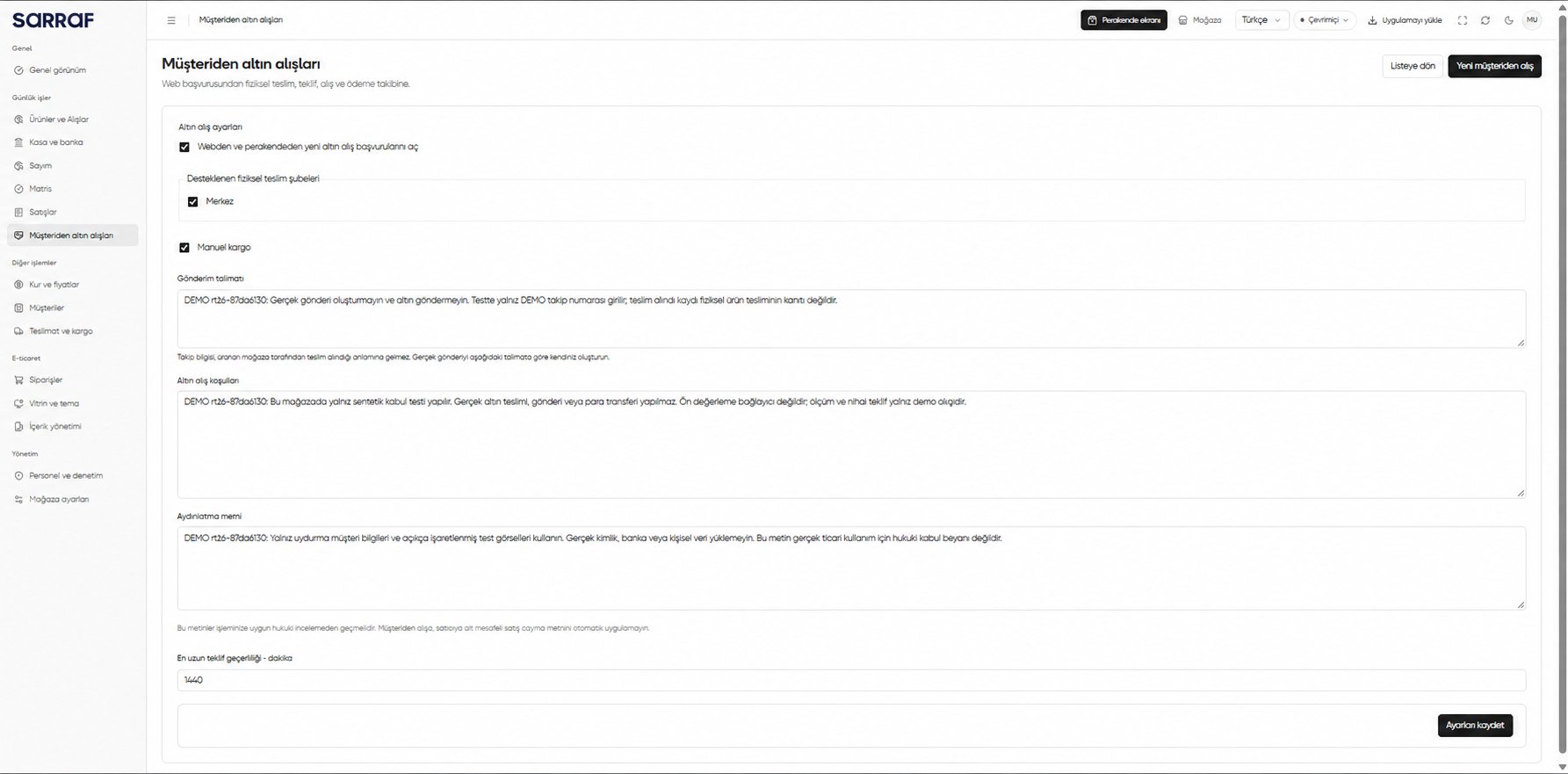
Customer gold purchases: administrator settings