This translation is awaiting language review. Application screenshots and interface labels are in Turkish. The downloadable PDF is also in Turkish.
Steps
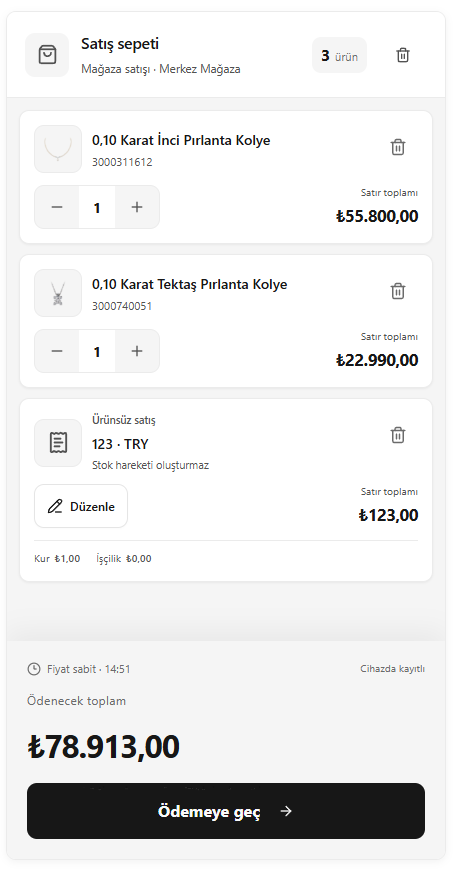
- Check the products and quantities in the cart.
- Change quantities using the quantity buttons and remove unnecessary rows.
- Check the description and amount of the sale item without a product record.
- After verifying the total, click Proceed to payment (Ödemeye geç).
Screenshot
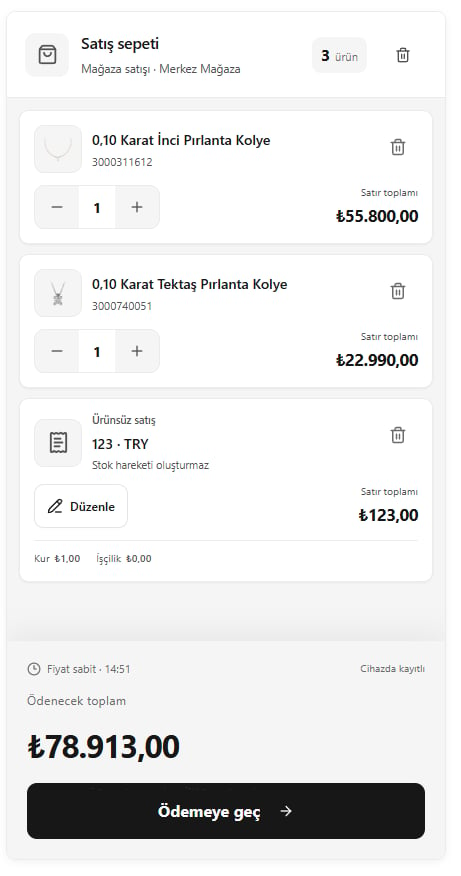
Checking the sales cart