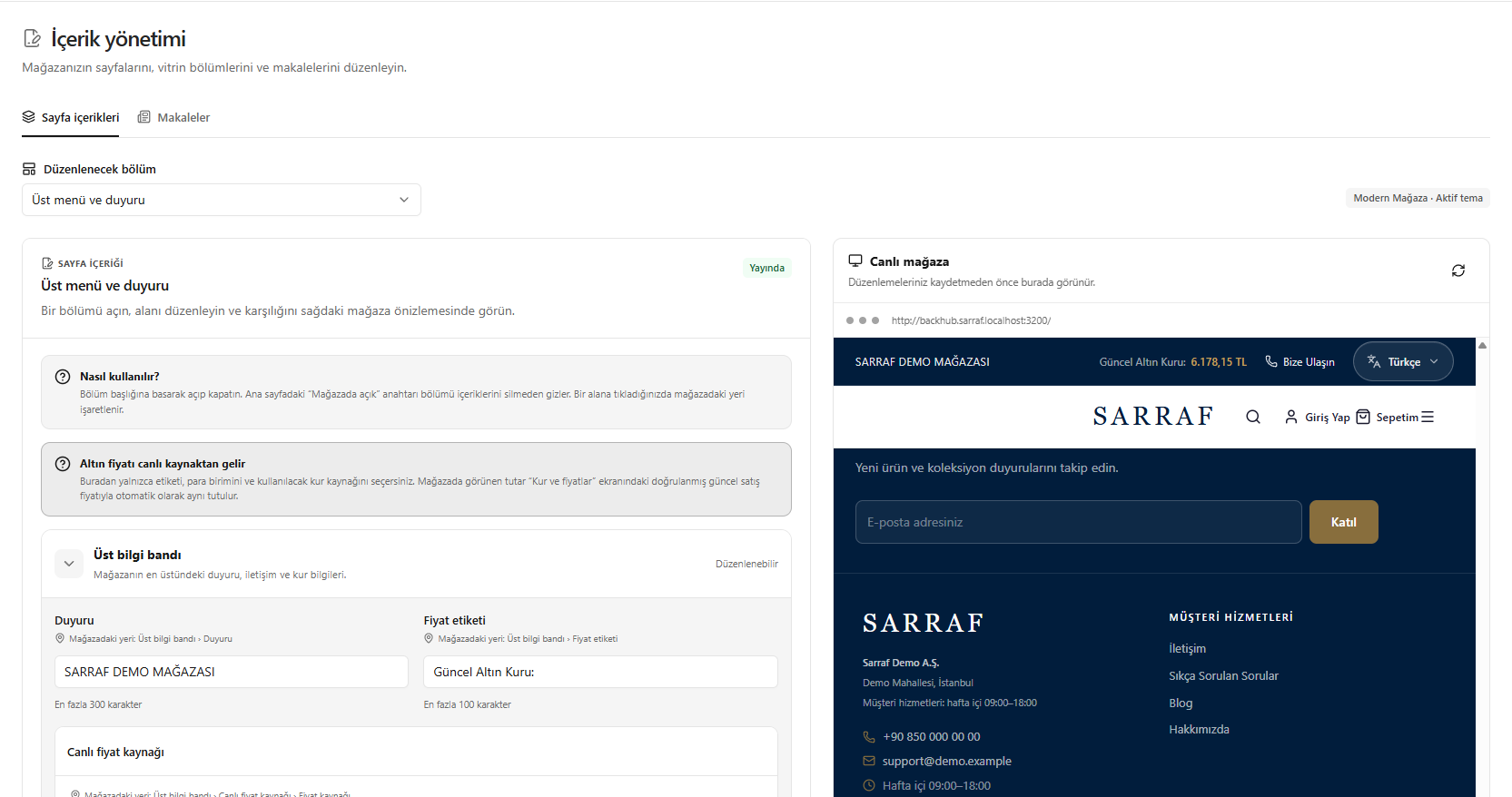
This translation is awaiting language review. Application screenshots and interface labels are in Turkish. The downloadable PDF is also in Turkish.
Steps
- Open Content management > Page content (İçerik yönetimi > Sayfa içerikleri).
- Choose the relevant section in Section to edit (Düzenlenecek bölüm).
- Expand the section headings and edit the text and fields.
- Check the result in the Live store (Canlı mağaza) preview on the right.
The gold price amount comes from the verified current selling price in Exchange rates and prices (Kur ve fiyatlar); here you select the label, currency and source.
Screenshot
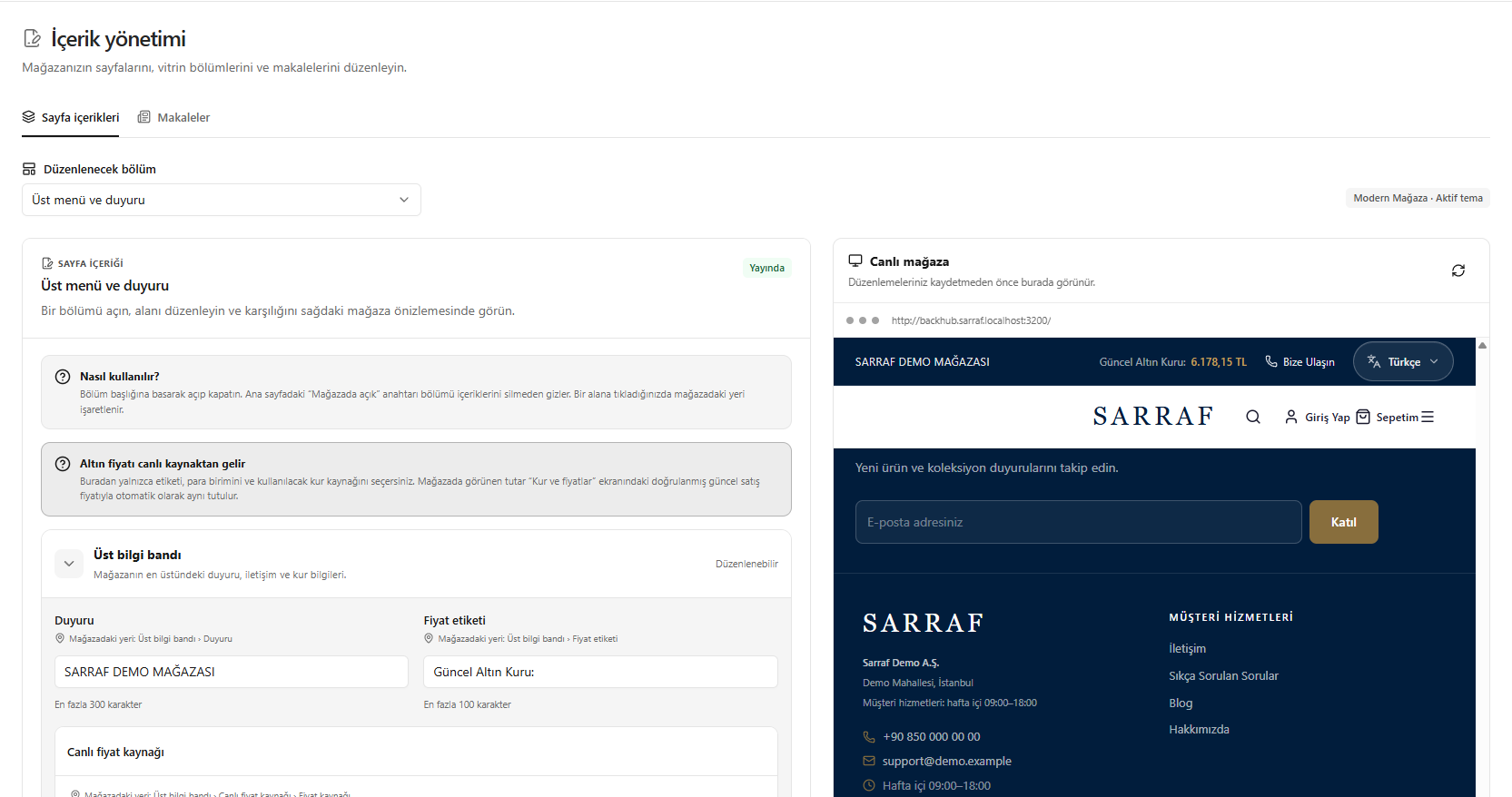
Editing page content