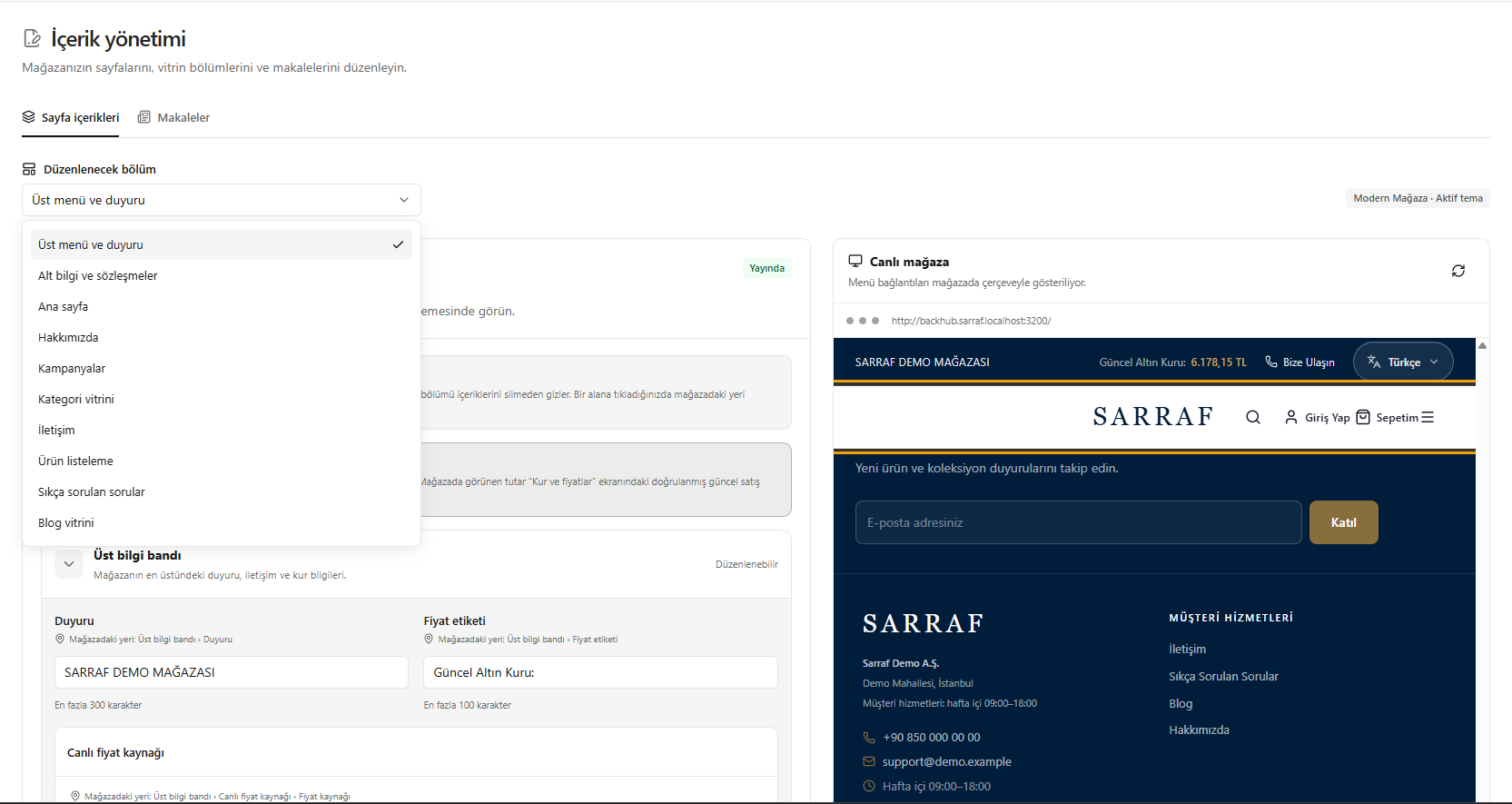
This translation is awaiting language review. Application screenshots and interface labels are in Turkish. The downloadable PDF is also in Turkish.
Steps
- Open the Section to edit (Düzenlenecek bölüm) list.
- Select the top menu, footer, home page, about us, campaigns or other relevant section.
- Edit the fields and check their results in the preview.
- Refresh the preview when needed.
The Visible in store (Mağazada açık) switch on the home page hides the section without deleting its content.
Screenshot
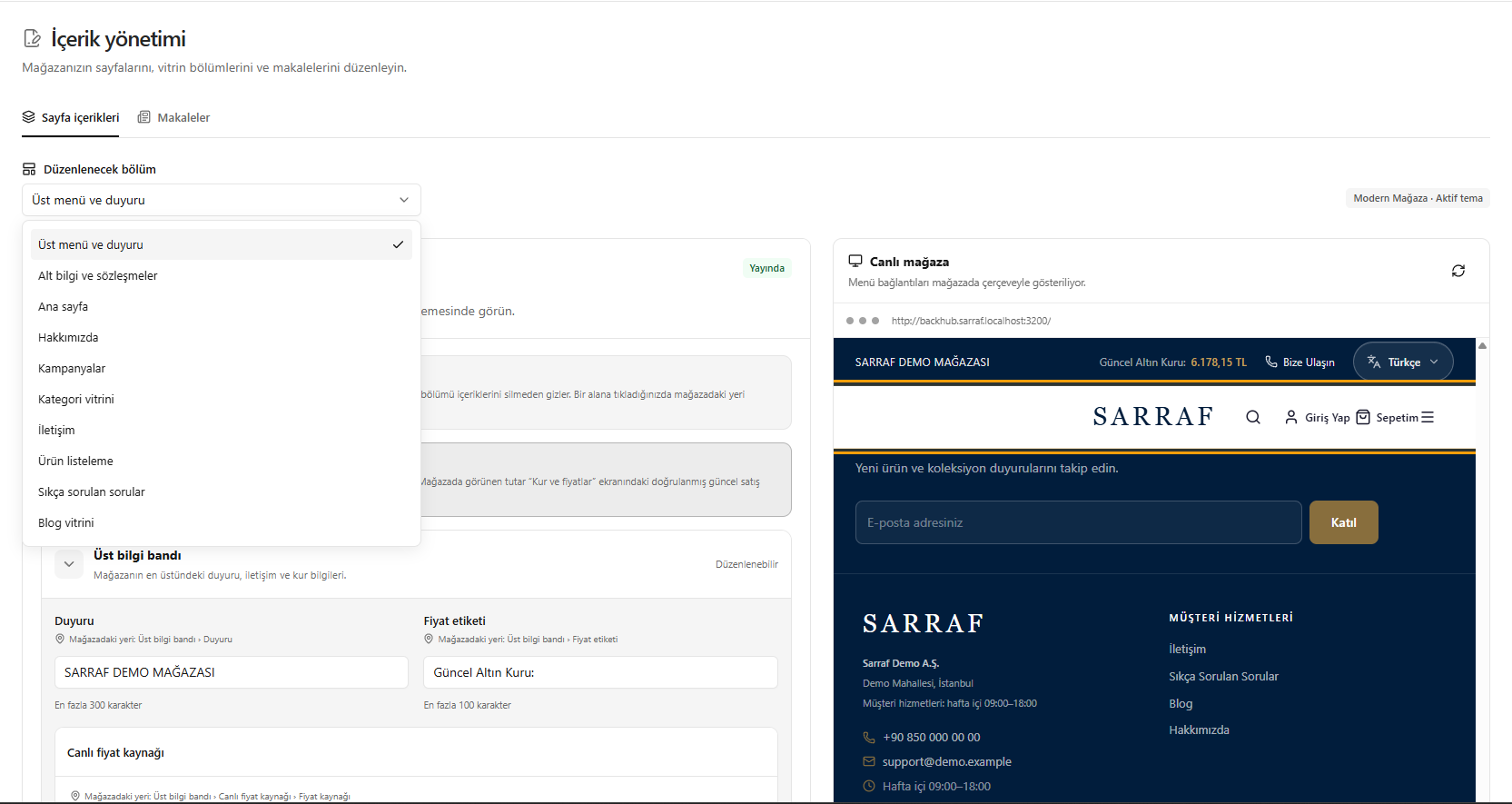
Selecting a section to edit