This translation is awaiting language review. Application screenshots and interface labels are in Turkish. The downloadable PDF is also in Turkish.
Steps
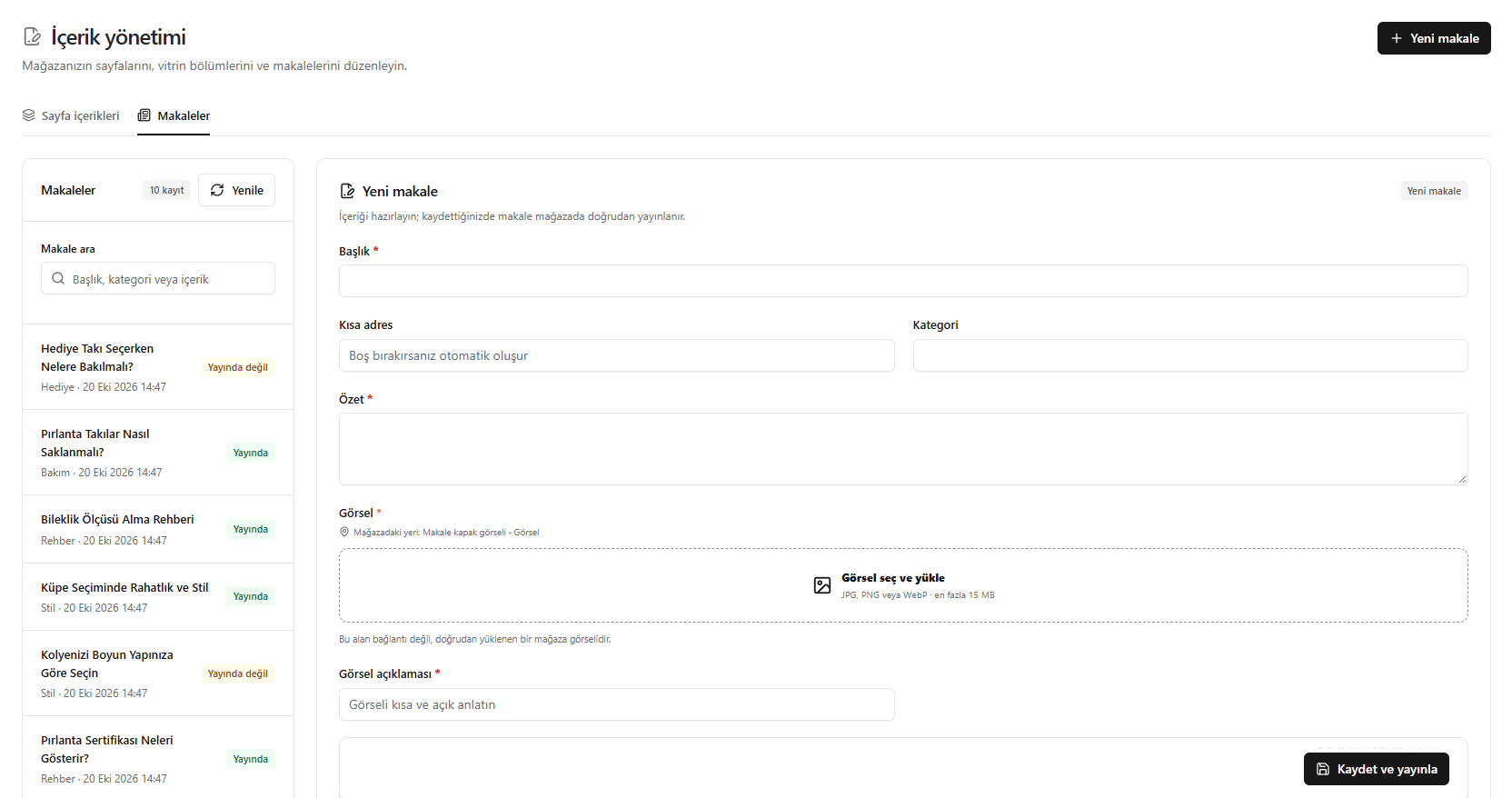
- In the Articles (Makaleler) tab, search existing records or click New article (Yeni makale).
- Enter the title, category and summary; the short URL is generated automatically if left blank.
- Upload a cover image and enter its description.
- Check the content and click Save and publish (Kaydet ve yayınla).
The saved article is published directly in the store. The image field accepts JPG, PNG or WebP; the limit is 15 MB.
Screenshot
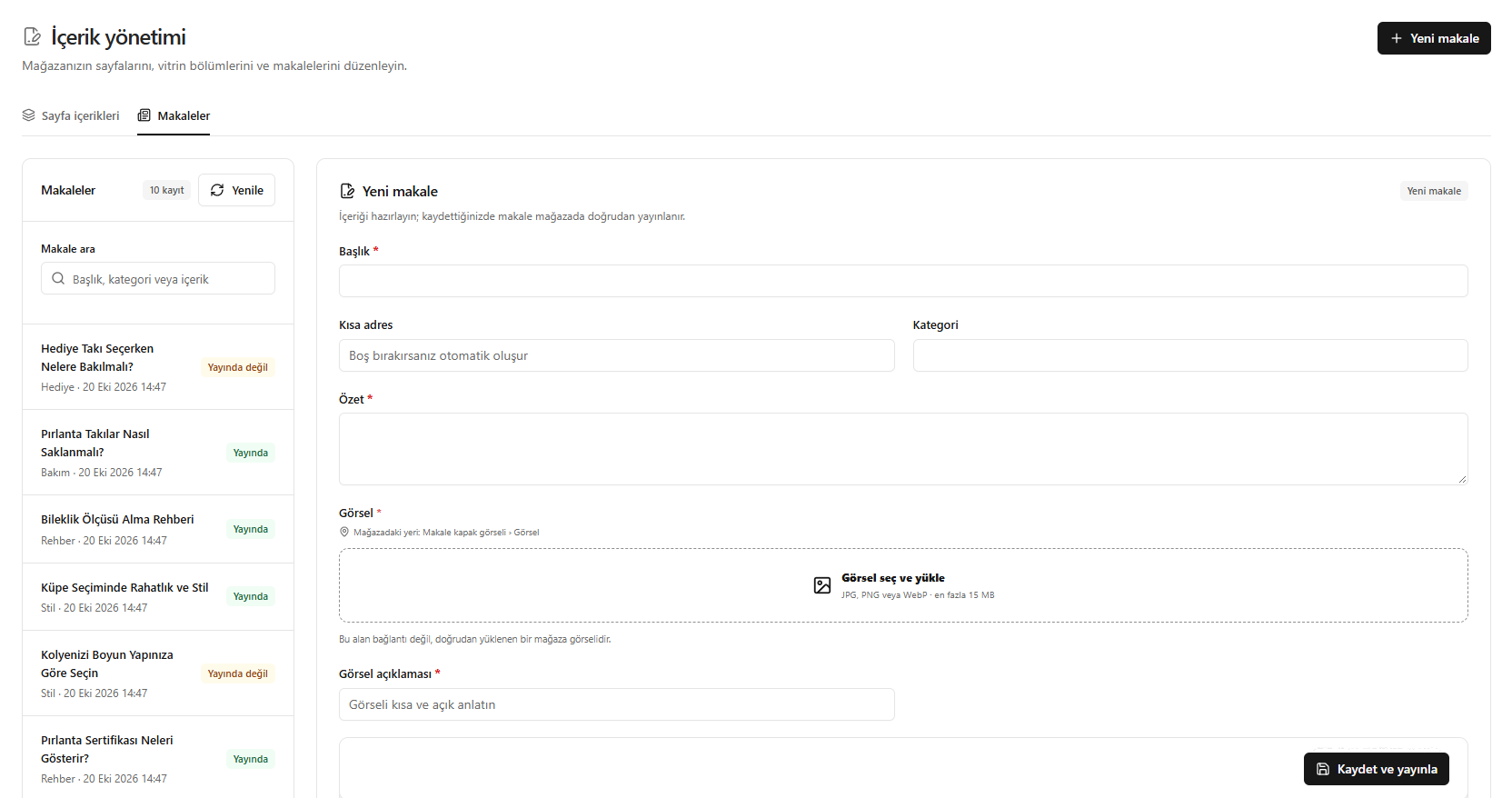
Creating and publishing an article