This translation is awaiting language review. Application screenshots and interface labels are in Turkish. The downloadable PDF is also in Turkish.
1. Open the activity history
Open Staff and audit (Personel ve denetim) in the left menu, then the Activity history (İşlem geçmişi) tab. Alongside staff activity, this list may include activity recorded under Customer (Müşteri) or System (Sistem).- Search for a user or record in Search (Ara).
- If needed, open Filters (Filtreler) and select the relevant section in Section (Bölüm). All sections (Tüm bölümler) displays the list without restricting it to a section.
- Check the row’s Time (Zaman), User (Kullanıcı), Action (İşlem) and Record (Kayıt).
- Click Refresh (Yenile) to reload the list.
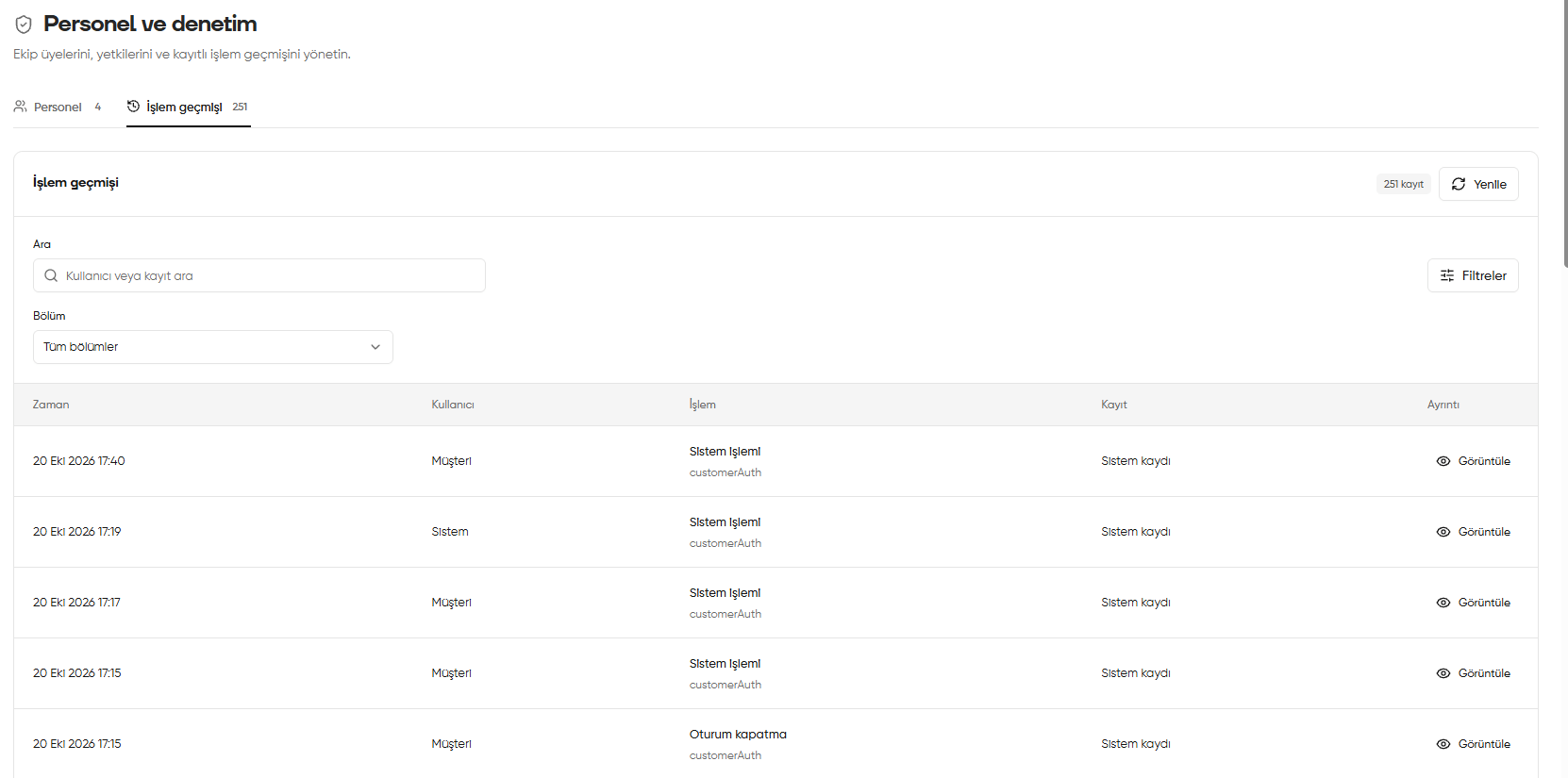
Activity history tab in Staff and audit
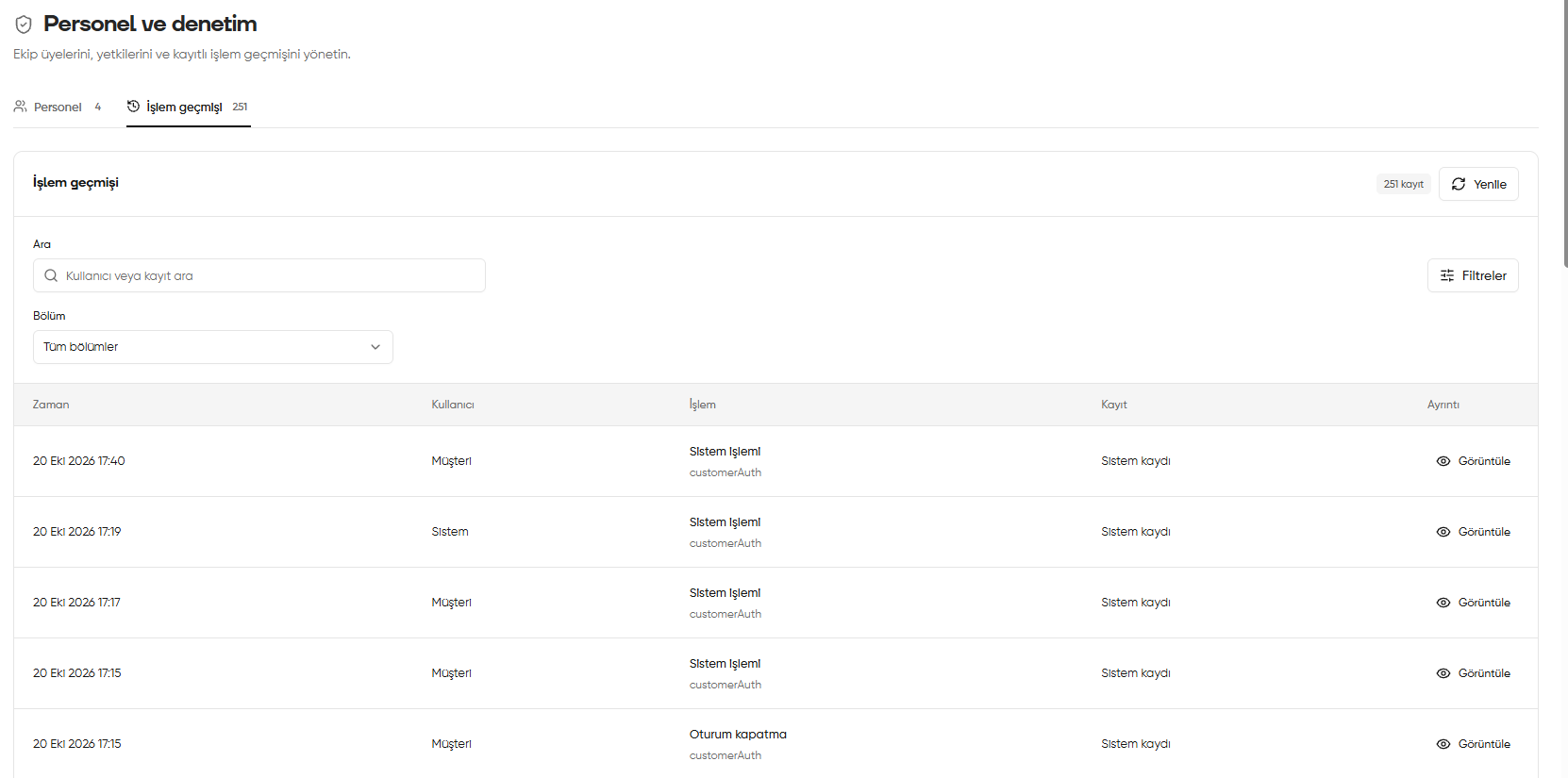
2. Open activity details with View
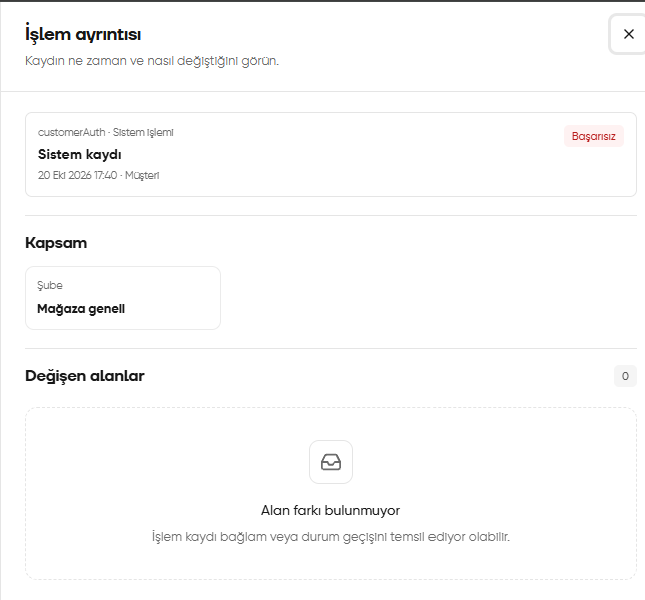
Click View (Görüntüle) on the right of the relevant row to open the Activity details (İşlem ayrıntısı) window below.- Header: shows the action type, relevant record, time and user. Check the result label; the screenshot says Failed (Başarısız).
- Scope (Kapsam): identifies the branch or scope associated with the record. The screenshot shows Store-wide (Mağaza geneli).
- Changed fields (Değişen alanlar): used to examine differences in the record’s fields. The screenshot shows 0 and No field differences (Alan farkı bulunmuyor).
No field differences does not mean there is no activity record. According to the explanation on screen, a record may represent context or a status transition. Assess the result together with the status label above; this example is a failed action.
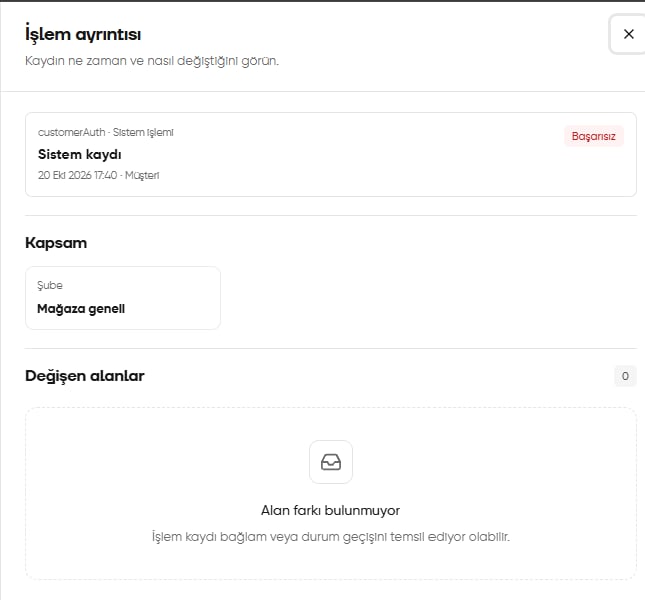
Activity details window opened with View