This translation is awaiting language review. Application screenshots and interface labels are in Turkish. The downloadable PDF is also in Turkish.
Steps
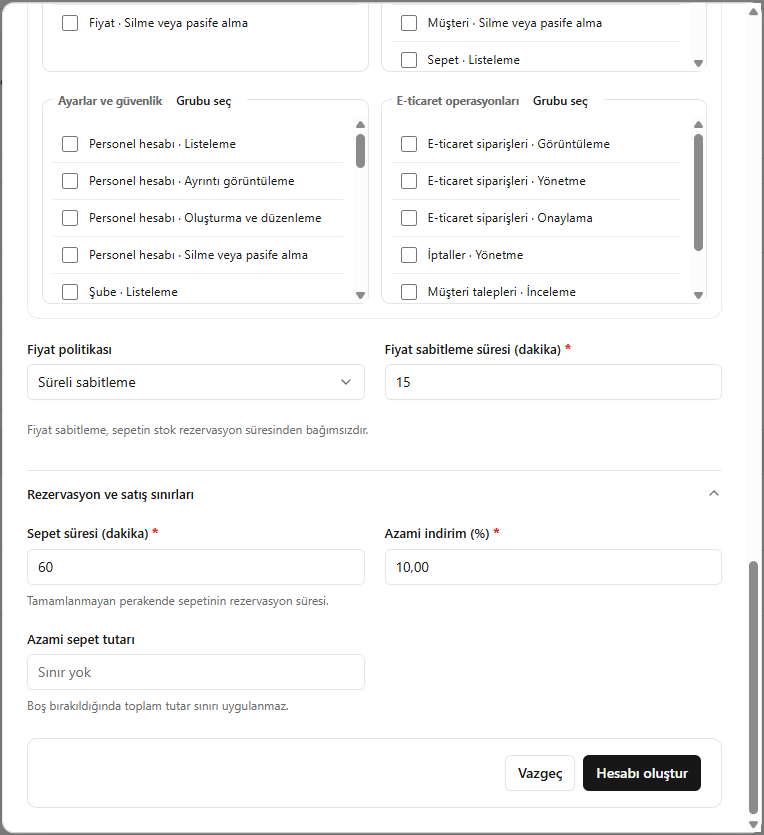
- Choose the price policy; for temporary price fixing, enter the duration in minutes.
- Set the cart duration and maximum discount percentage.
- Enter the maximum cart amount if needed.
- Check permissions and information, then click Create account (Hesabı oluştur).
If the maximum cart amount is blank, no amount limit applies. Price fixing is independent of stock reservation.
Screenshot
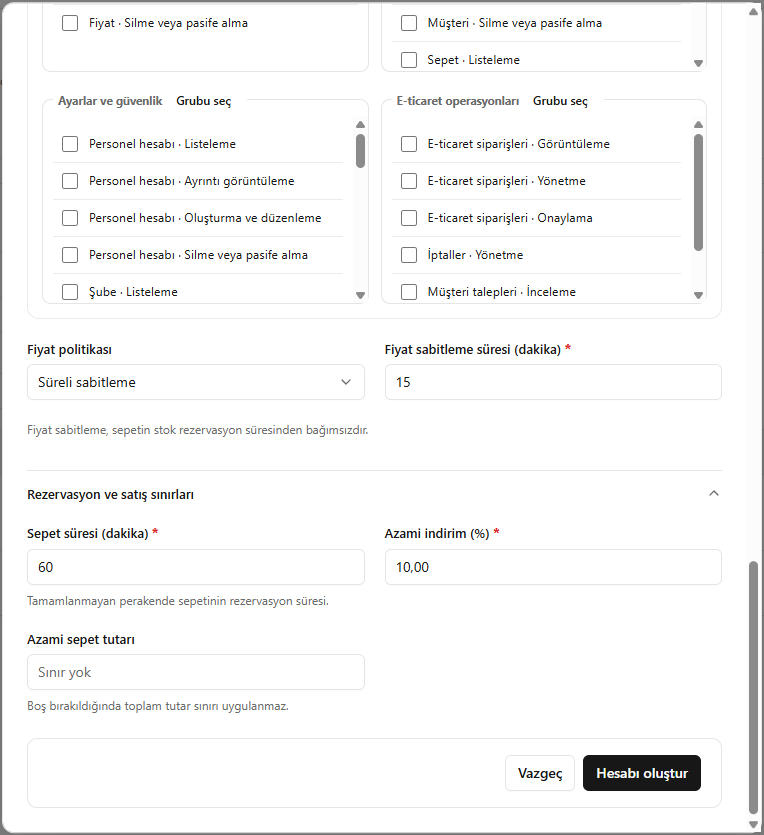
Price policy and sales limits