This translation is awaiting language review. Application screenshots and interface labels are in Turkish. The downloadable PDF is also in Turkish.
Steps
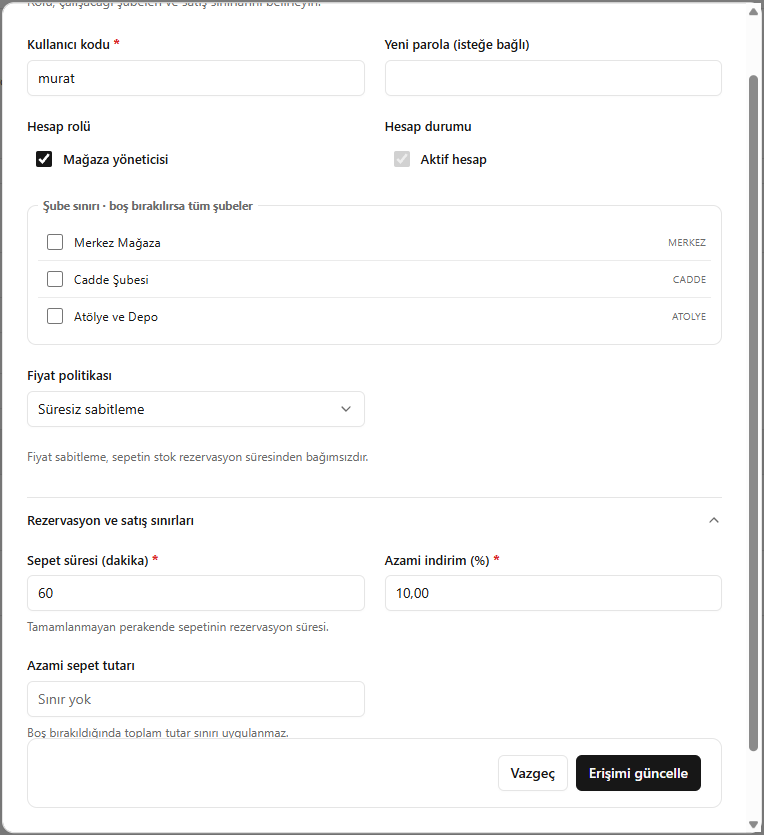
- Check the user code; fill in New password (Yeni parola) if changing the password.
- Check the account role, account status and accessible branches.
- Set the price policy, cart duration and sales limits.
- Click Update access (Erişimi güncelle).
If no branch is selected, access covers all branches. Price fixing and stock reservation duration are independent.
Screenshot
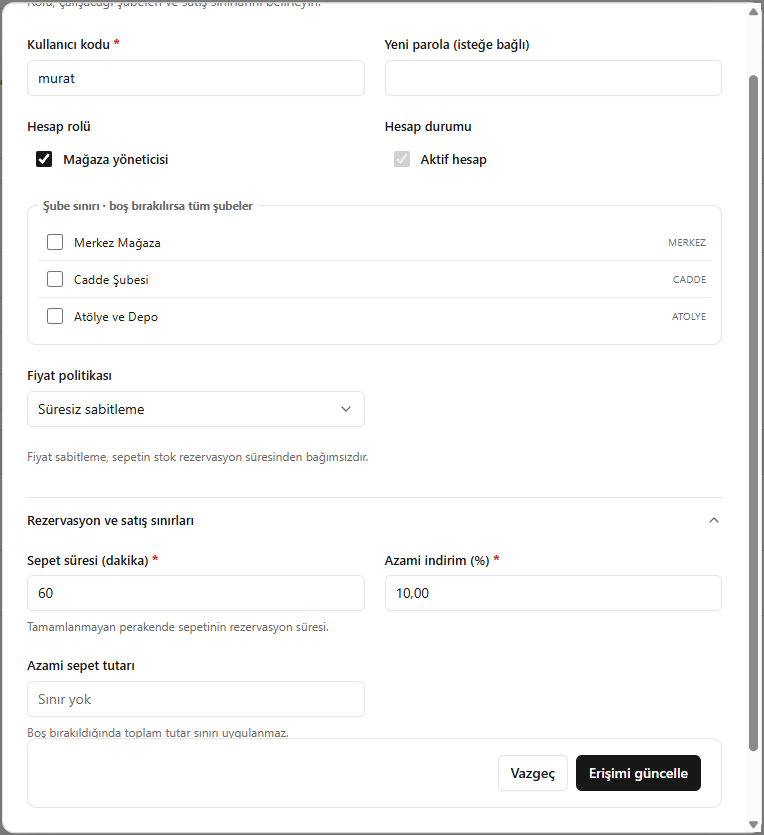
Editing access information