This translation is awaiting language review. Application screenshots and interface labels are in Turkish. The downloadable PDF is also in Turkish.
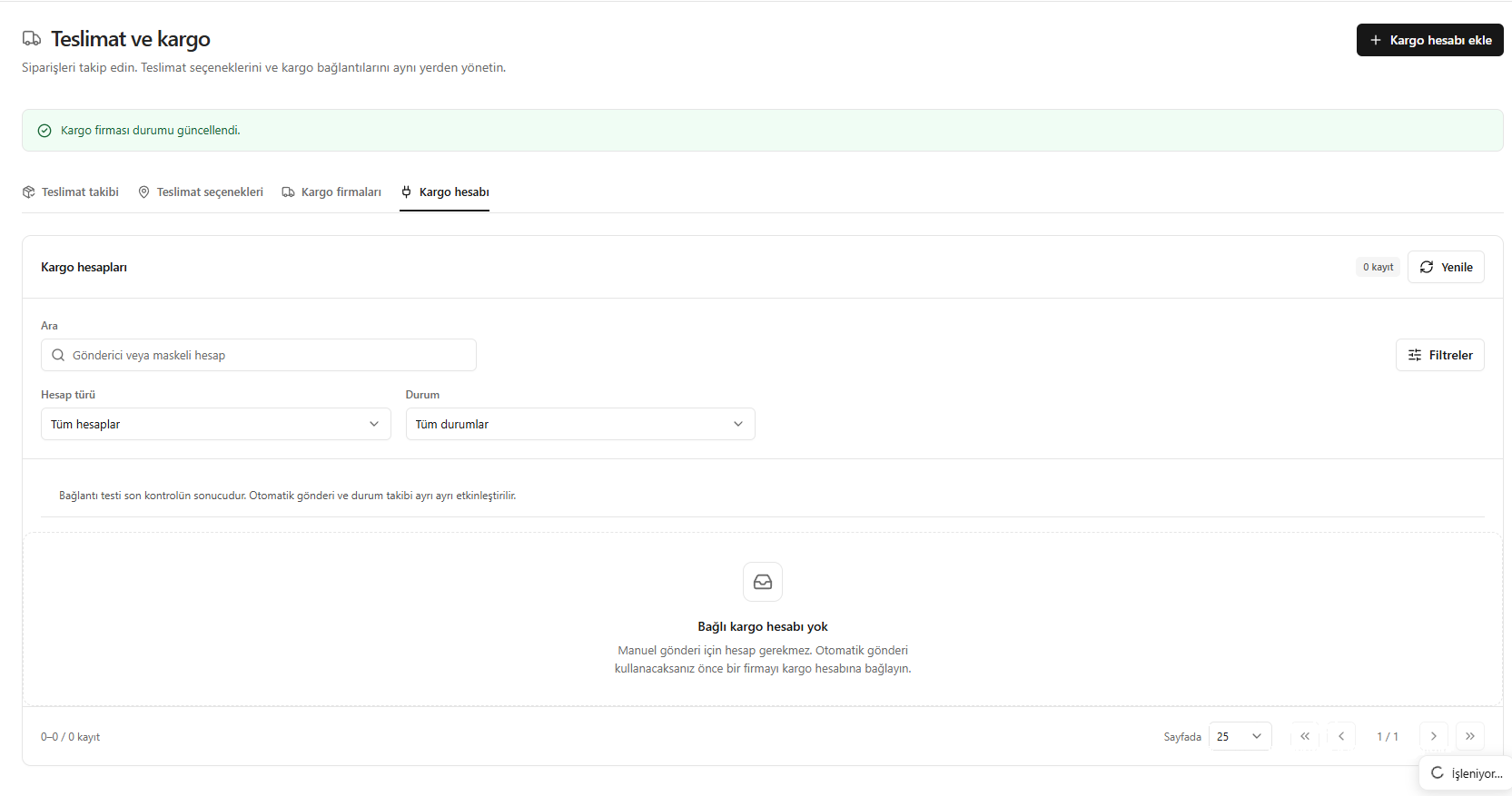
1. Find the account or add a new account
Open Delivery and shipping → Shipping account (Teslimat ve kargo → Kargo hesabı). Find an existing account with the search, account type and status filters. Click Add shipping account (Kargo hesabı ekle) to set up a new connection.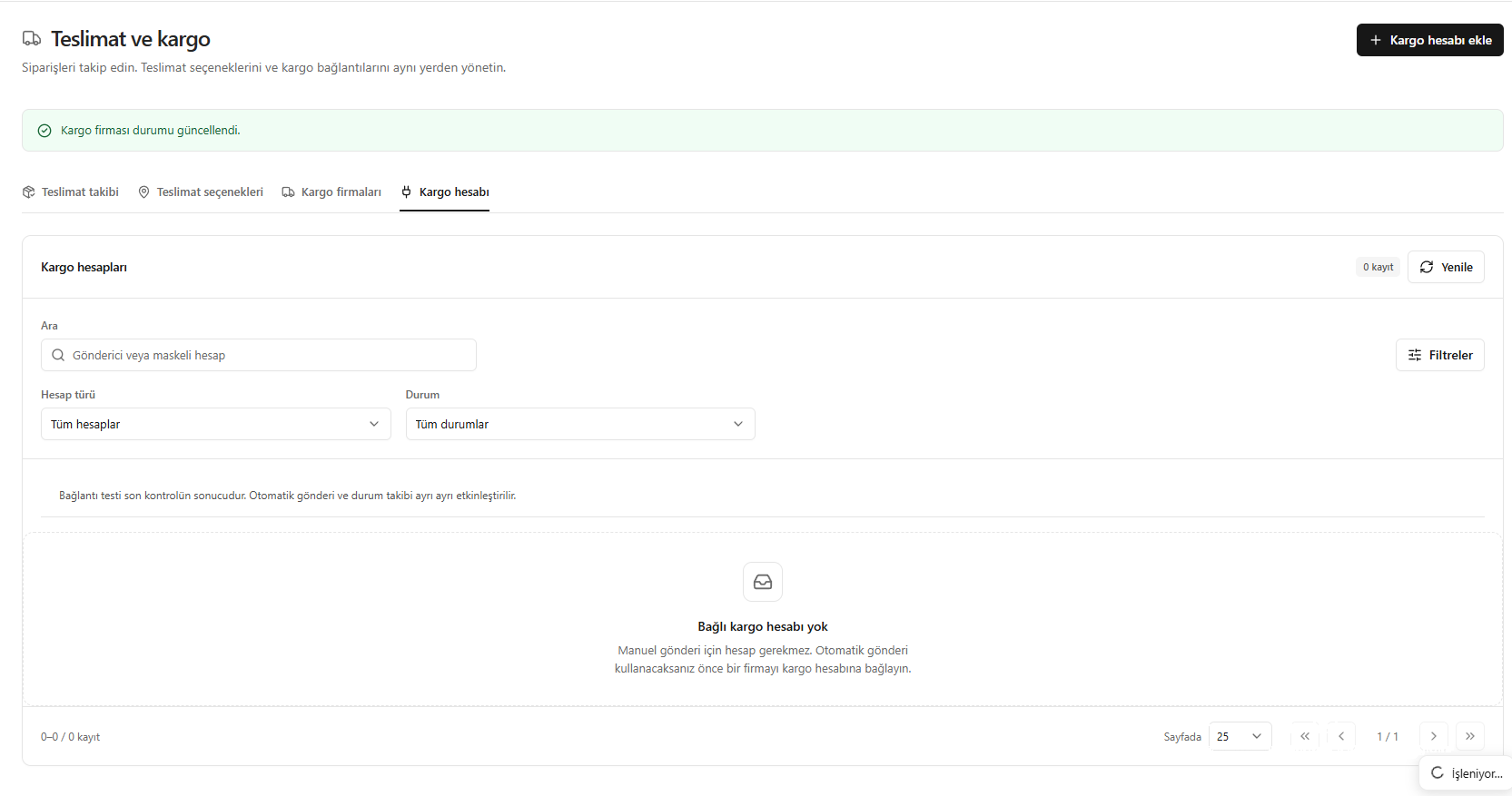
Shipping account list and adding a new account
2. Enter connection details
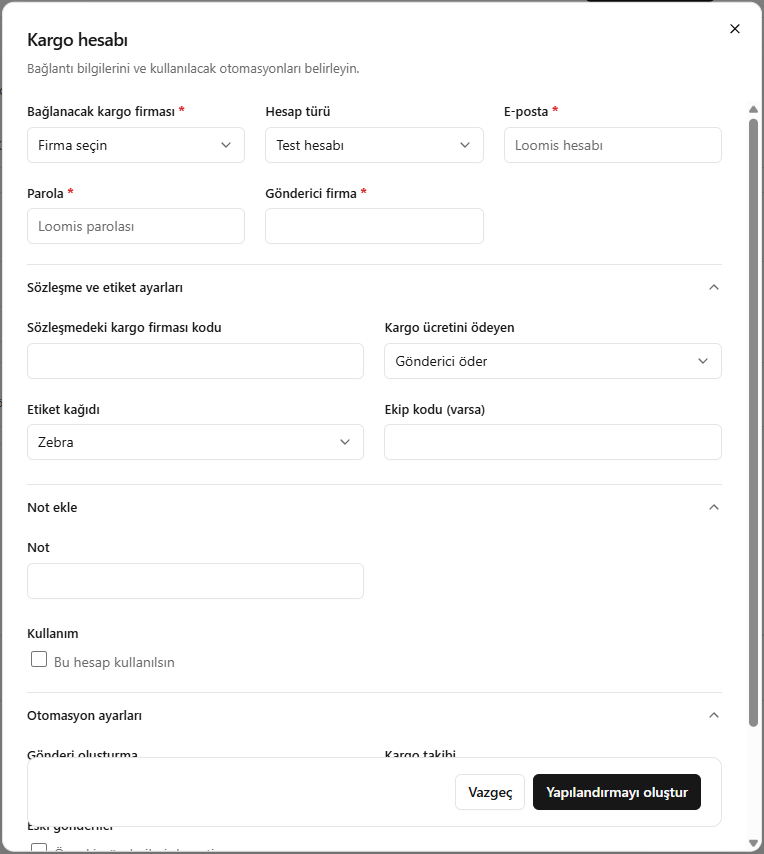
- Choose the shipping company (kargo firmasını) and account type (hesap türünü) to connect.
- Enter the shipping account’s email and password (e-posta ve parolasını), then the sender company details.
- Set the company code (firma kodunu) in your agreement, the party paying the fee (ücreti ödeyen tarafı) and the label paper type (etiket kâğıdı türünü) you will use.
- Add your team code (ekip kodunu) if available and your note, then continue to the automation settings.
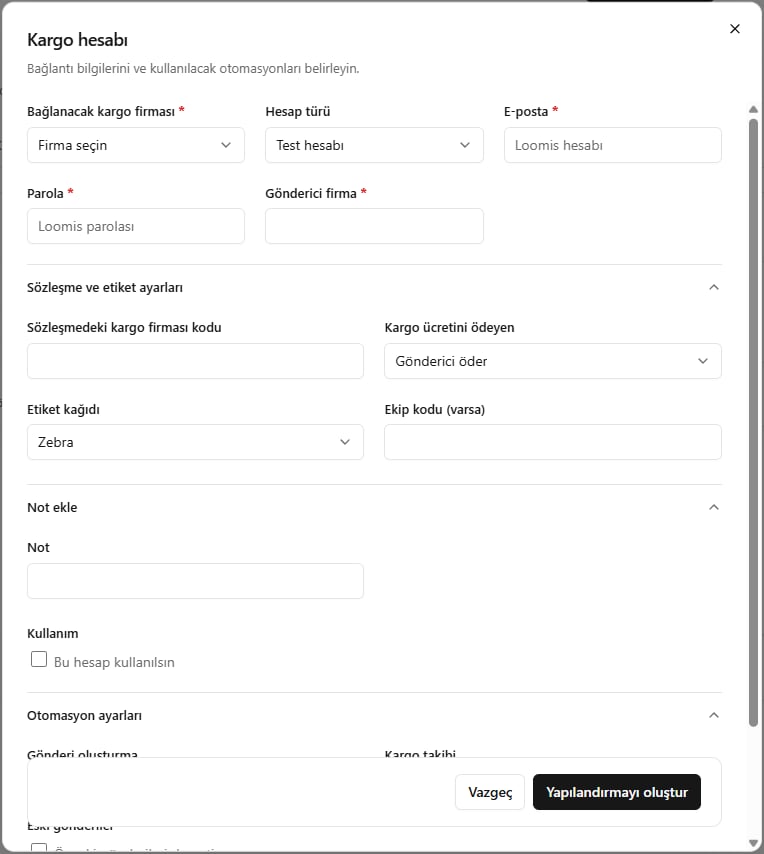
Shipping account connection and sender details
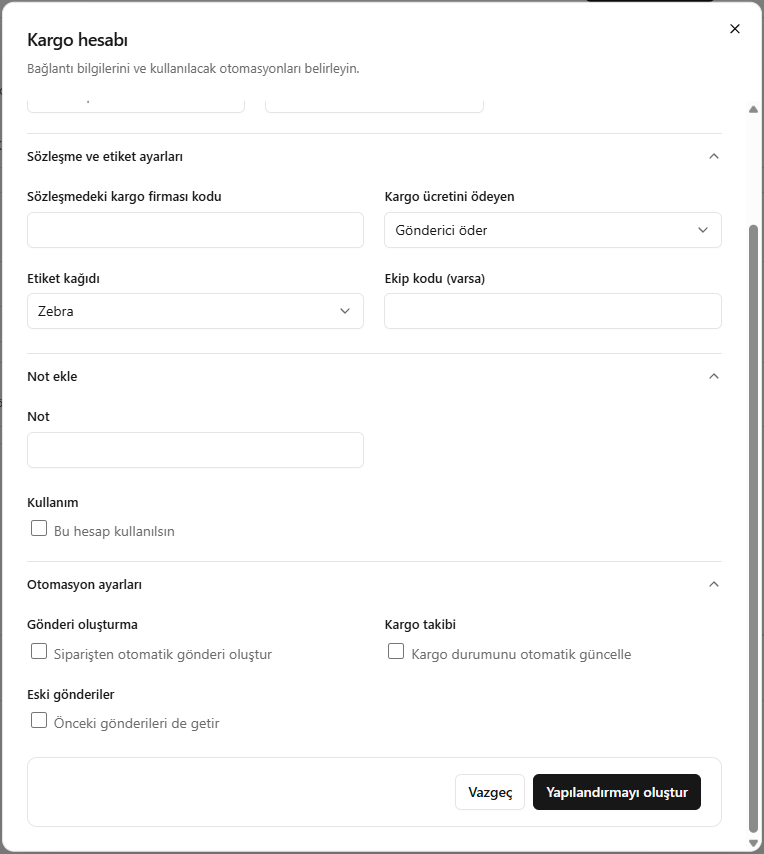
3. Choose automations and save
- Use this account (Bu hesap kullanılsın): Enables use of the account.
- Create shipments automatically (Otomatik gönderi oluşturma): Enables automatic shipment creation through the connection.
- Update shipping status (Kargo durumunu güncelleme): Enables shipment tracking status updates.
- Also fetch previous shipments (Önceki gönderileri de getir): Select this to retrieve past shipments too.
Enabling the account does not enable every automation. Automatic shipment creation and status updates are separate choices.
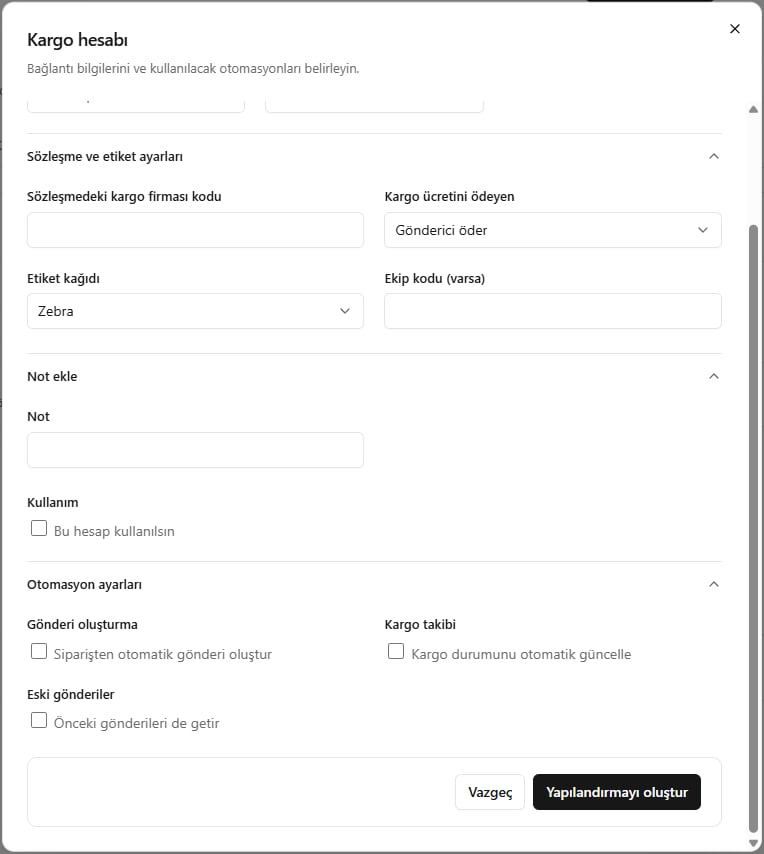
Enabling the shipping account and choosing automations