This translation is awaiting language review. Application screenshots and interface labels are in Turkish. The downloadable PDF is also in Turkish.
What is an indicator?
A market indicator is reference information used to track market values and their changes relative to one another. This tab lets you review the indicators defined in the system. For example, the EUR/USD exchange rate shows how many US dollars equal 1 euro. A value of 1,10 means that 1 euro equals 1,10 US dollars. This is only an explanatory example, not a current rate. Such information helps you follow the market; it need not equal your store’s buying or selling price.Steps
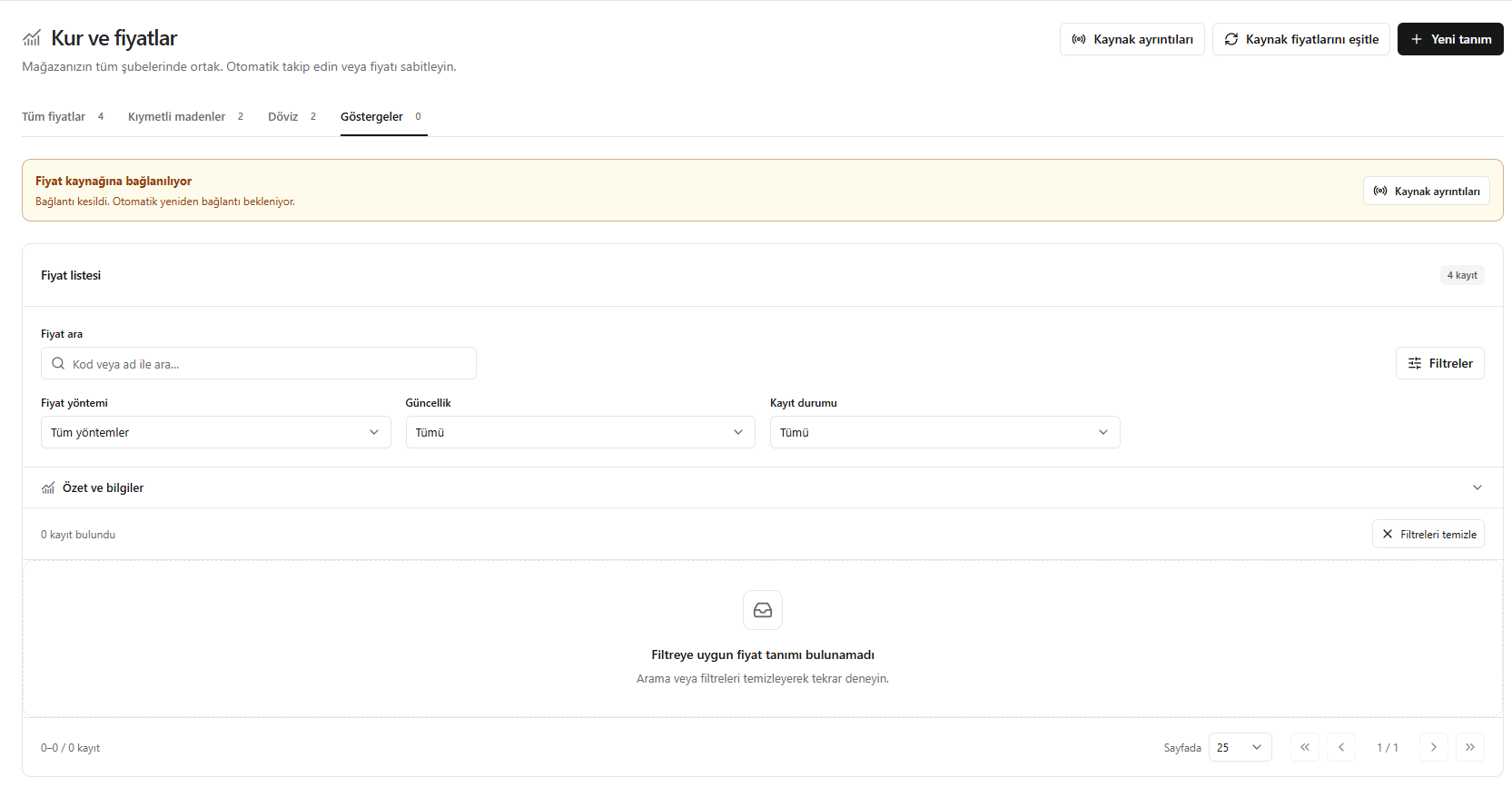
- Open Exchange rates and prices (Kur ve fiyatlar) from the left menu.
- Switch to Indicators (Göstergeler) at the top.
- In Search prices (Fiyat ara), enter the code or name of the indicator to review. For example, you can search for EUR/USD here if it is defined in your system.
- If needed, open Filters (Filtreler) and narrow the list using Price method (Fiyat yöntemi), Freshness (Güncellik) and Record status (Kayıt durumu).
- If a record exists, check the displayed value together with its unit and freshness information.
- If no results appear, clear the search text or click Clear filters (Filtreleri temizle). If records still do not appear, there may be no viewable definition in this category.
The image contains no records in Indicators (Göstergeler), so no example indicator value is shown. It also shows Connecting to price source (Fiyat kaynağına bağlanılıyor); do not assume the data is current without checking connection and freshness information.
Screenshot
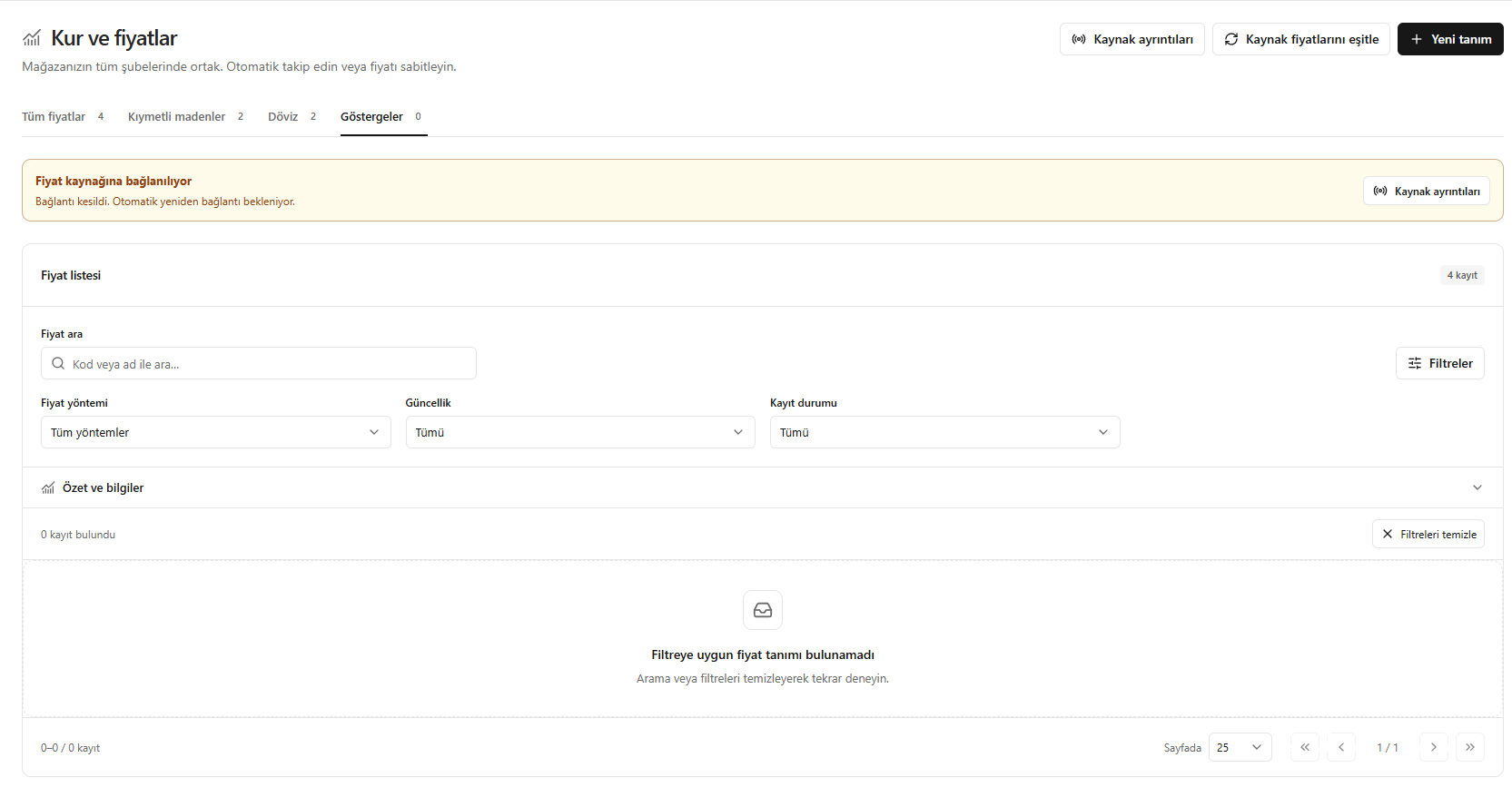
Market indicators