

This translation is awaiting language review. Application screenshots and interface labels are in Turkish. The downloadable PDF is also in Turkish.
The numbers, amounts and records in the screenshots are examples. Your own screen displays current information within your permissions. You can click the images to enlarge them.
Summary cards
The four cards at the top provide quick access to the relevant records.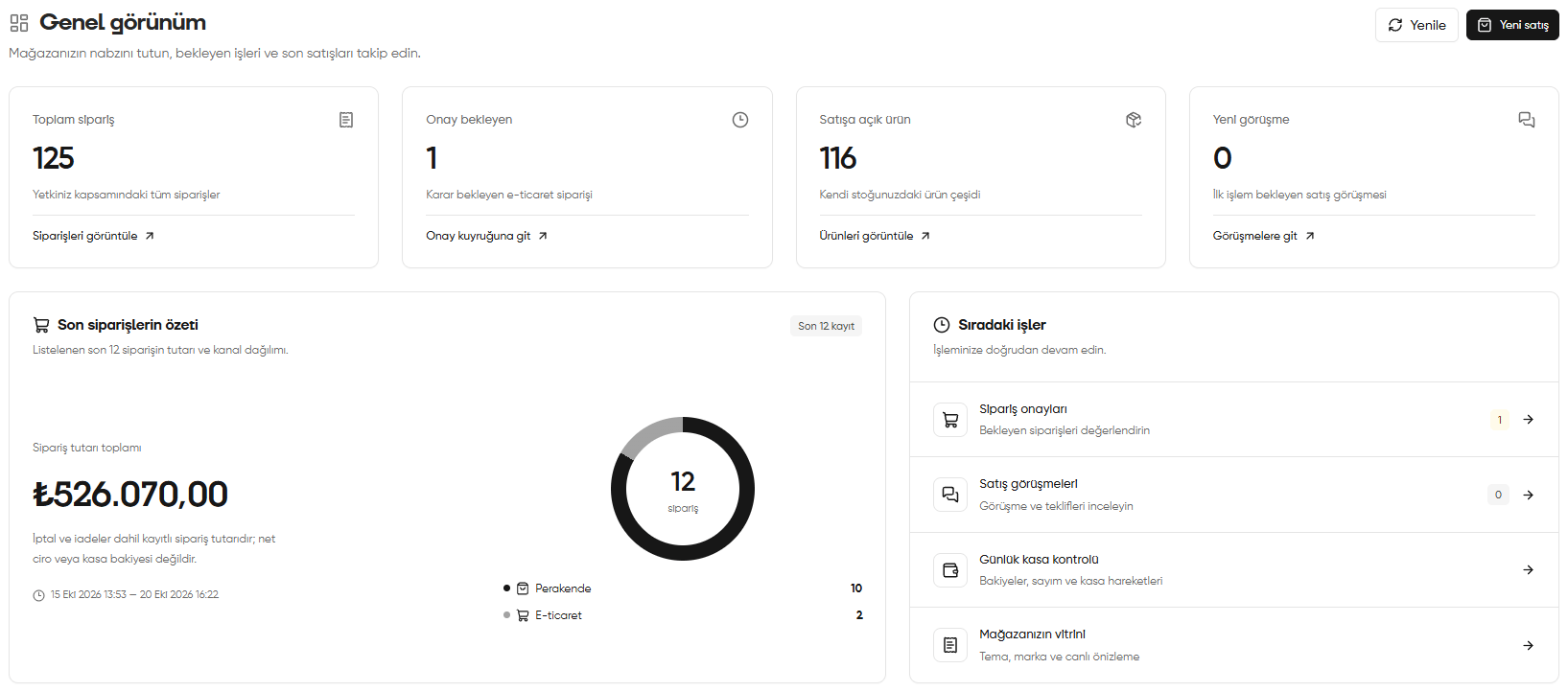
Overview: summary cards, recent order summary and upcoming tasks
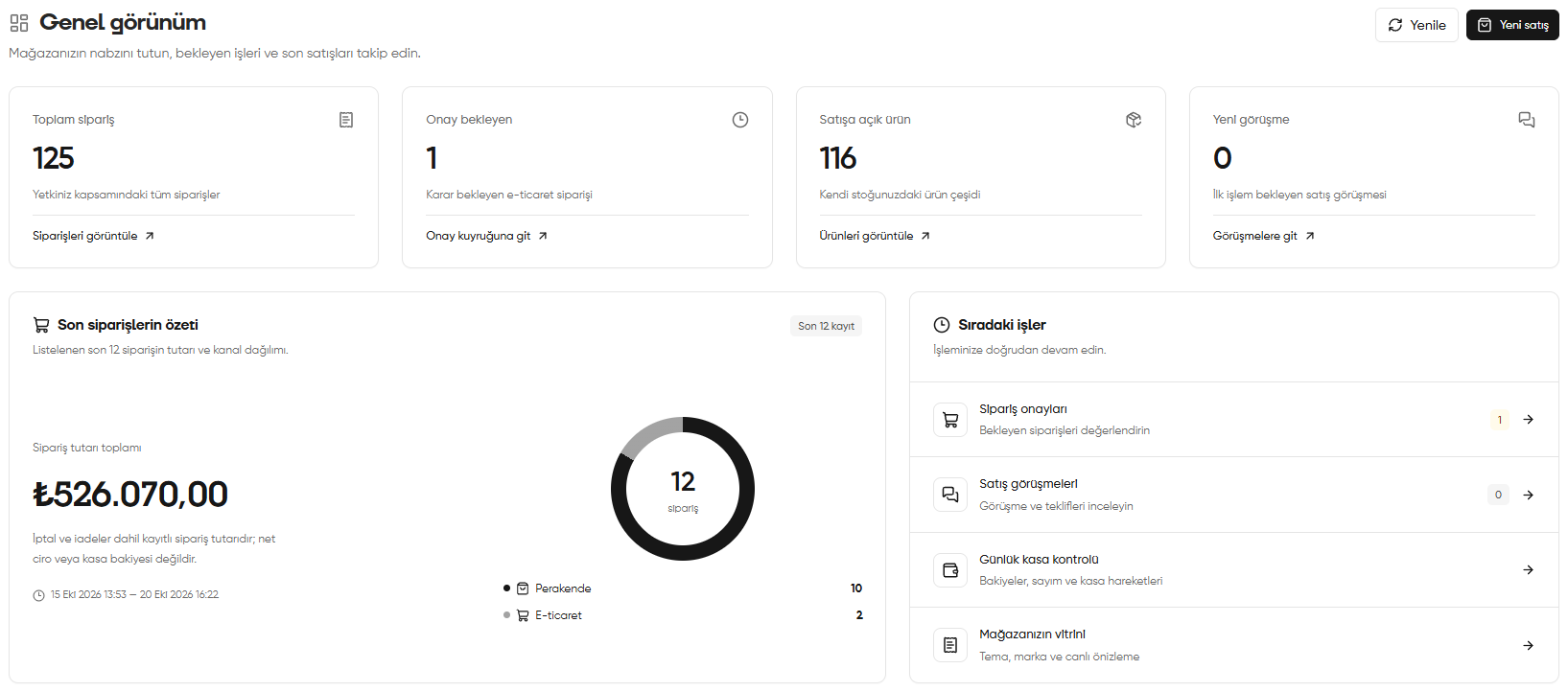
Recent order summary
This area shows the total amount of the last 12 orders listed and their distribution by sales channel. The number of orders appears in the centre of the doughnut chart; the counts for Retail (Perakende) and E-commerce (E-ticaret) appear below it. The date range shows the period covered by the summarised records. In the example, 10 of the 12 orders are from retail and 2 are from e-commerce. The total order amount for these records is shown as 526.070,00 TL.Total order amount (Sipariş tutarı toplamı) is the recorded order amount, including cancellations and returns. It does not show net turnover, the amount collected or the cash account balance. This summary covers only the recent orders listed; its scope differs from the Total orders (Toplam sipariş) card above.
Upcoming tasks
Click the row for the task you want to perform to open the relevant section:- Order approvals (Sipariş onayları): Review pending orders.
- Sales conversations (Satış görüşmeleri): Review conversations and quotations.
- Daily cash account check (Günlük kasa kontrolü): Check balances, cash counts and cash movements.
- Your storefront (Mağazanızın vitrini): Access theme, brand appearance and live preview settings.
Recent orders
Scroll down to the Recent orders (Son siparişler) table. Each row represents one order.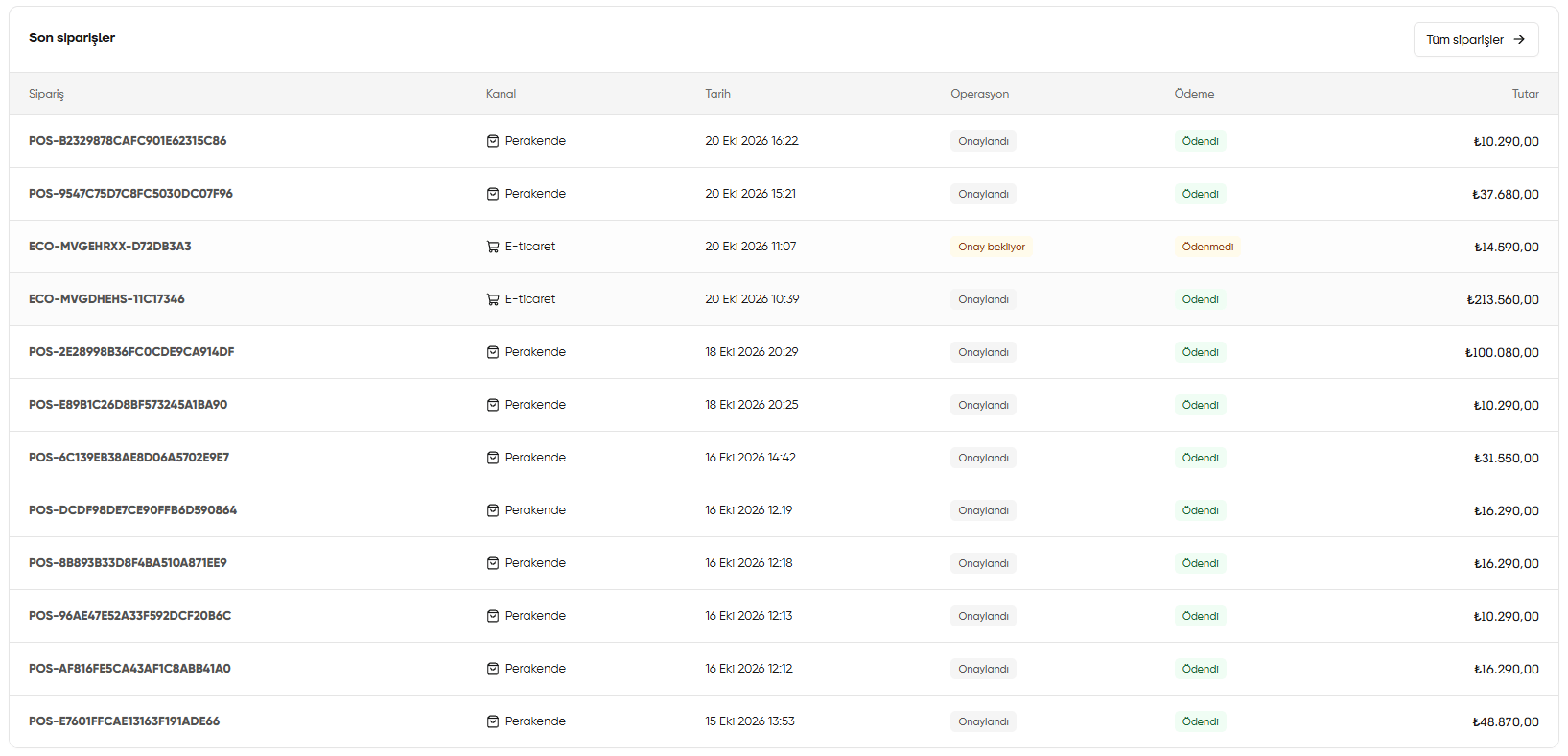
Recent orders: channel, date, operation, payment and amount information
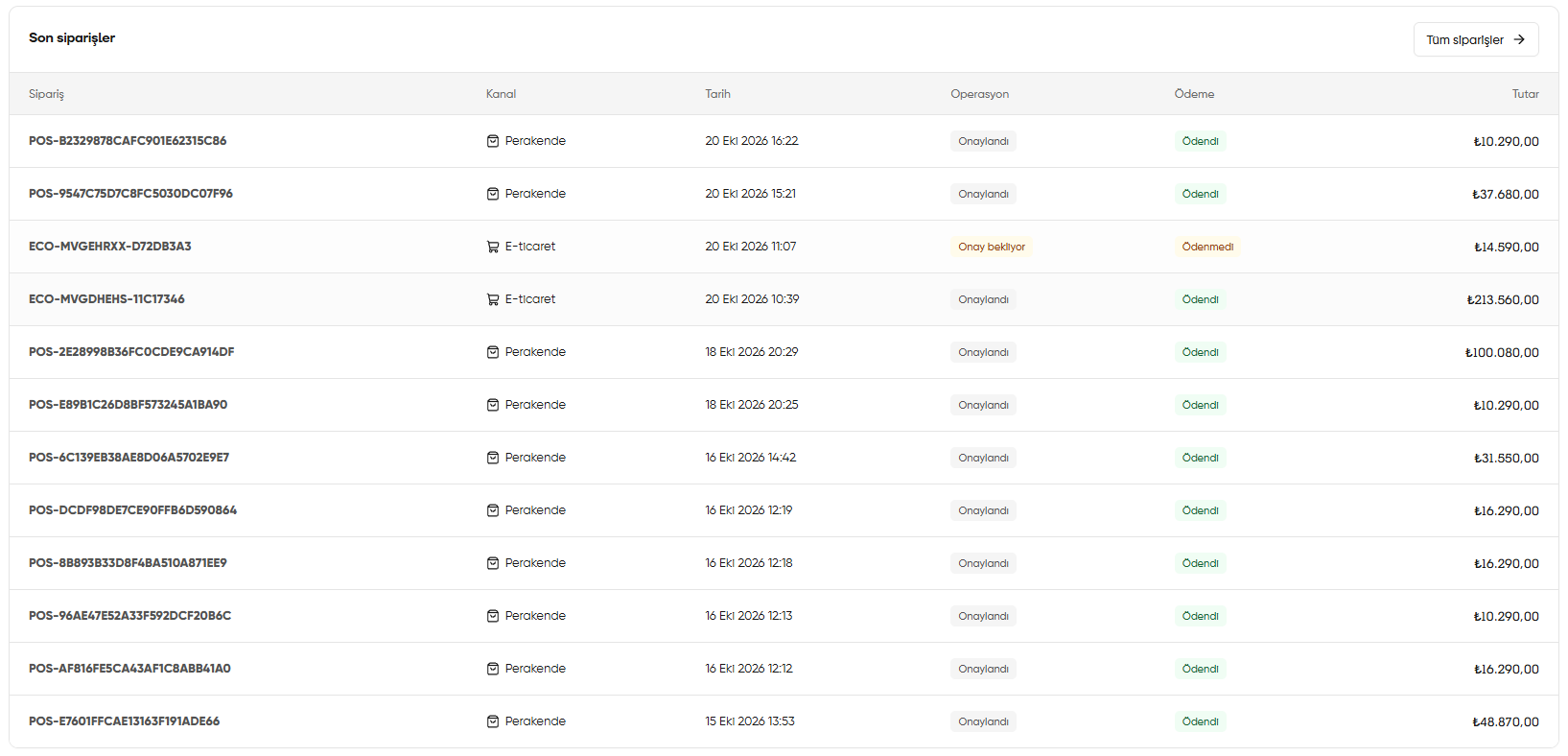
Check operation and payment statuses separately. An order being Approved (Onaylandı) does not mean payment has been received. Track payment collection in the Payment (Ödeme) column.
Refreshing information and starting a new sale
- Refresh (Yenile): Reloads the information in Overview.
- New sale (Yeni satış): Opens the retail sales screen so you can start a new sale. You can also open this screen using Retail sales (Perakende satış) in the top bar.