> ## Documentation Index
> Fetch the complete documentation index at: https://help.sarraf.net/llms.txt
> Use this file to discover all available pages before exploring further.
# Sepeti düzenleme
> E-ticaret müşterileri için sepeti düzenleme.
1. **Sepetim** sayfasını açın.
2. Ürünleri, adetleri ve fiyatları kontrol edin.
3. **− / +** ile adedi değiştirin; çöp kutusu simgesiyle ürünü çıkarın.
4. **Sipariş Özeti** alanındaki tutarı inceleyin. Teslimat ücreti sonraki adımda hesaplanır.
5. Hazırsanız **Ödemeye Geç** düğmesine tıklayın. Giriş ekranı açılırsa hesabınıza giriş yapın.
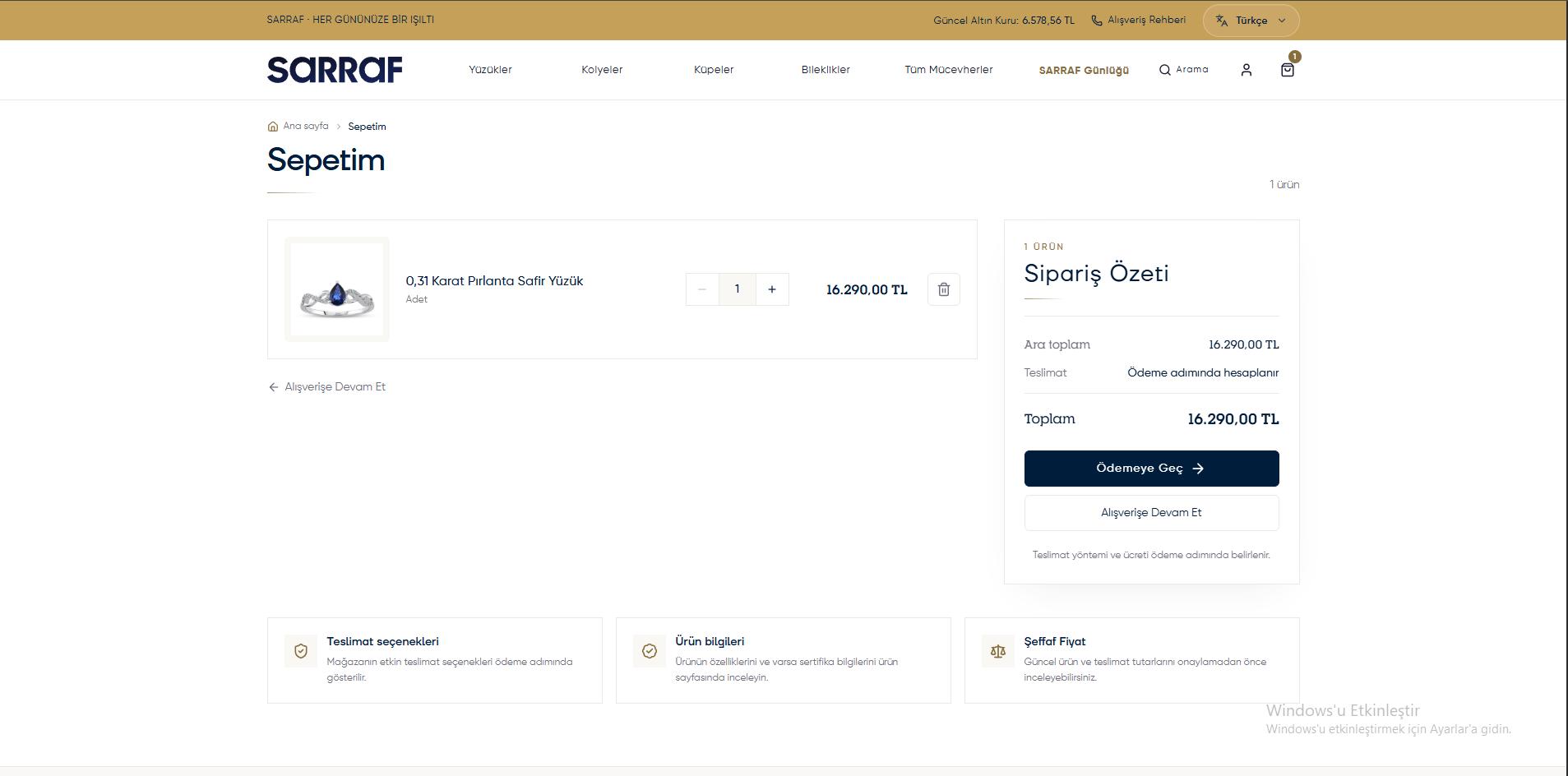 [Görseli tam boyutta aç](/images/eticaret/05-sepet.png)
[E-ticaret bölümündeki tüm konular](/eticaret/genel-bakis)
This documentation is built and hosted on [Mintlify](https://mintlify.com), a developer documentation platform.
[Görseli tam boyutta aç](/images/eticaret/05-sepet.png)
[E-ticaret bölümündeki tüm konular](/eticaret/genel-bakis)
This documentation is built and hosted on [Mintlify](https://mintlify.com), a developer documentation platform.